One product record
Title, photos, variants and prices live in one place, with a version for each channel's own rules and categories.
Integrations
Connect once. Listings, orders and stock stay in step.
Your store
 Shopify, stock updates instantly
 BigCommerce, stock updates instantly
 WooCommerce, stock updates instantly
Stock updates instantlyStock updates on a sync
Marketplaces
 eBay, stock updates instantly
 Amazon, stock updates on sync
 Etsy, stock updates instantly
 Walmart, stock updates on sync
 TikTok Shop, stock updates on sync
Shipping and accounting
 UPS
UPS FedEx
FedEx USPS
USPS DHL
DHL QuickBooks
Fourteen days free. No card, no setup fee, no per-order fees.
An interactive drawing of your online store and five marketplaces, eBay, Amazon, Etsy, Walmart and TikTok Shop, connected to one product with 14 units on hand. Use the store buttons to simulate a sale.
Run your Shopify, BigCommerce or WooCommerce store alongside eBay, Amazon, Etsy, Walmart and TikTok Shop. Listings, stock, orders, shipping, returns and purchasing in one system.
No card needed. Flat monthly price, no per-order fees.
Drag to turn the floor. Click a store to sell one.Tap a store to sell one. Drag to turn the floor.
Your storePick the one you run
ShopifyBigCommerceWooCommerceMarketplacesAdd the ones you sell on
eBayAmazonEtsyWalmartTikTok ShopShipping and accountingYour own carrier accounts
UPSFedExUSPSDHLQuickBooksYour store admin, five marketplace tabs, an inventory sheet and an order export, each keeping its own number. The gaps between them are where oversells come from.
Shopify12eBay12Amazon12Etsy12Walmart12TikTok Shop12Etsy order #2041 · 1 unit · 2 min agoSample data
Title, photos, variants and prices live in one place, with a version for each channel's own rules and categories.
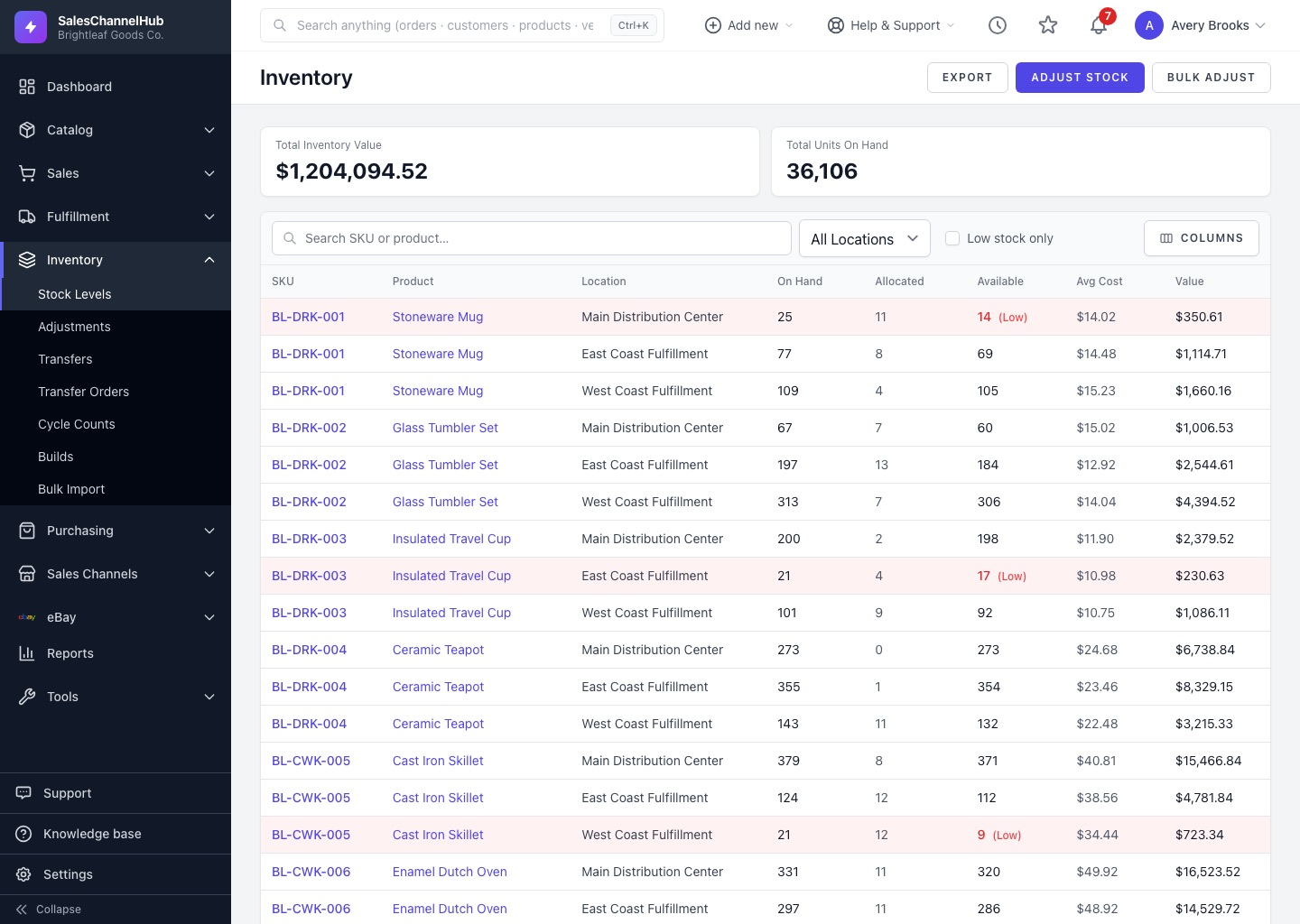
On hand, allocated and available for every warehouse. Every channel reads the same number, so you stop selling what you don't have.
Orders from your store and every marketplace land in one list, with the same holds, tags, notes and bulk actions for each.
Scroll through the floor. Every stop is a screen in SalesChannelHub, and every stop reads the same order, the same stock and the same customer.
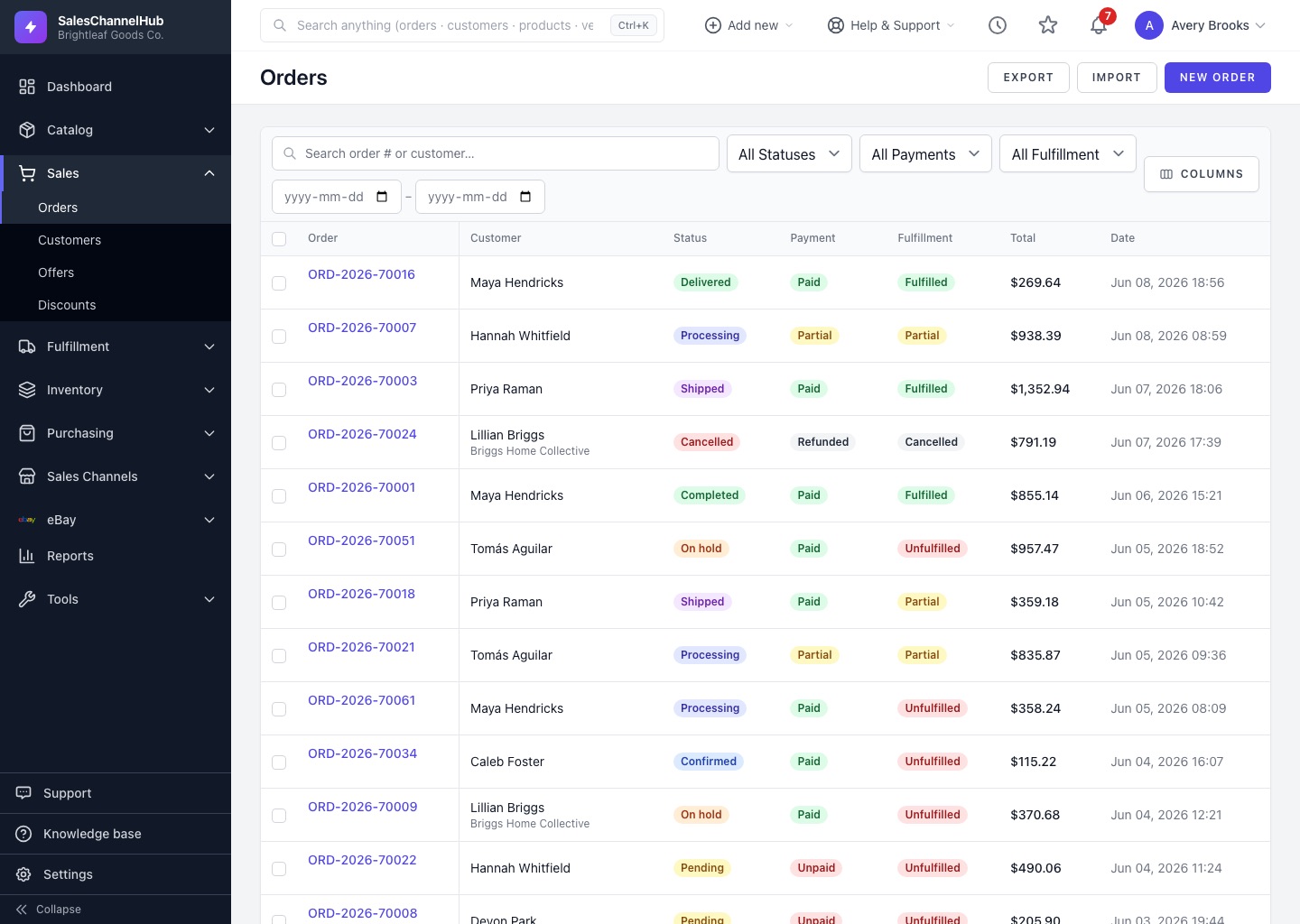
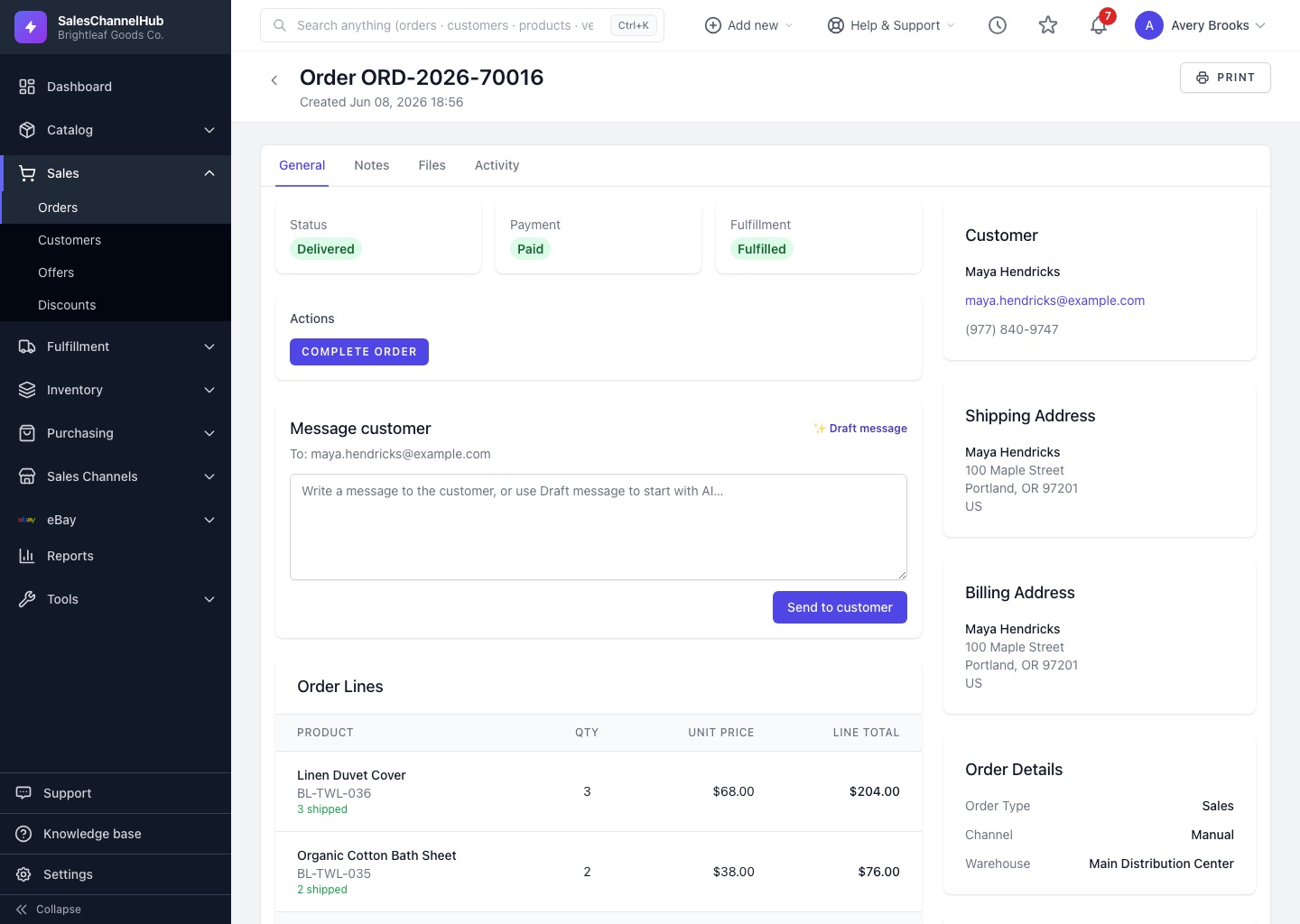
The order arrives with the buyer, the items and the shipping method, next to orders from every other channel.
One stock count feeds every listing. Your Shopify store, eBay and Etsy update the moment it changes; Amazon, Walmart and TikTok Shop pick it up on their next sync.
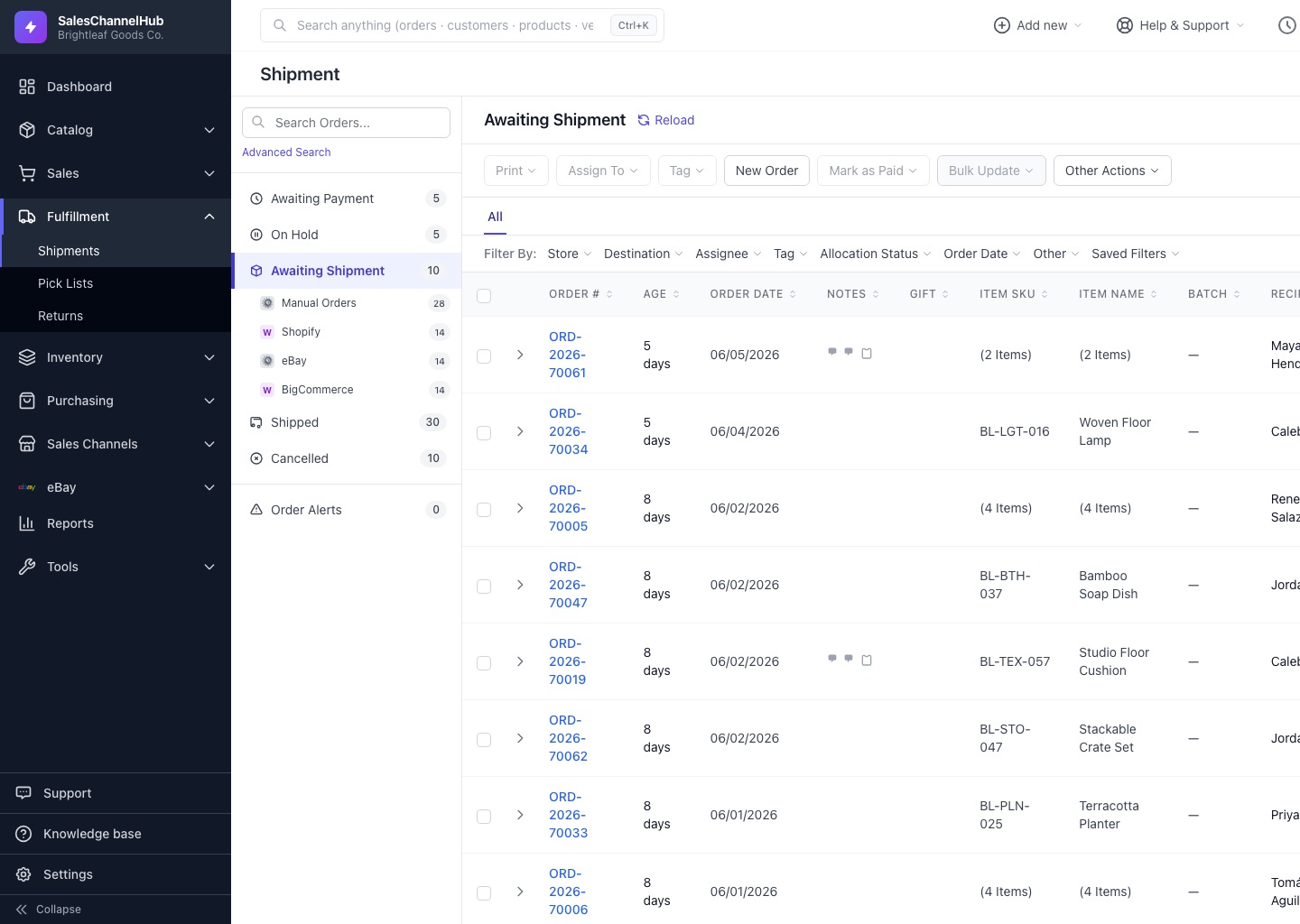
Holds, tags, notes and bulk actions work the same for your store and every marketplace, so nobody checks six dashboards before lunch.
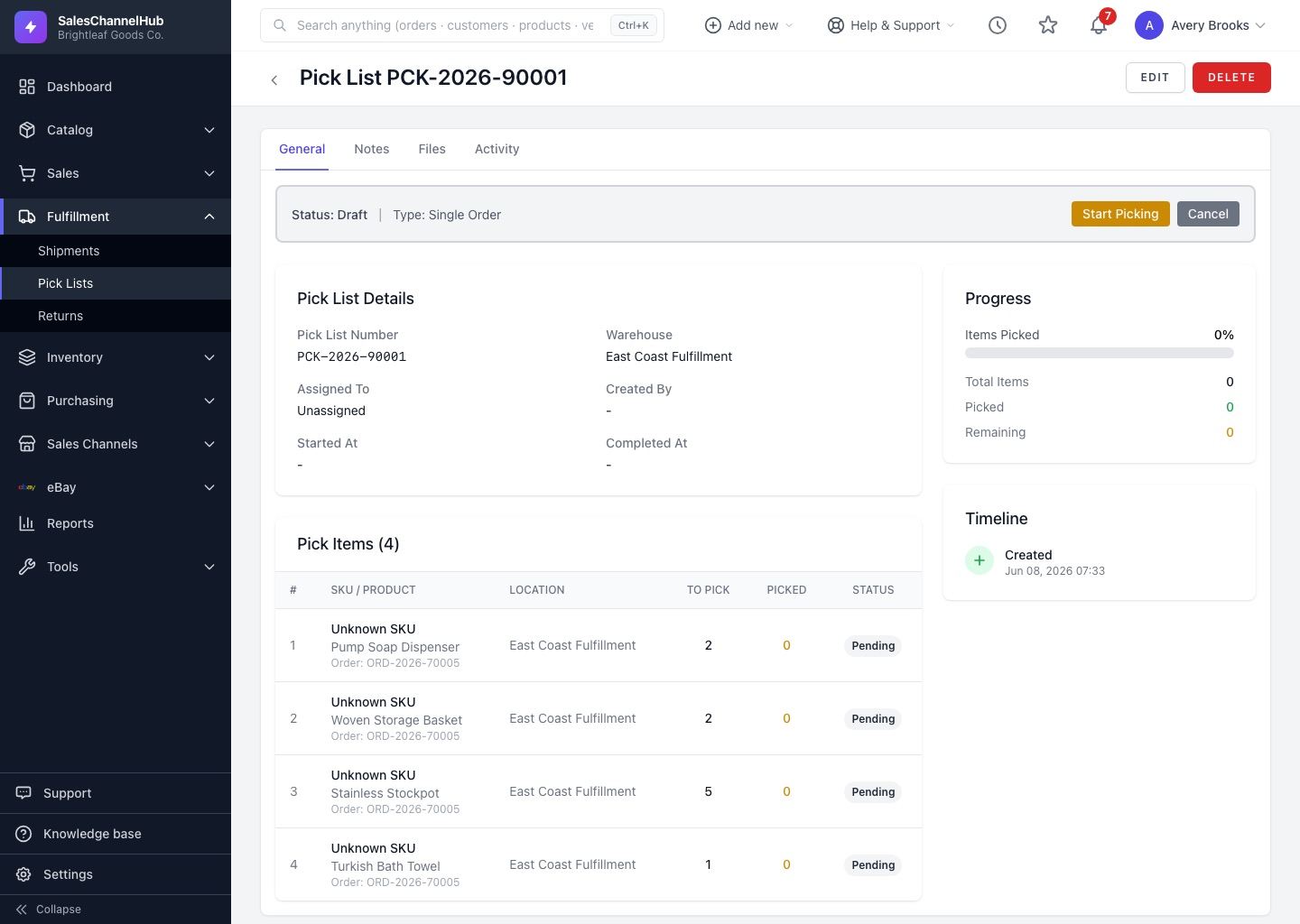
Put the day's orders on one pick list for each warehouse and hand it to a picker. Every line says which bin to go to.
Scan each item at the pack bench to confirm the right products go in the box before a label is bought.
Sample data
Compare UPS, FedEx, USPS and DHL rates side by side, buy the one you want and print the day's labels at once.
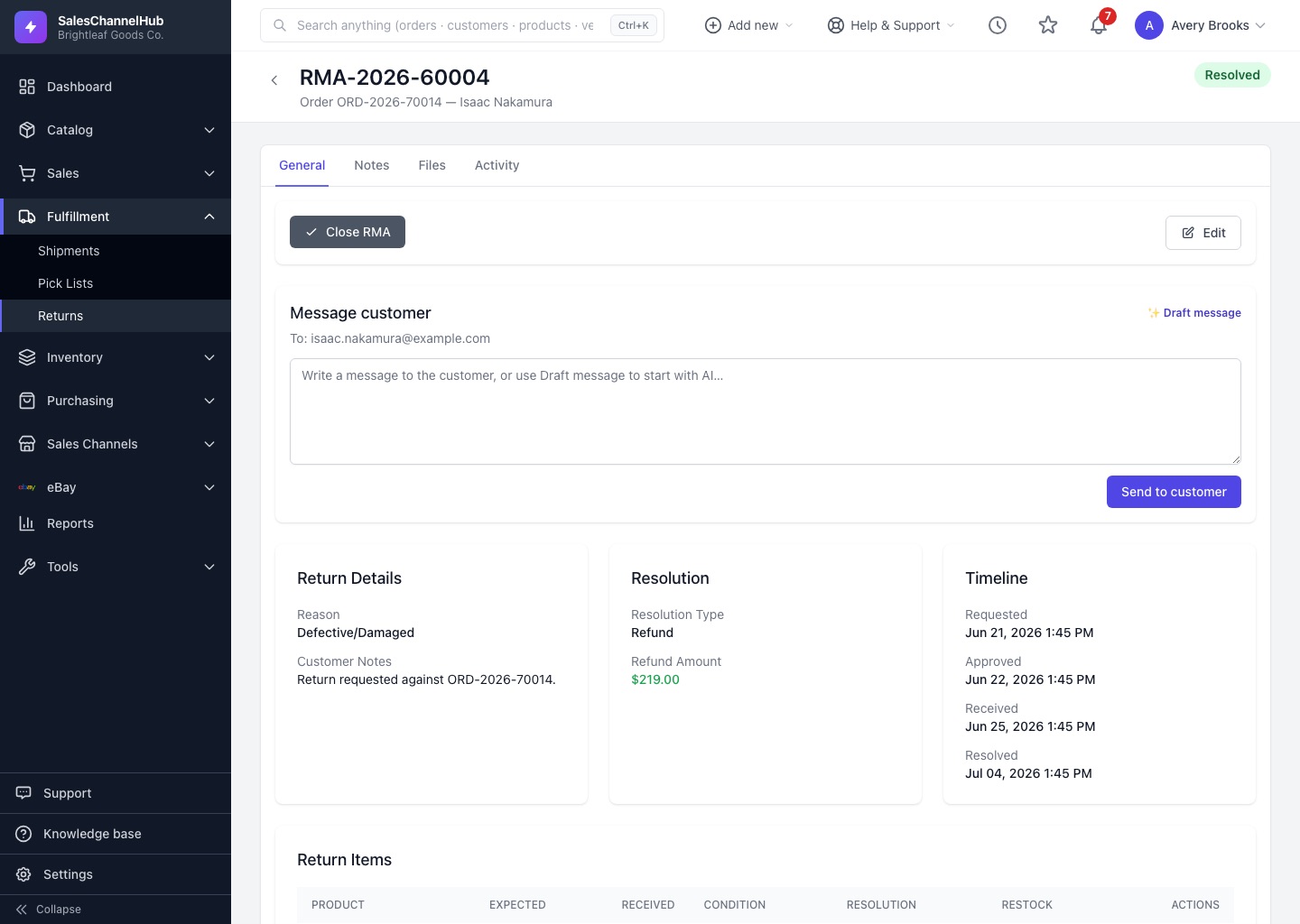
Approve a return and the buyer gets a link to print a label and track it. Receive it, inspect it, then refund, restock or replace.
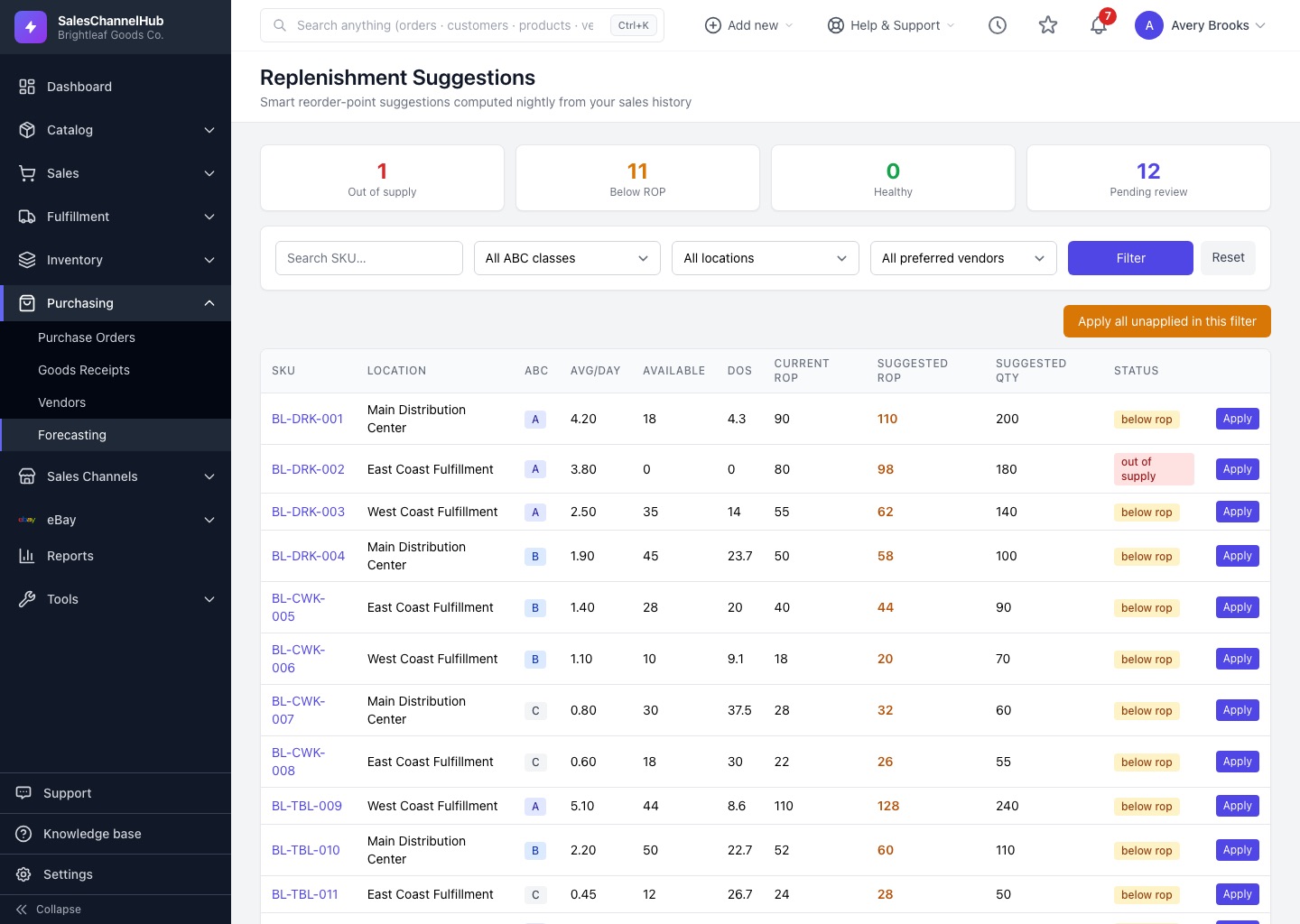
Every night SalesChannelHub works out reorder points from your sales, with seasonality and safety stock, and suggests what to buy. One click turns it into a purchase order.
Twenty working parts behind one login and one database. Point at any of them to see it move, or open one to see the real screen.
Get products in front of buyers on every channel.
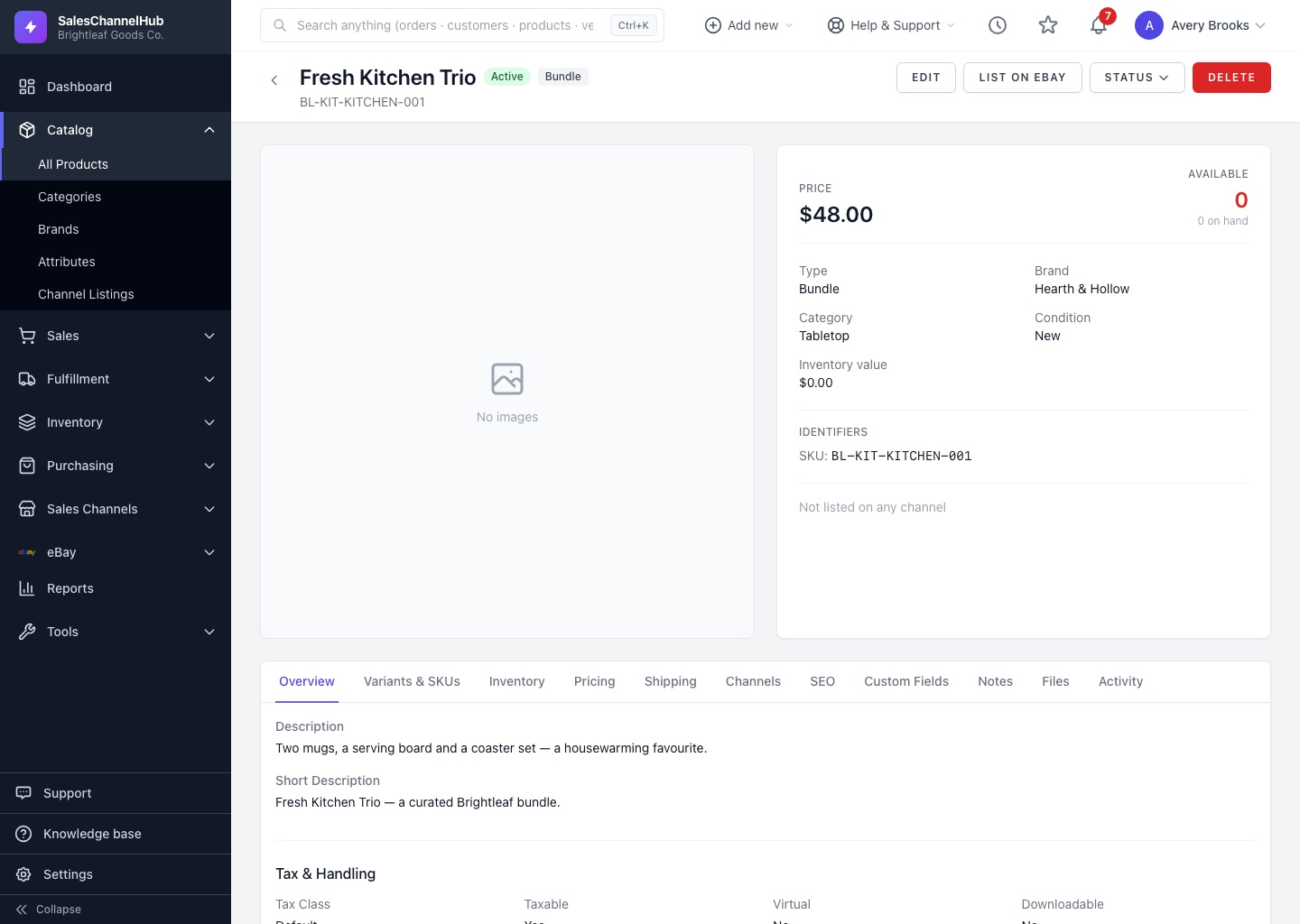
Simple, variant, bundle and kit products in one catalog.
Every listing on your store and each marketplace, with its status.
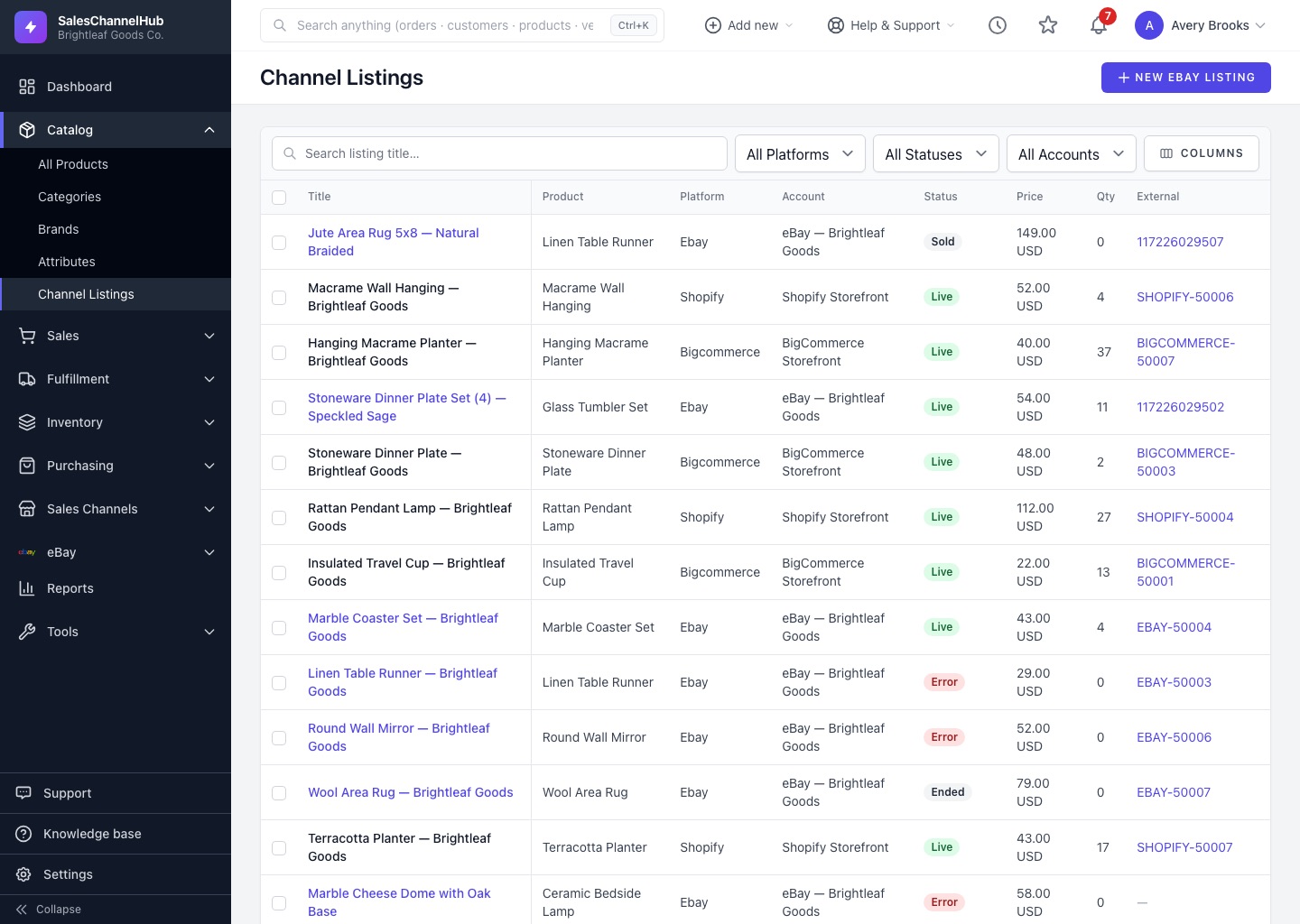
Run eBay without opening Seller Hub.
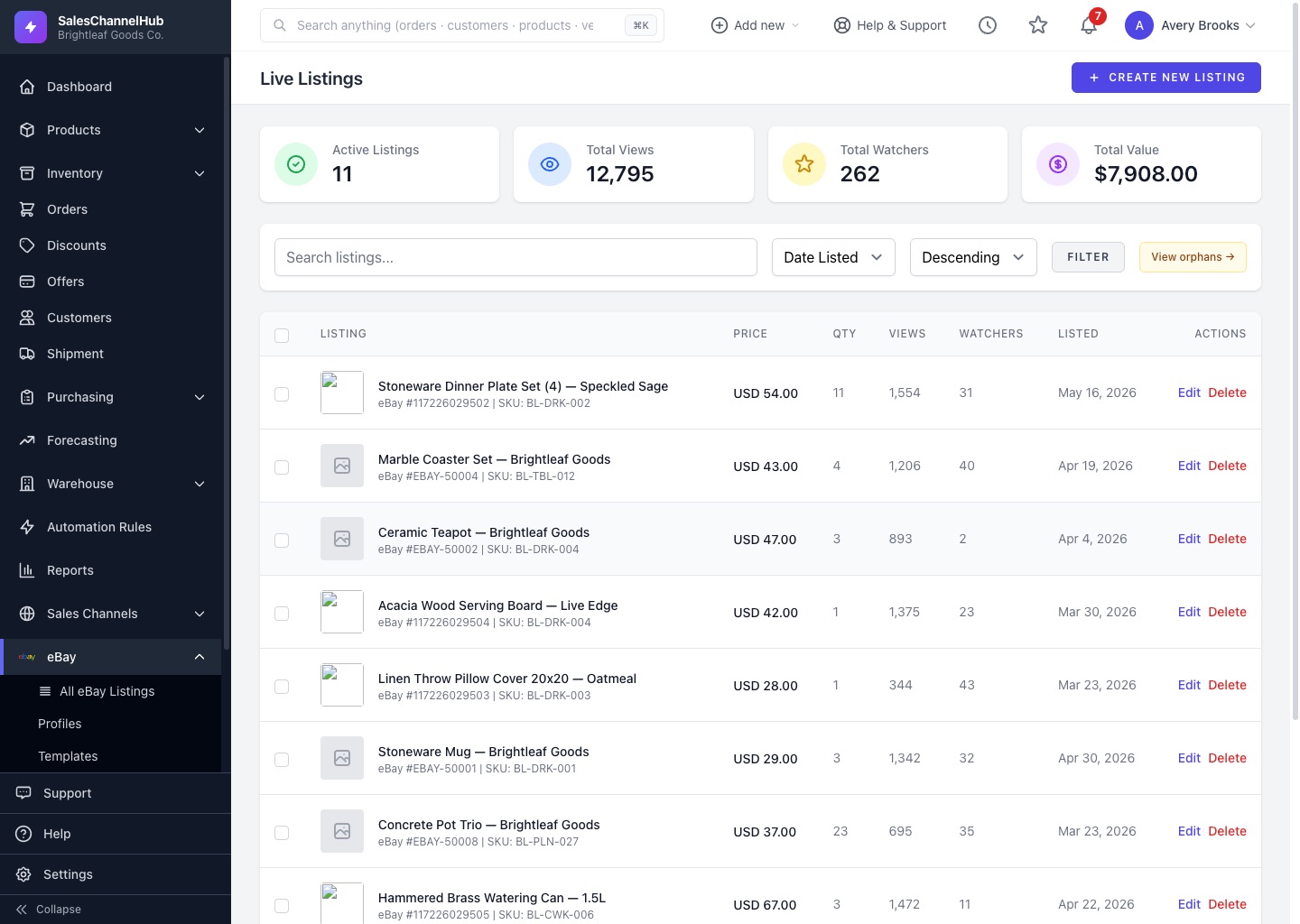
Price tiers, credit holds, offers and promotions.
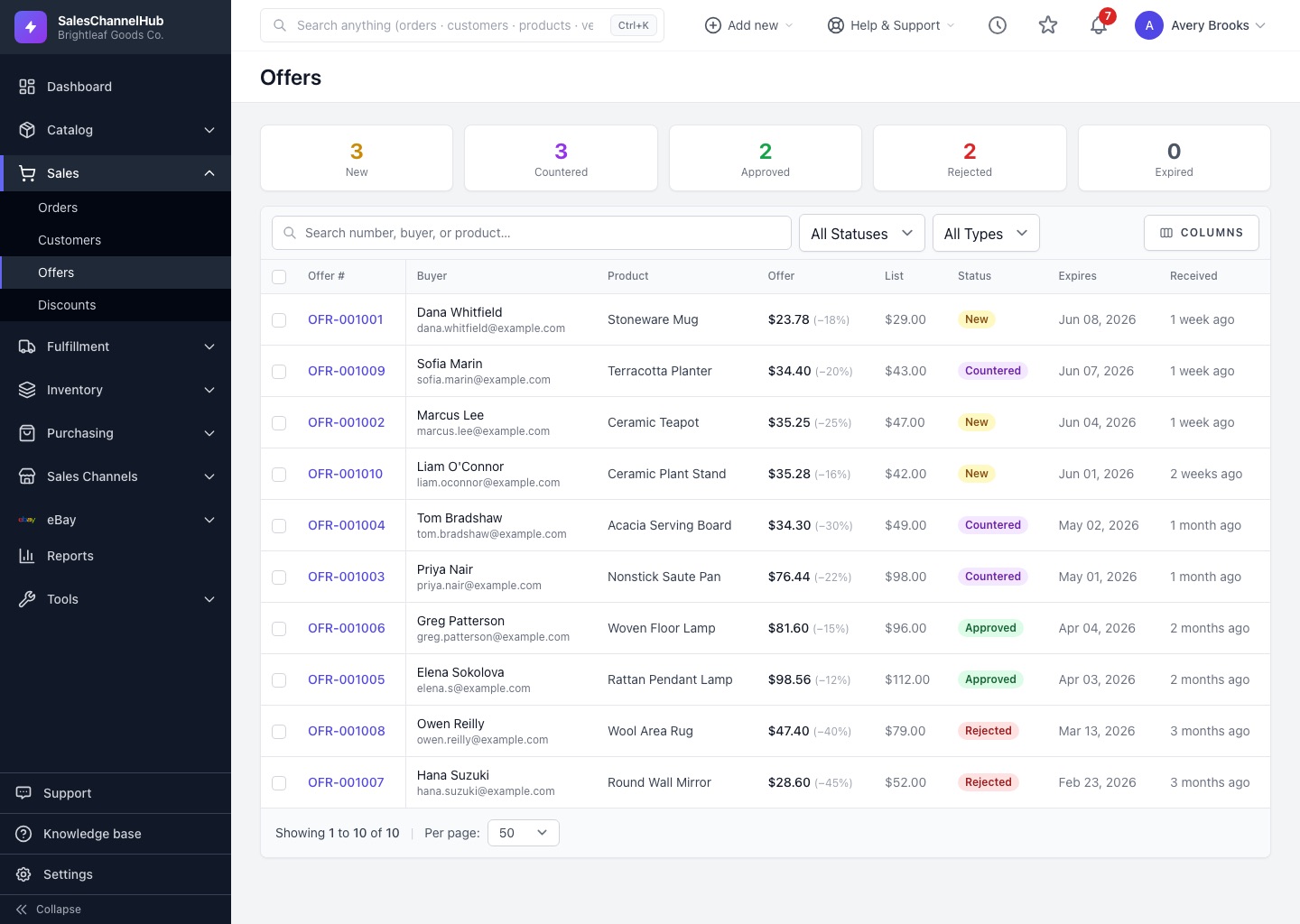
Get every order out the door, and back in if it returns.
One queue for every channel's orders.
Many orders on one list, a bin on every line.
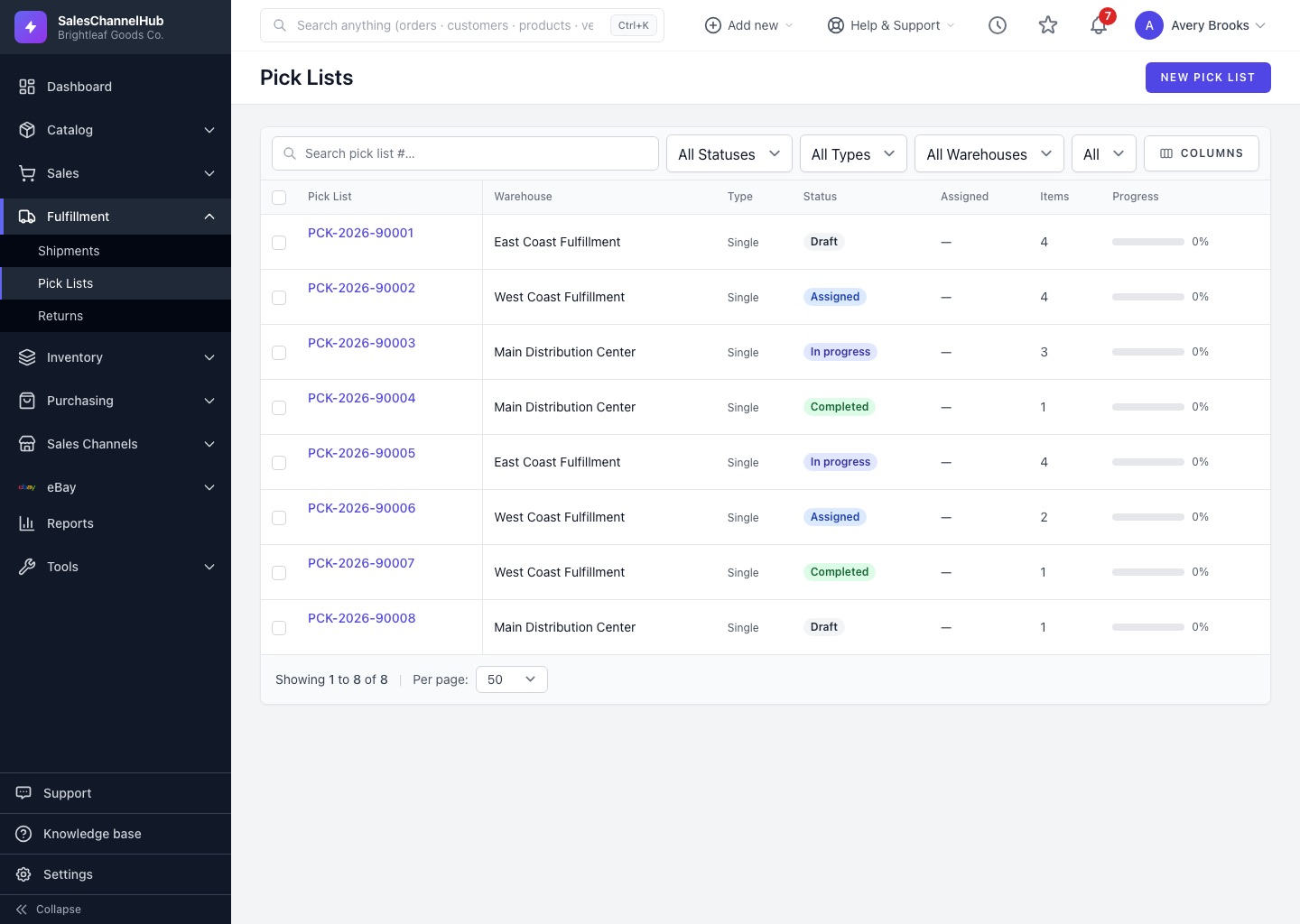
Rates from four carriers, labels in a batch.
Approve, label, inspect and restock.
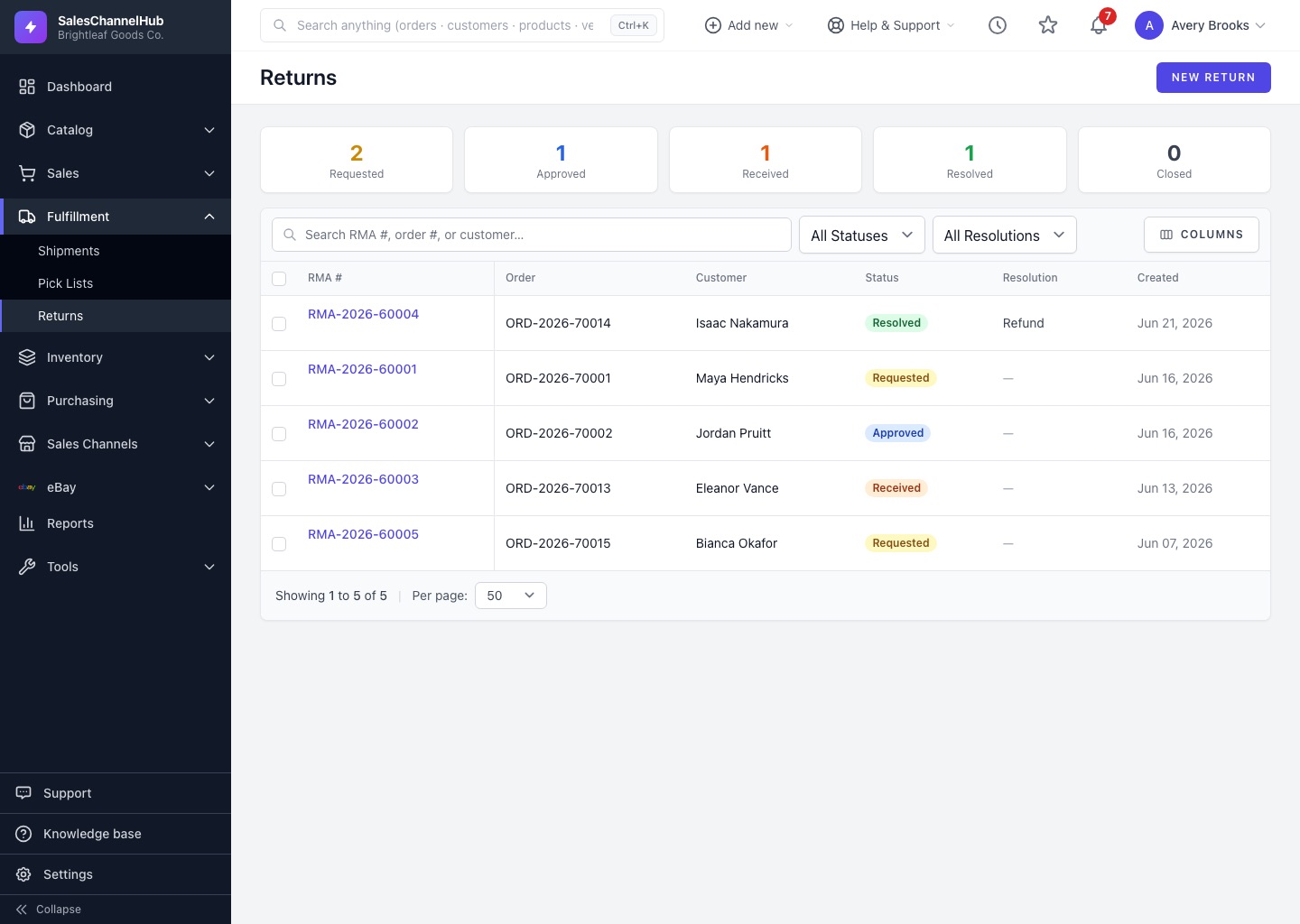
Know what you have and where it is.
On hand, allocated and available per location.
Move stock between warehouses and track it in transit.
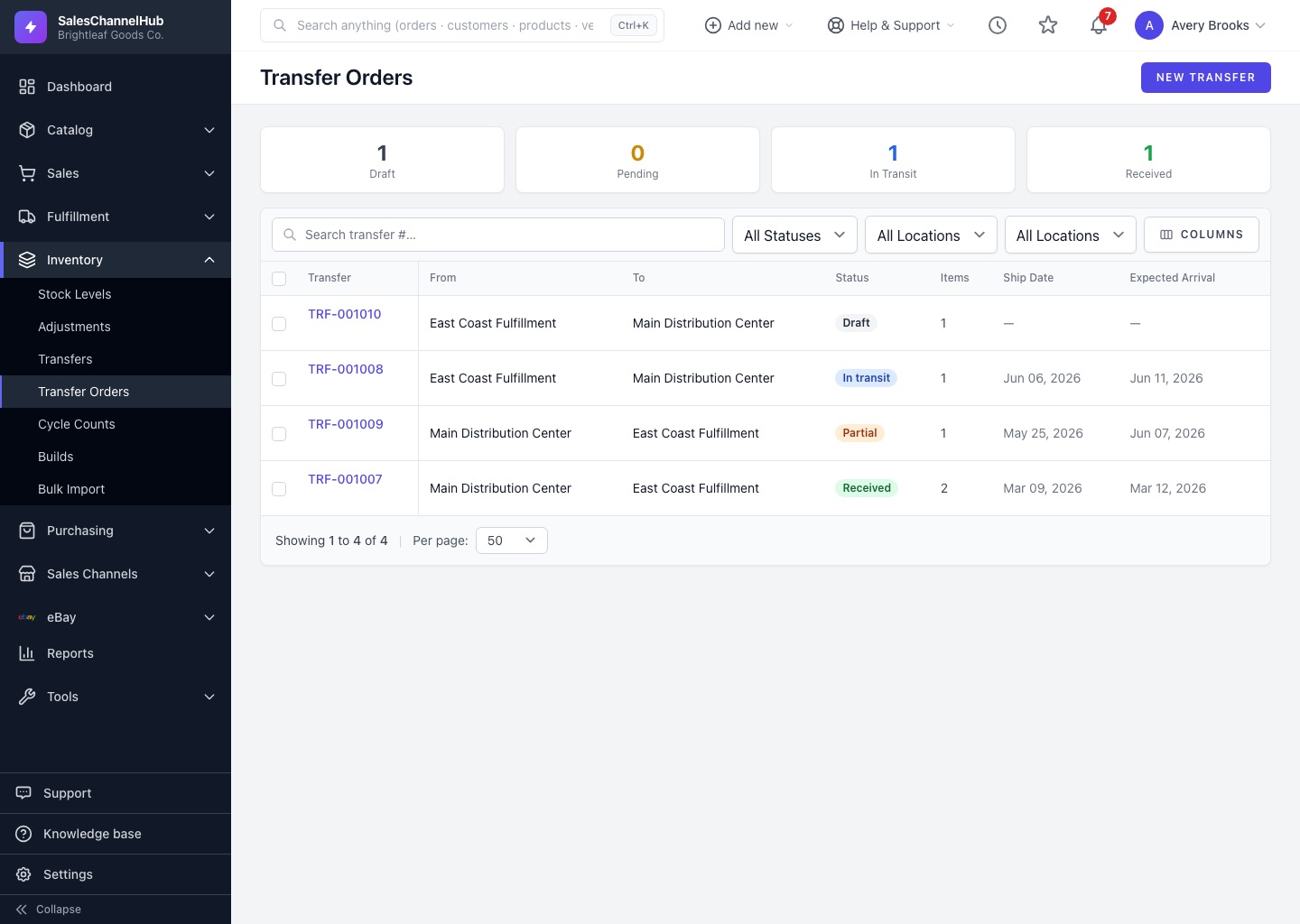
Count without closing the warehouse.
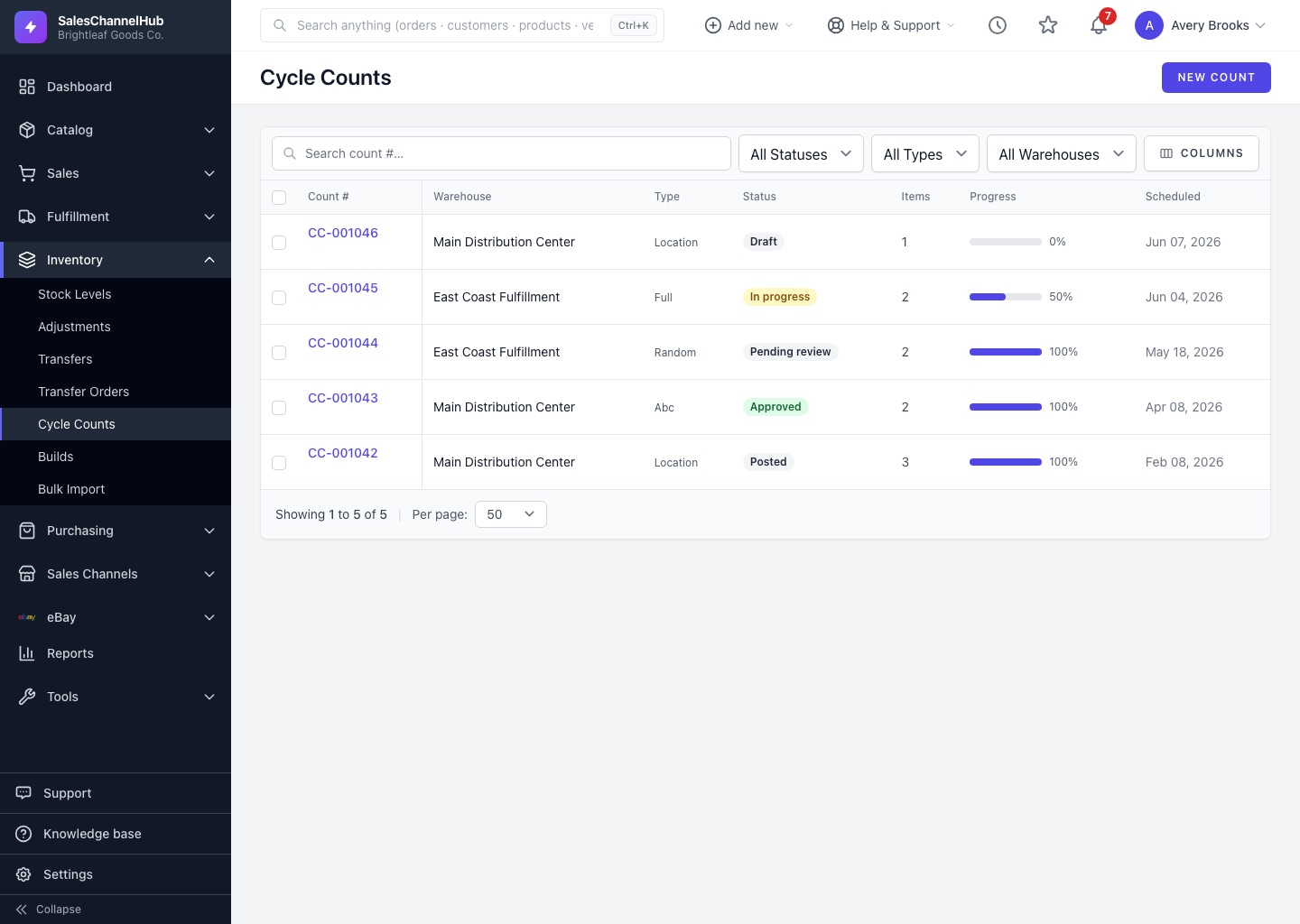
Assemble kits from components and track both.
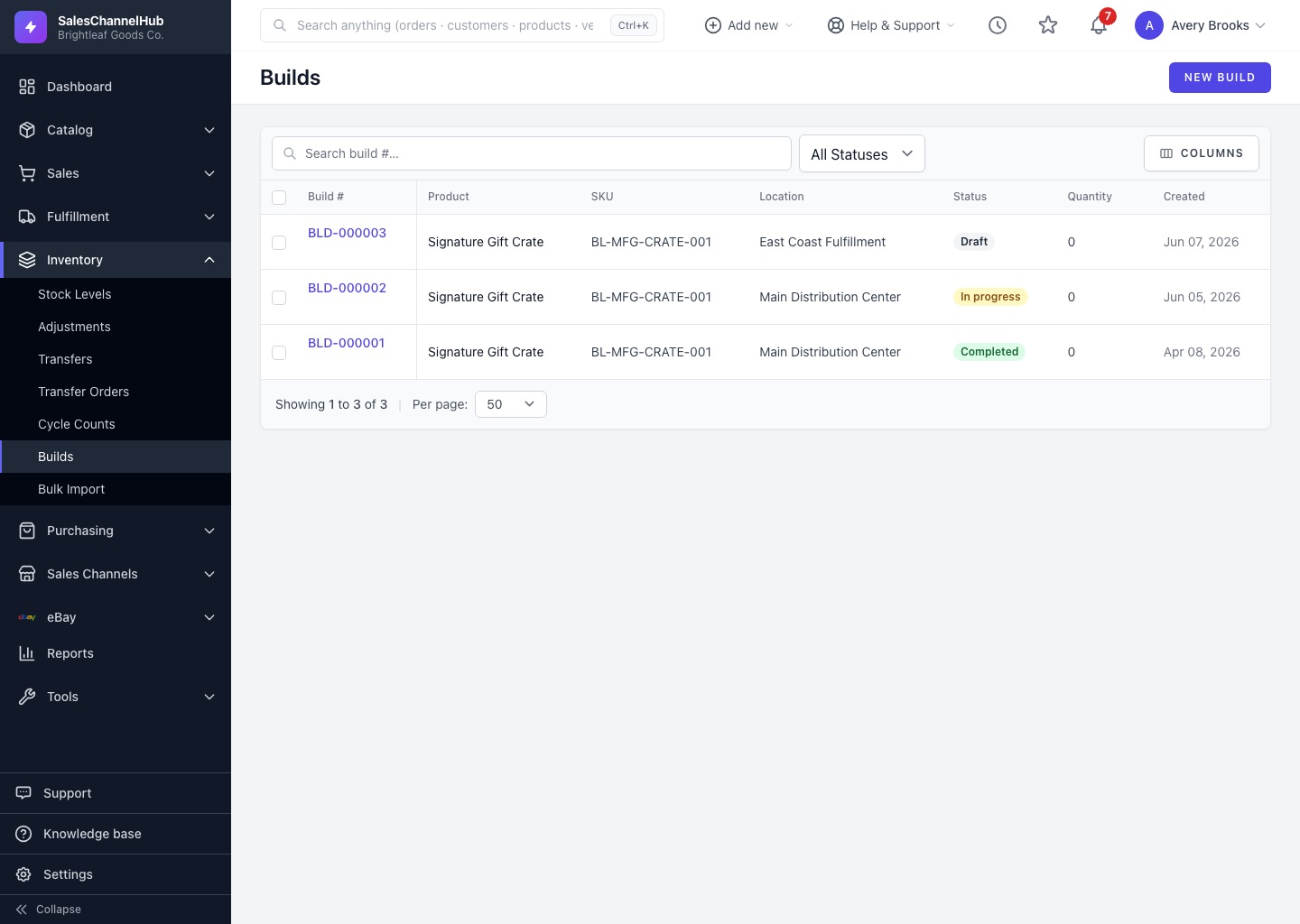
Restock on time without a spreadsheet.
POs with approvals, sent to your vendors.
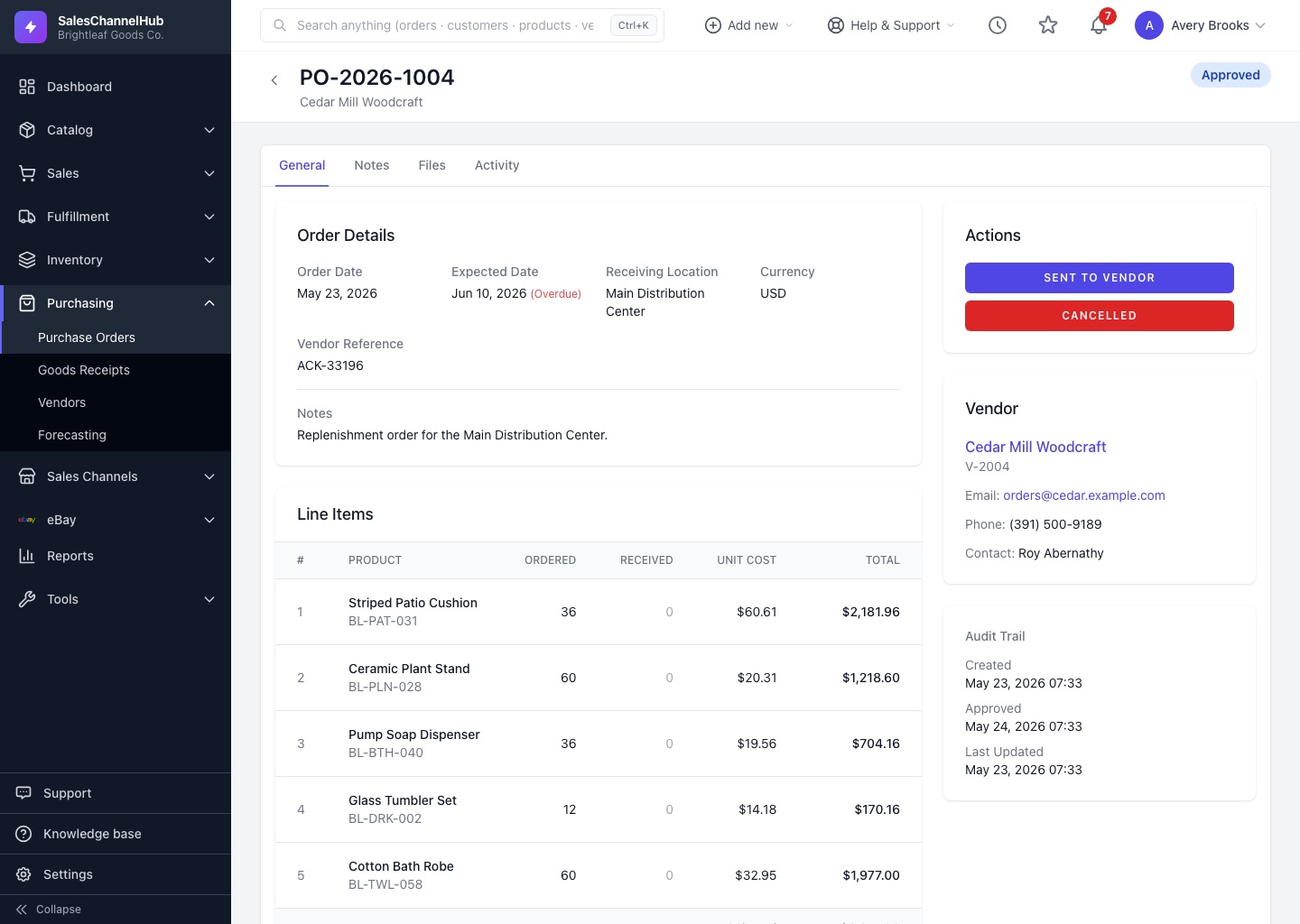
Receive what arrived and check it on the dock.
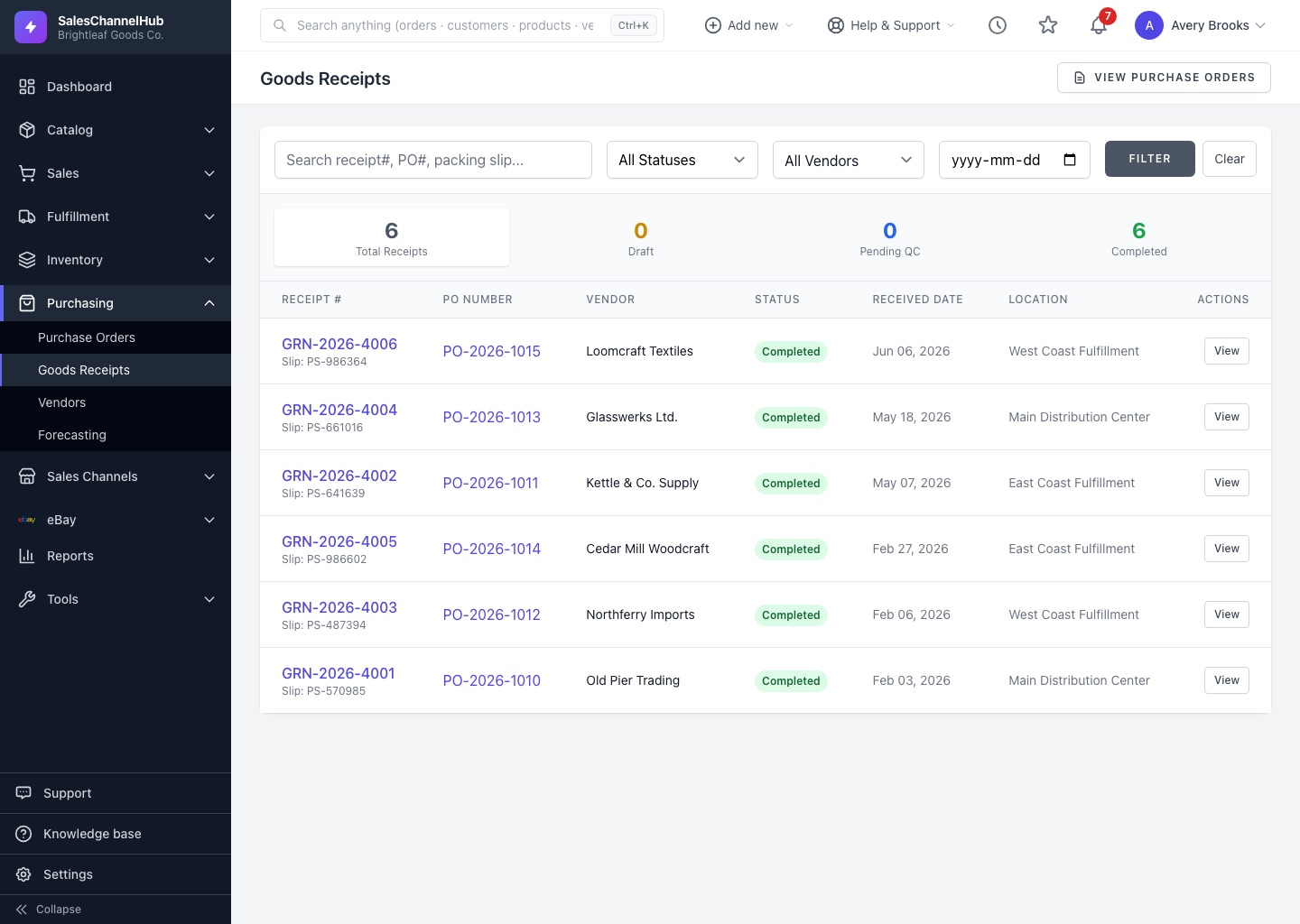
Reorder points worked out every night.
Hear about low and dead stock before it costs you.
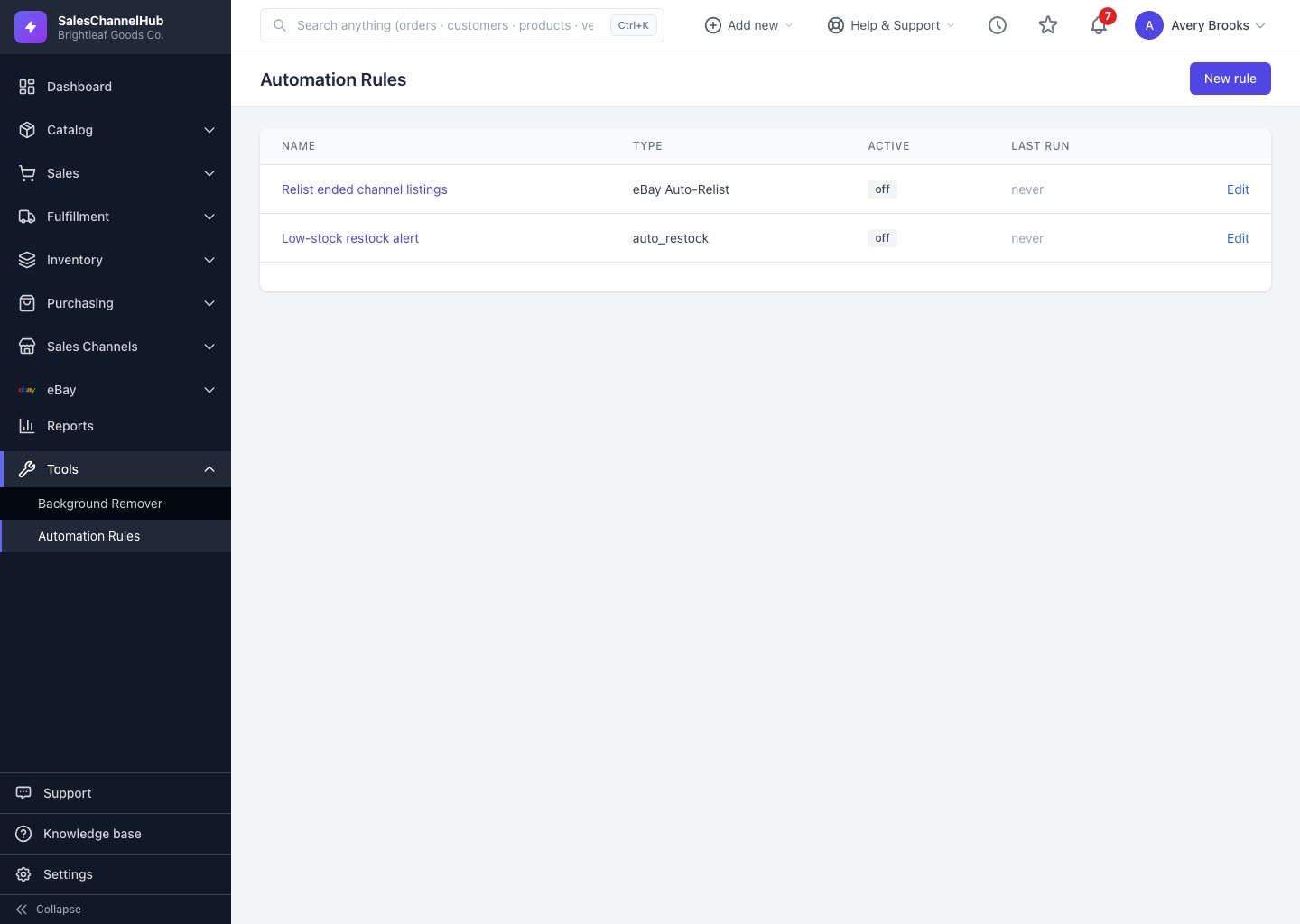
See the business and hand the chores to rules.
Today's work across every channel on one screen.
Build your own reports without a spreadsheet.
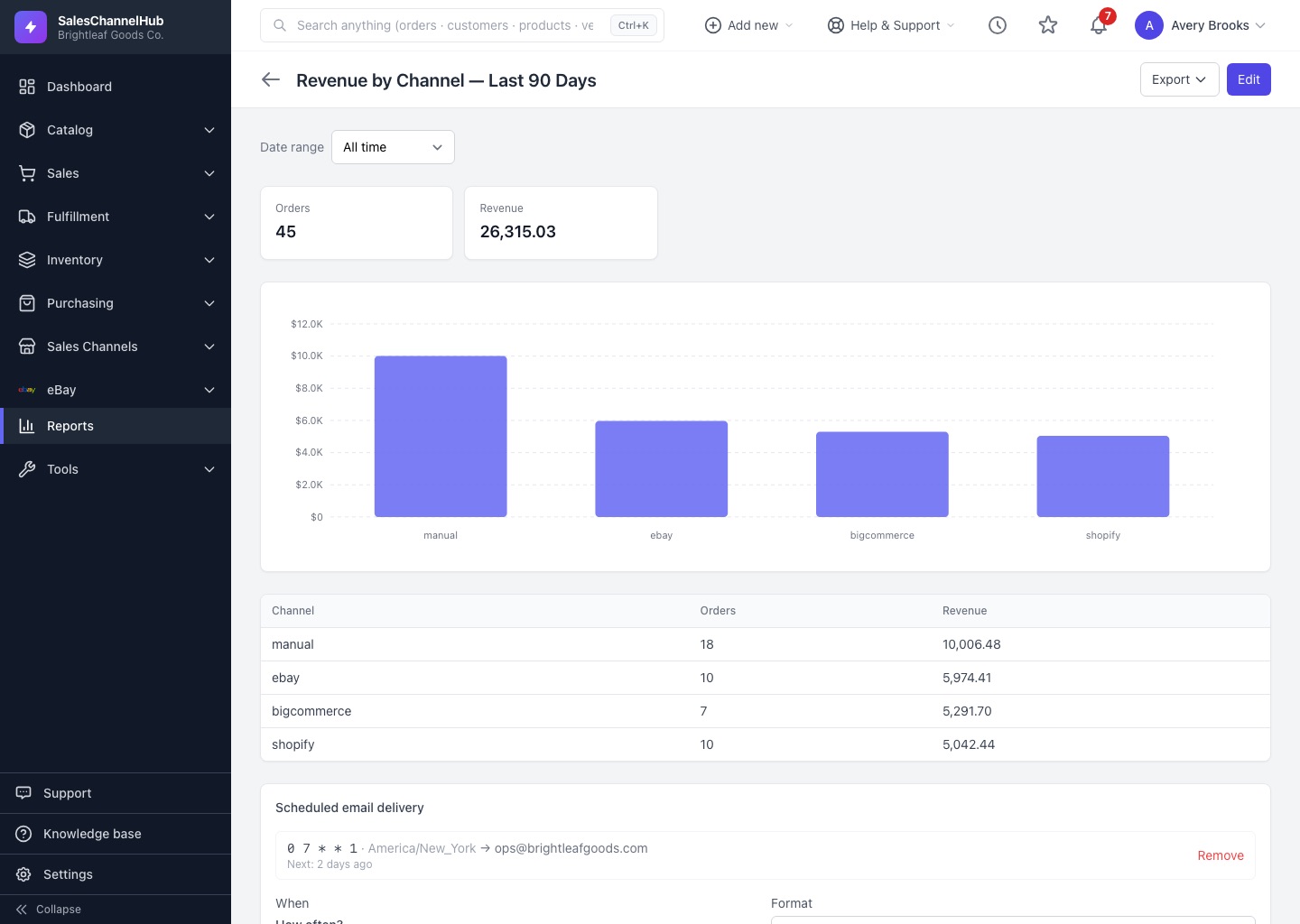
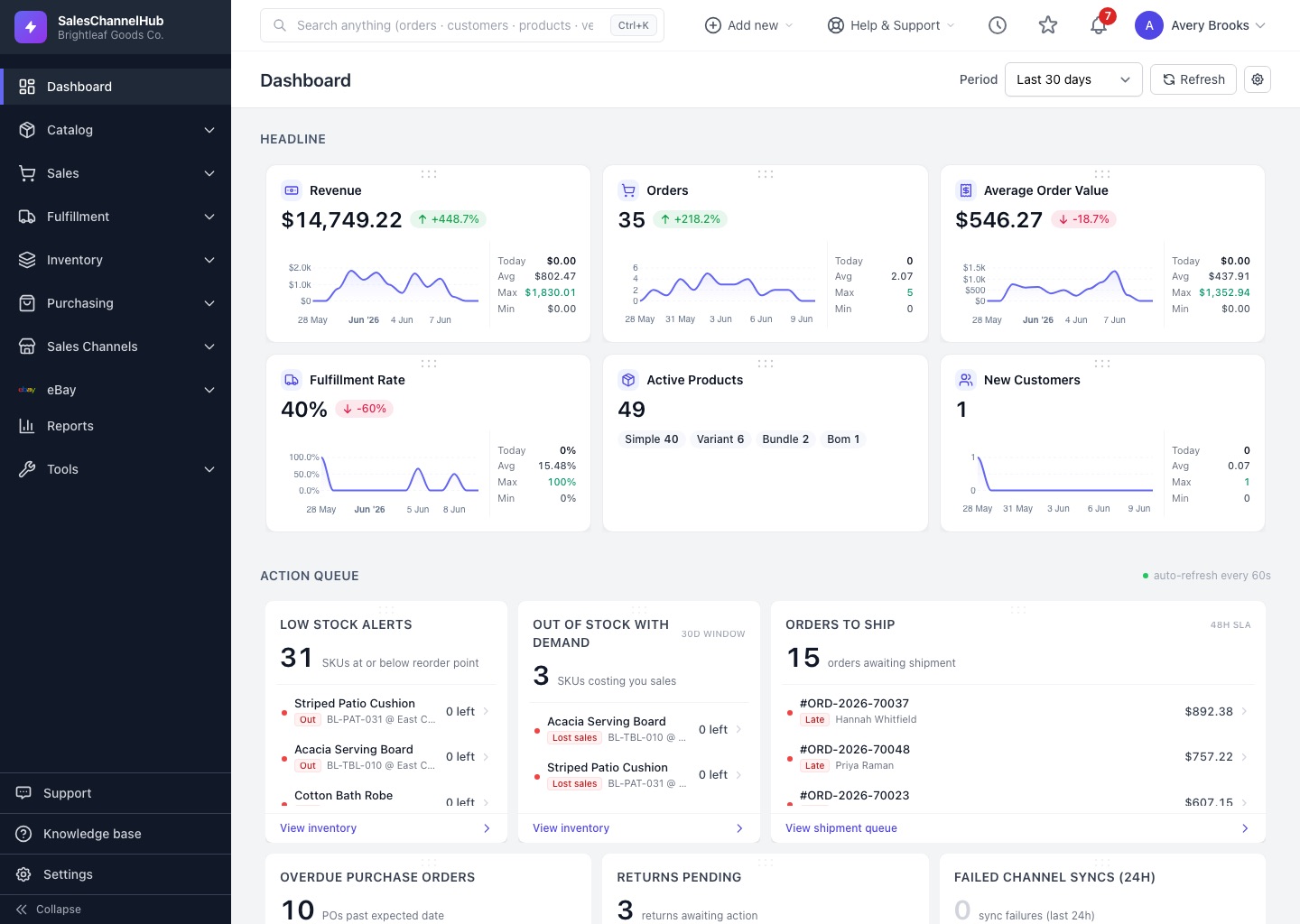
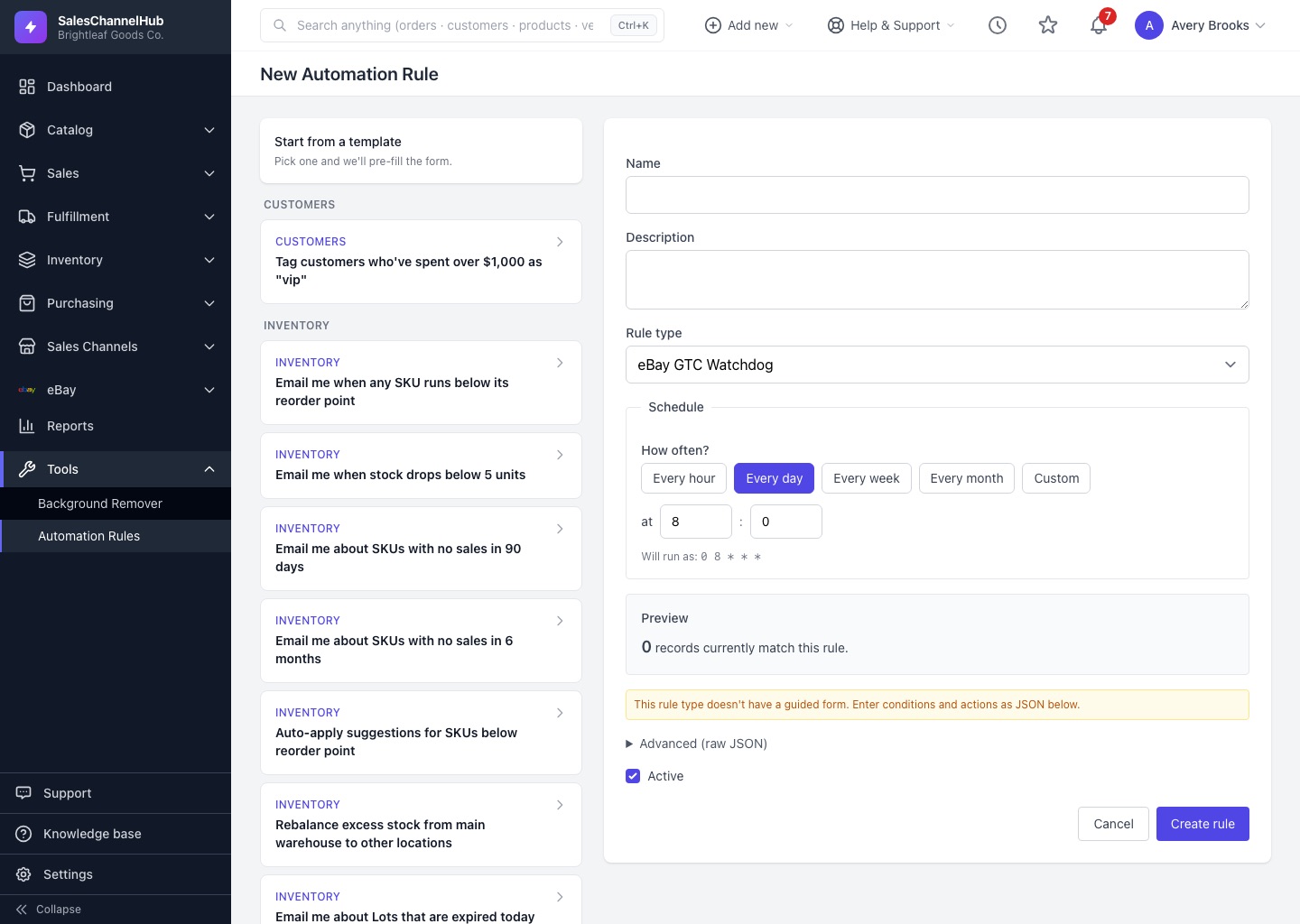
Twenty-two kinds of rules for the repetitive work.
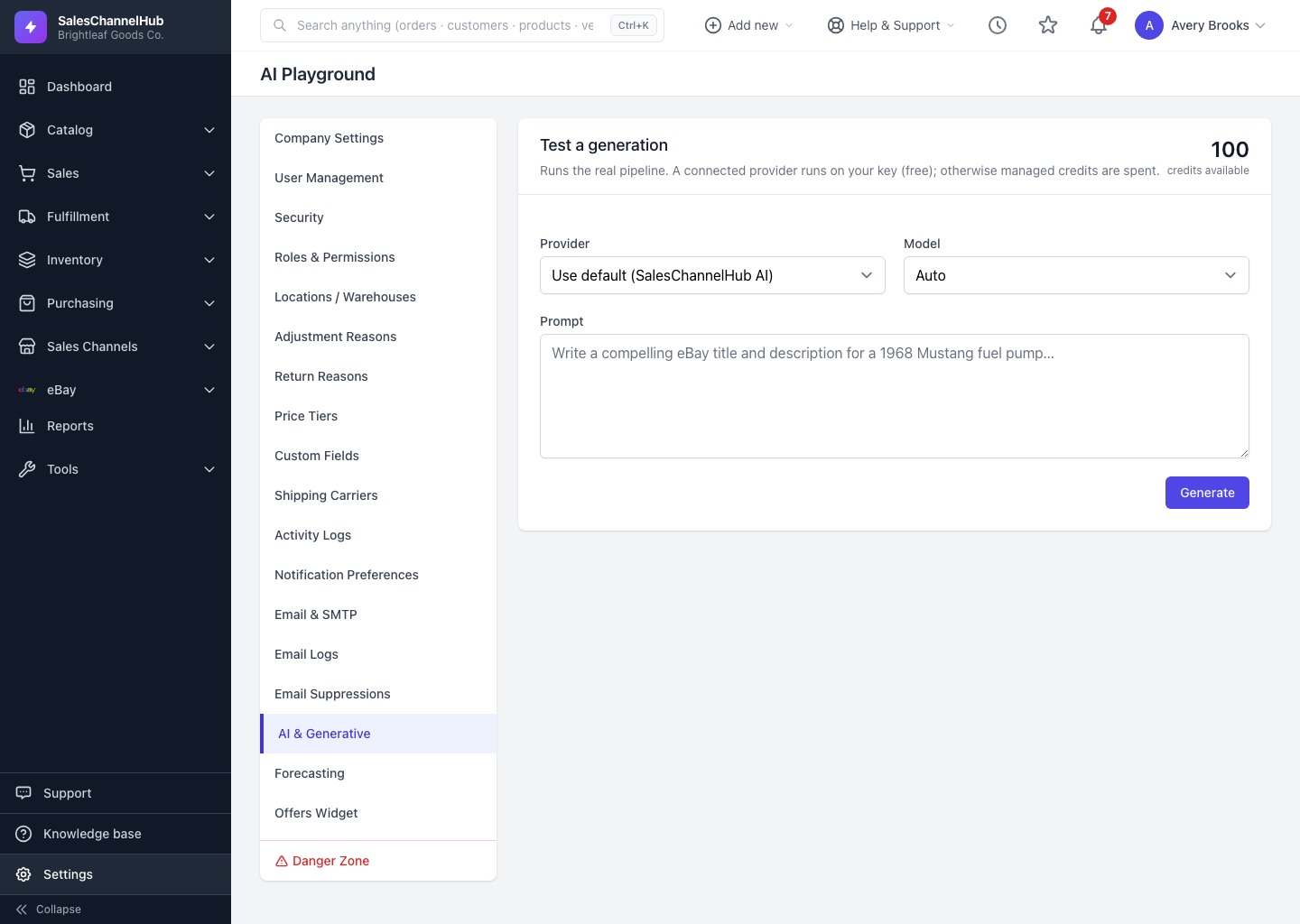
Listing copy and replies drafted for you to approve.
Four working samples from inside the app. The numbers are examples; the steps are the real ones.
Compare carriers for one parcel, buy the cheapest label and send tracking back to the channel.
Sample rates for illustration, not live quotes.
Tracking sent back to Etsy order #2041.
SKU-3091 sells about 3.4 a day. Set the vendor's lead time and the cushion you want, and see when to reorder.
PO-1188156 units from Brass Lighting Co.Draft, awaiting approval
Rules are written as sentences. Change the threshold and the preview shows what the rule would catch in the sample catalog.
When stock of a SKU falls below units, .
22 rule types in five groups:
Stock
Orders
Purchasing
Listings
Sync health
Sample catalog. Nothing runs until you switch the rule on.
Give it the facts once. It drafts the listing in each channel's own shape, and you approve it.
Every draft waits for your approval. Nothing is published until you publish it.
Pick the platform your store runs on and add the marketplaces you sell on. Each connects once, and listings, stock, orders and tracking all run through that connection.
Rates, labels and tracking from UPS, FedEx, USPS and DHL on your own accounts, plus return labels from UPS, FedEx and DHL.
QuickBooks Online: paid orders become invoices and refunds become credit memos, mapped to your own chart of accounts.
Every number here is counted from the product itself, the way a drawing lists what it is made of.
No onboarding project. Connect, bring your catalog, and run both setups side by side until the numbers match.
Sign in to your store and each marketplace from the Integrations screen. The first one takes a few minutes.
Pull products, variants, images and categories straight from your store. CSV templates cover stock, customers, vendors and the rest.
Publish the same catalog to the marketplaces you are not on yet, and run alongside your old setup for about a week to check the numbers.
Each account runs on its own database, and the people who built it read your messages.
Your products, orders and customers live in their own database, with their own file storage and background jobs.
The tokens that connect your channels are stored encrypted with AES-256.
Codes from an authenticator app, with recovery codes for a lost phone.
126 permissions to build roles from, and an activity log of who changed what.
Eighteen years of designing eBay and ecommerce stores taught us where sellers lose their days. We built the tool we kept wishing our clients had.
Co-founder. Founder of OCDesignsOnline, 18+ years designing eBay and ecommerce stores.
Co-founder, Traq Solutions. Builds the platform and the channel integrations.
Every plan starts with a 14-day free trial. No card, no setup fee, cancel any time.
$79/month
For sellers under 500 orders a month
$150/month
For 500 to 2,500 orders a month
$300/month
For more than 2,500 orders a month
Shipping more than 10,000 orders a month? Talk to us about enterprise.
Move the sliders to match your business. The maths is shown underneath.
(2,000 orders × 3 min ÷ 60) × $22/h + 4 oversells × $25 − $150
Something else? Ask the team or search the help centre.
Connect your store and each marketplace once. SalesChannelHub keeps one stock count per SKU for all of them, and every order lands in one queue. When a unit sells anywhere, the shared count goes down: your store, eBay and Etsy update automatically, and Amazon, Walmart and TikTok Shop update when they sync.
Yes. Sellers moving platforms run the old and new store side by side while they switch, and some keep a wholesale store on one platform next to a retail store on another. Each store is its own connection on the same stock count. Growth covers up to three stores.
Every sale reduces one shared stock count, so your store and the marketplaces stop working from different numbers. Your store, eBay and Etsy get the new count the moment it changes, and Amazon, Walmart and TikTok Shop pick it up on their next sync. Bundles and kits subtract their components automatically.
Shopify and Etsy send new orders the moment they are placed. eBay, Amazon, Walmart, TikTok Shop, WooCommerce and BigCommerce orders arrive on a scheduled sync every five minutes once you switch it on.
Start a trial and connect your first channel in under an hour. Most sellers run alongside their old setup for about a week to check the numbers match, then switch over. There is no onboarding project.
Yes. Pull your catalog straight from your Shopify, BigCommerce or WooCommerce store, or from Etsy, or use CSV templates for products, stock, orders, customers, vendors, categories, brands, locations and price tiers. Everything exports back to CSV whenever you want it.
Yes. Products can be simple, variant, bundle or kit. Selling a bundle reduces each component. Every location keeps its own count, and transfers track stock while it is in transit.
No. Plans are a flat monthly price, with no per-order fees and no setup fee. The 14-day trial does not need a card.
Each account runs on its own database, with its own file storage and background jobs. You also get two-factor sign-in, permissions per role and an activity log of every change.
Yes. Email support on Starter, priority email and Slack on Growth, and phone support with an onboarding call on Scale. The founders answer founding-customer messages themselves.
Tell us where you sell and see the plan that fits. Every plan starts with 14 days free, no card.
Your store
Marketplaces you sell on
Starter$79a month
Covers 1 store and up to 2 marketplaces.
Starter is for under 500 orders a month.
A drawing of your store and the marketplaces you picked, all connected to one stock count.