


eBay, from the same stock as your store.
Publish and revise listings, keep Motors fitment and business policies, and answer buyers from one inbox. Stock goes to eBay automatically; orders come in every five minutes.

What syncs, and when.
Exactly what the eBay connection does today.
- Connect
- Sign in with eBay (one eBay account per workspace)
- Listings
- Publish, revise, end and relist: fixed price, auction and Best Offer
- Imported listings
- Revised in place, not ended and recreated
- Stock
- Sent automatically when it changes, for listings published from SalesChannelHub
- Orders
- Every five minutes, once auto-sync is on
- Tracking
- Sent back when you ship
- Sites
- eBay US and eBay Motors
Listings imported from another tool pick up the stock count when you revise them; listings published from SalesChannelHub update automatically.
Running eBay in SalesChannelHub.
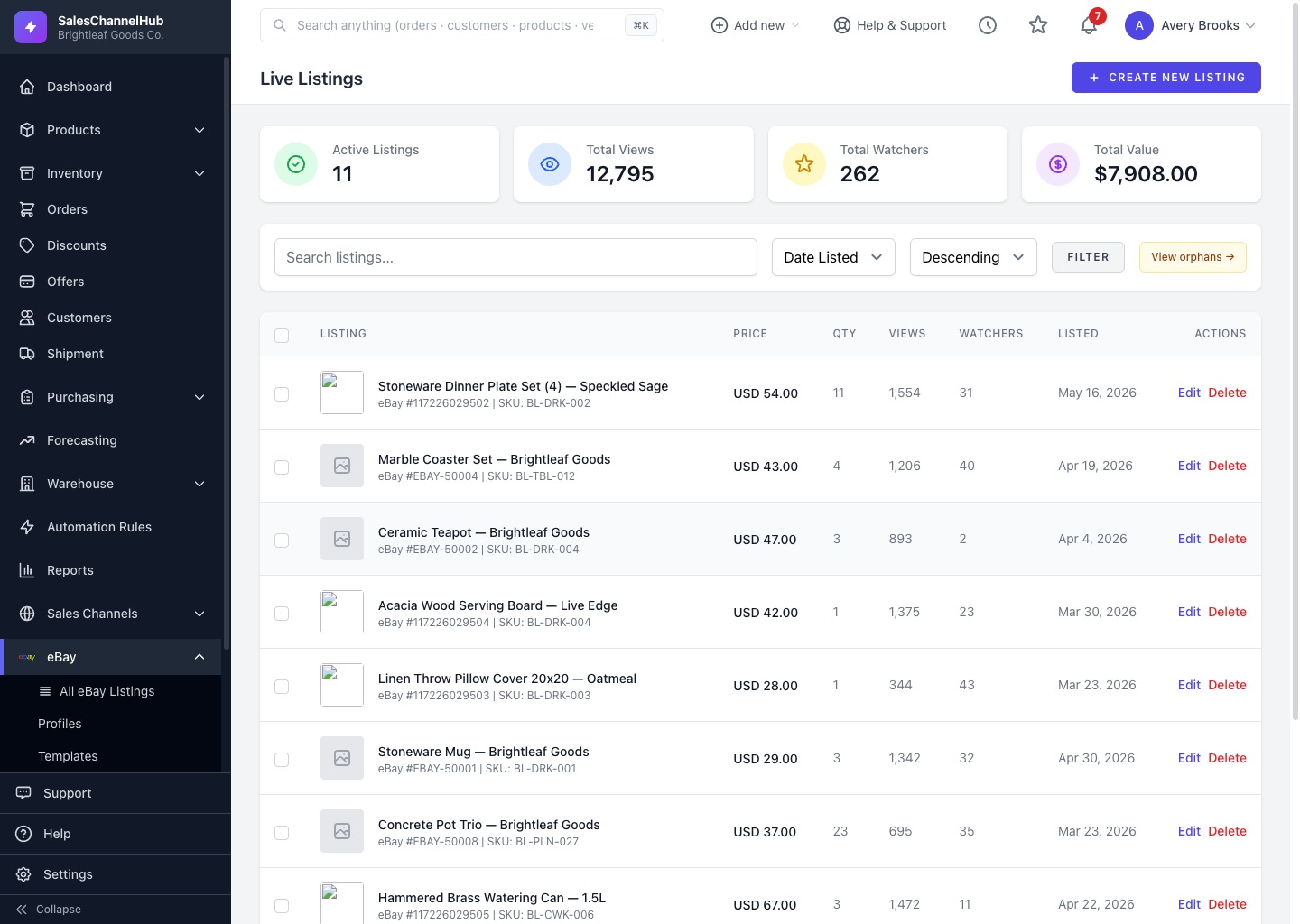
Listings
Listings built the way eBay wants them.
Create fixed-price, auction and Best Offer listings with item specifics, store categories and business policies. Item specifics are checked before you publish, and imported listings are revised in place.
- Item specifics checked before publishing
- Parts compatibility for eBay Motors
- Bulk add to Promoted Listings
Templates
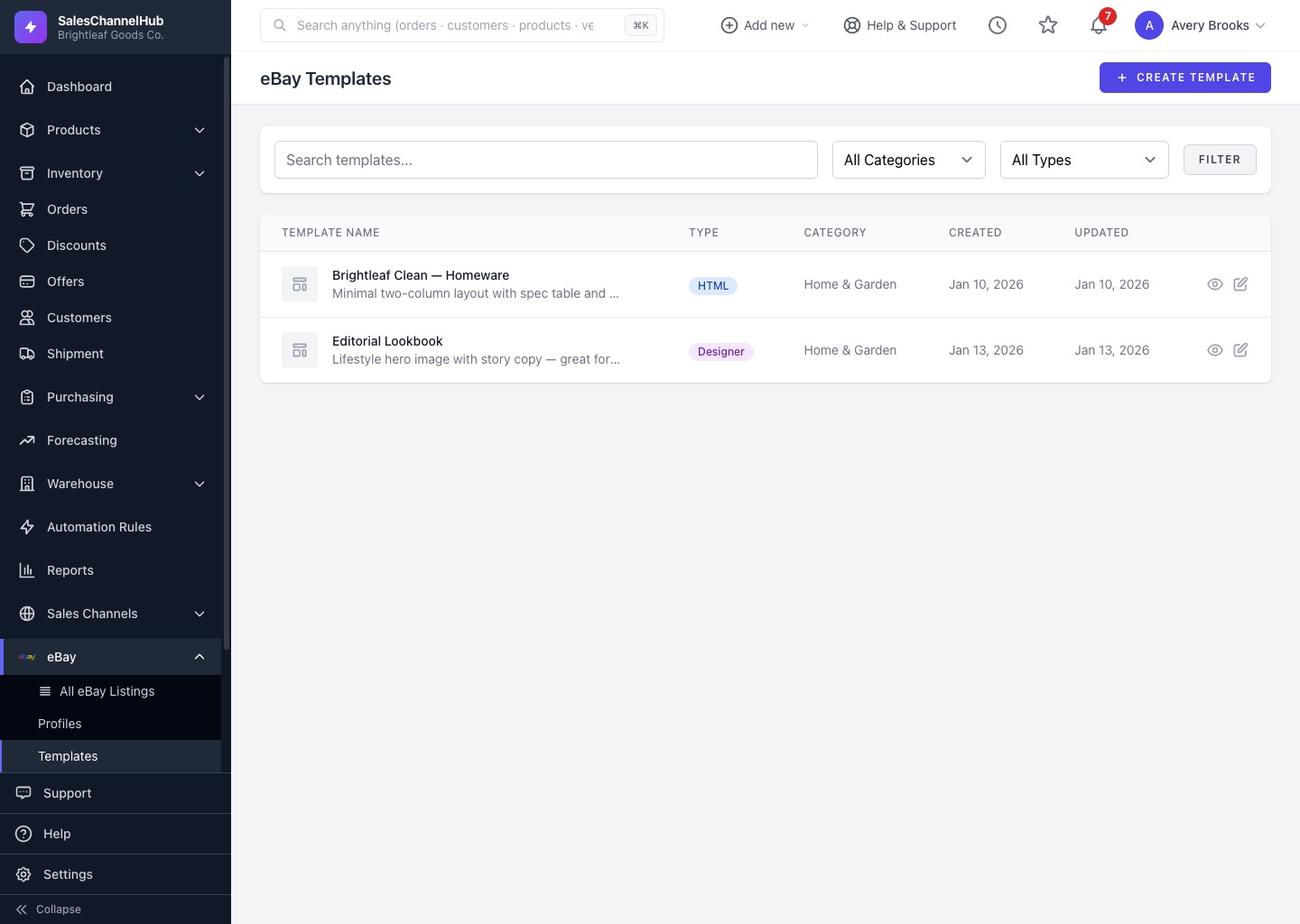
Descriptions from your own templates.
Design a description template once and use it on every listing. Templates are checked against eBay's rules for active content and mobile before they go out.
- One template for many listings
- Checked for eBay's active-content rules
- Checked for mobile
Buyers
Buyer messages in one inbox.
Messages from eBay buyers land in one inbox, and AI drafts a reply for you to read, change and send. It can also fill item specifics and draft a description for your approval.
- AI drafts you approve before sending
- Item specifics filled in for you
- A watchdog for Good 'Til Cancelled listings
Set up in an afternoon.
Three steps, and the help centre walks through each one.
-
01
Connect
Sign in with eBay from Integrations and choose your business policies.
-
02
Bring your catalog
Import your eBay listings; they are matched by eBay item ID, then SKU.
-
03
Turn on the sync
Switch on order sync and choose which listings it keeps in step. From then on, one count and one queue.
eBay questions.
Something else? Ask the team or search the help centre.
Can I connect more than one eBay account?
One eBay account per workspace today.
Do my existing eBay listings come across?
Yes. Import them and they are matched to your products by eBay item ID, then SKU. Imported listings are revised in place, not ended and recreated.
How quickly do eBay orders arrive?
Every five minutes, once you switch on auto-sync. Stock goes out to eBay automatically for listings published from SalesChannelHub.
Does it support eBay Motors?
Yes. Add parts compatibility to Motors listings and publish them with the right policies.
Connect the rest.
Every connection reads the same stock count and feeds the same order queue.
Sell everywhere. Manage once.
- 14-day free trial, no card
- Flat monthly price, no per-order fees
- Import your catalog in an afternoon