Check your AI credit balance and usage
See credits remaining, what your plan includes each month, and when free credits reset, all on the AI & Generative page.
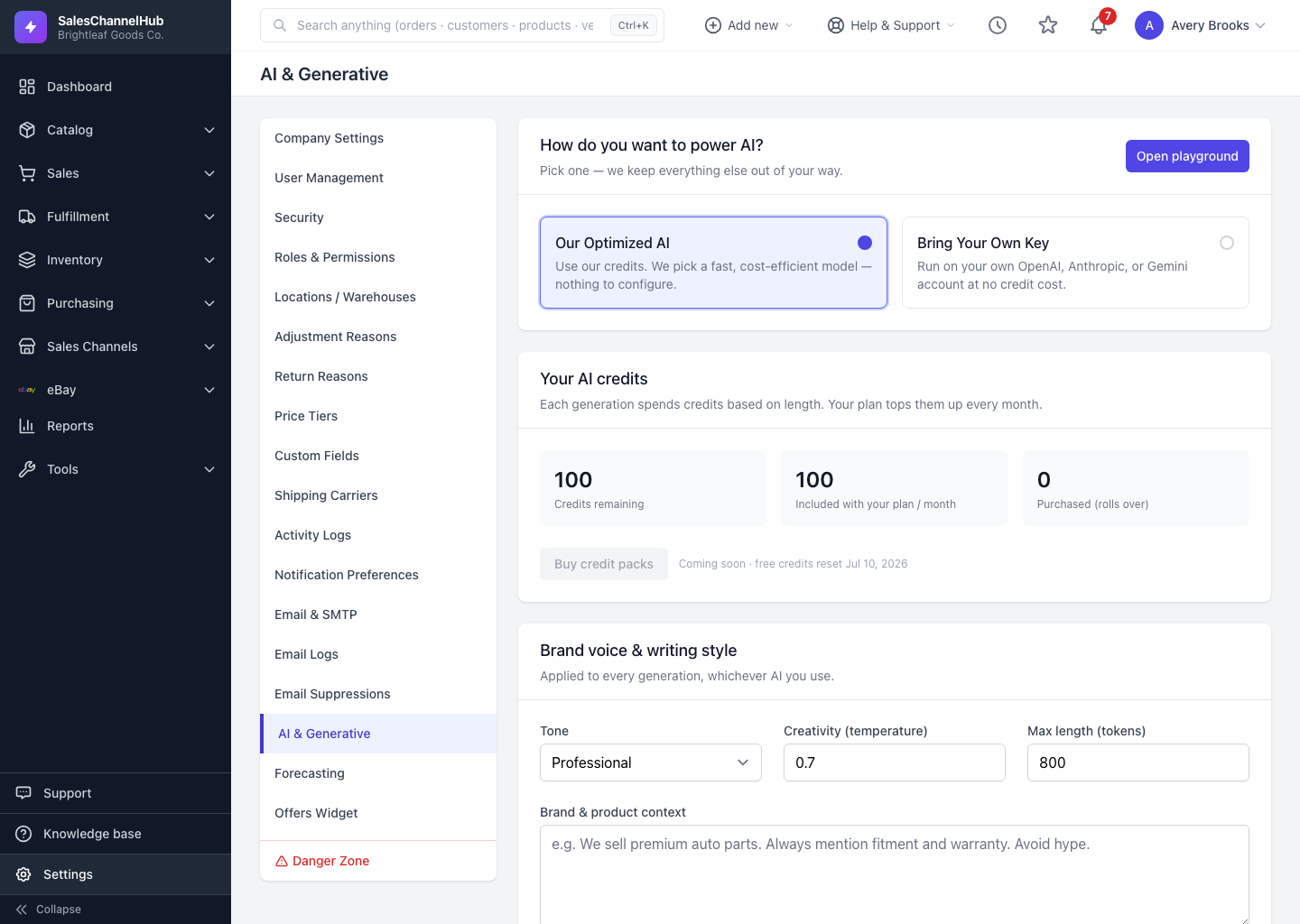
When you run on managed credits, each generation spends a few credits based on how long the output is. The Your AI credits panel on the AI & Generative page shows where you stand.
What do the numbers mean?
- Credits remaining is your live balance, free and purchased combined.
- Included with your plan / month is the free grant that refreshes on your billing cycle.
- Purchased (rolls over) are credits you've bought. Unlike free credits, these don't expire at month end.
- The note under the panel shows the date your free credits reset.
How do I check it?
- Open Settings → AI & Generative.
- With Our Optimized AI selected, read the three credit tiles.
- For per-generation detail, run a test in the AI Playground and read the exact credits charged and balance remaining.
Tip. Free credits don't roll over, but they reset every month. If you regularly run low, connecting your own provider key removes the credit cost entirely.
Common questions
What happens when my credits run out?
Managed generations stop until your free credits reset on the date shown, or you connect your own provider key, which costs no credits here.
Do free credits roll over to next month?
No. Free credits reset to your plan's monthly grant and don't carry over. Only Purchased credits roll over.
How many credits does one generation cost?
A few, scaled to the length of the output. Run a generation in the AI Playground to see the exact credits charged for that prompt.