Manage adjustment reasons
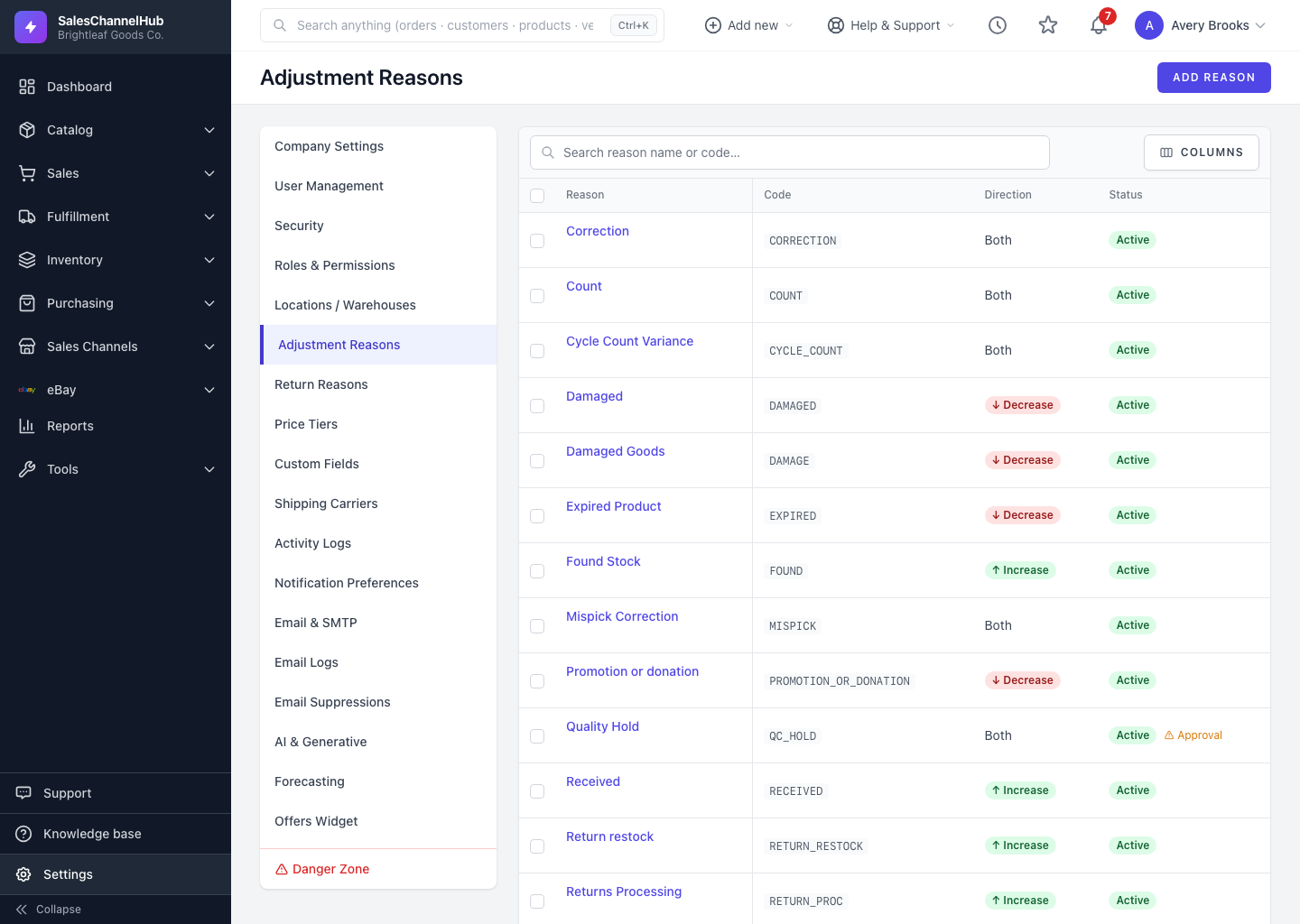
Adjustment reasons live in Settings. Add, edit, deactivate or delete them to keep the adjustment-form dropdown relevant.
Adjustment reasons live in Settings, and that's where you keep the list your team sees on the adjustment form tidy and relevant.
How do I add a reason?
- Go to Settings & Adjustment Reasons and click Add Reason.
- Enter a short Code (e.g. DMG) and a readable Name (e.g. Damaged).
- Pick an Adjustment Type: Both, Increase Only, or Decrease Only.
- Tick Requires Approval if these changes should be flagged for review, leave Active on, and click Create Reason.
How do I edit or retire one?
- Click a reason's name to edit it, or hover a row to reveal Edit and Delete.
- To retire a reason without losing history, clear its Active flag instead of deleting. It stays on past records but drops off the dropdown.
Tip. Keep codes short and stable. You can reword the Name any time, but a consistent code makes reasons easy to recognise across your team.
Was this article helpful?