The order detail page and timeline
A tour of the order detail page: status cards, actions, lines, status history, shipments, returns and the timeline.
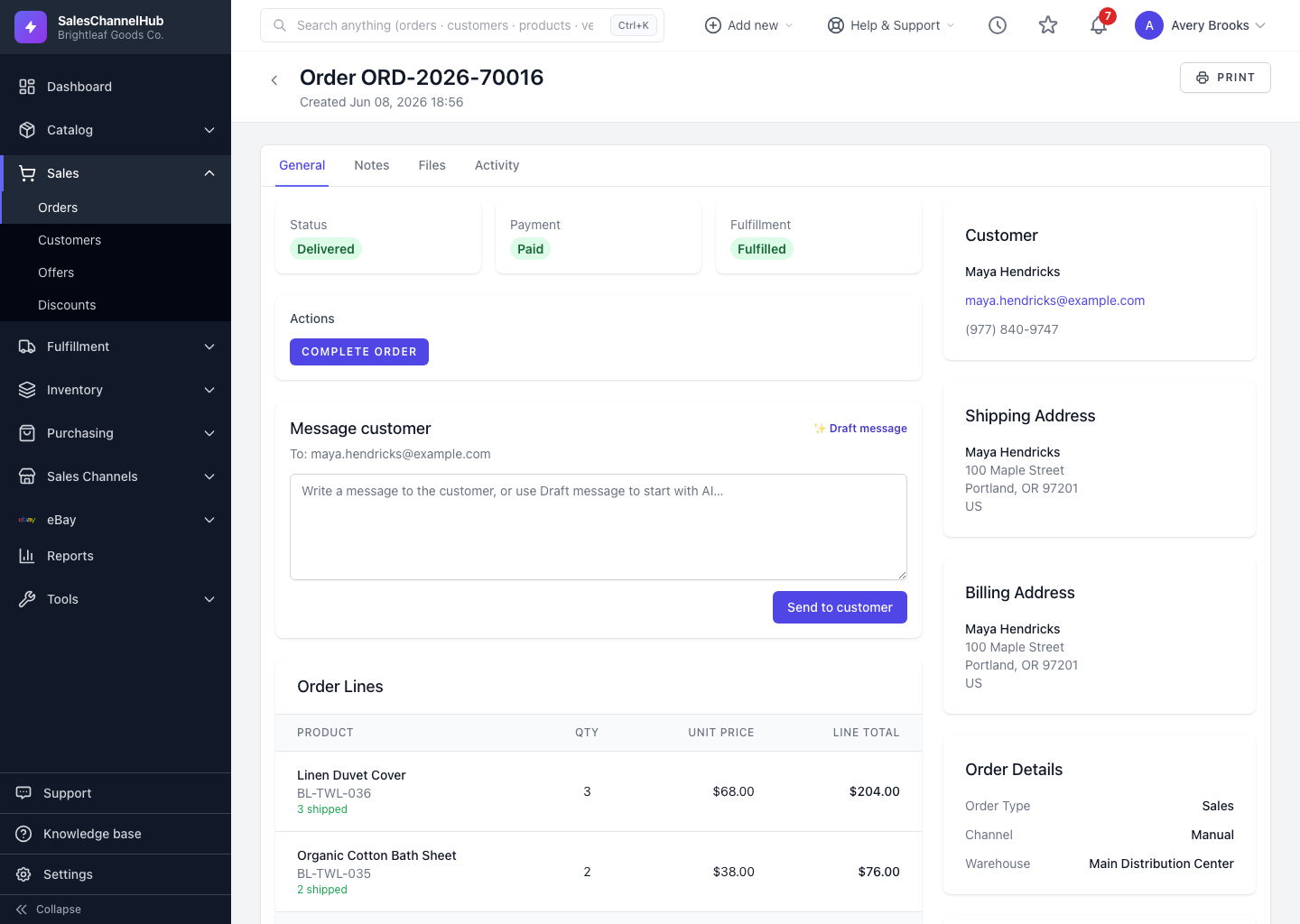
The order detail page brings everything about one order into a single view. It's where you check progress, take action and see the full history. Tabs across the top split it into General, Notes, Files and Activity.
What's on the page?
- Status cards for Status, Payment and Fulfillment at the top.
- Actions buttons to move the order to its next stage.
- Order Lines with quantities, prices and a totals breakdown.
- Status History showing each status change, who made it and when.
- Shipments and Returns (RMA) linked to the order.
- A sidebar with the Customer, addresses, Order Details, sales channel and notes.
- A Timeline listing the Ordered, Confirmed, Shipped, Delivered and Cancelled dates.
How is Status History different from the Timeline?
Status History is the audit trail of every transition, including who made each one. The Timeline is the quick at-a-glance set of key dates. Use history to answer "who and when", and the timeline to answer "what dates".
Tip. The Activity tab collects the wider record of events on the order, including customer messages you've sent.
Was this article helpful?