Create a Promoted Listings campaign
On eBay → Promoted Listings click Create Campaign, pick Cost Per Sale or Cost Per Click, set the bid, and add the listings to promote.
Promoted Listings campaigns lift your items in eBay search in exchange for an ad fee. A campaign groups the listings you want to promote and sets how much you'll pay.
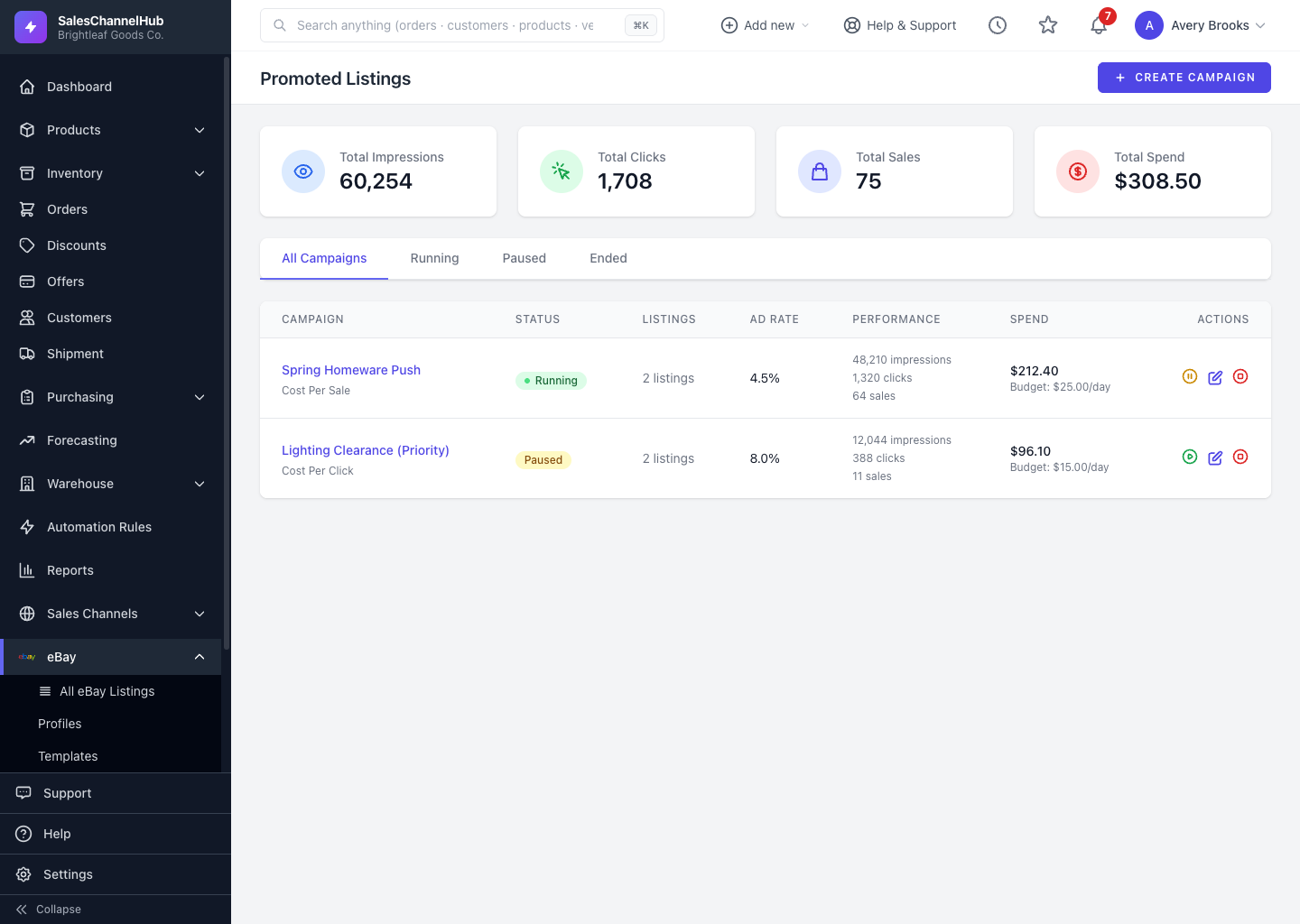
How do I create a campaign?
- Go to eBay → Promoted Listings and click Create Campaign.
- Name the campaign and pick a funding strategy: Cost Per Sale or Cost Per Click.
- Set the bid percentage, and optionally a daily budget and start/end dates.
- Add the live listings you want to promote, then save.
Tip. Cost Per Sale charges you only when an item sells through the ad, a low-risk way to start.
Common questions
What's the difference between Cost Per Sale and Cost Per Click?
Cost Per Sale charges an ad fee only when a promoted item actually sells through the ad. Cost Per Click charges each time a buyer clicks the ad, whether or not they buy. Cost Per Sale carries less upfront risk.
Why can't I create a campaign?
Promoting needs the Marketing permission on your eBay connection. If you connected before Promoted Listings was added, reconnect your eBay account from Settings to grant it.
Which listings can I promote?
Live listings. Add them when you create the campaign, or later from the campaign page, or in bulk from the listings table. Auctions and multi-variant listings aren't eligible.