Understand discounts
Discounts is where you build a coupon once and push it to your connected stores, so you don't recreate the same promotion in each admin.
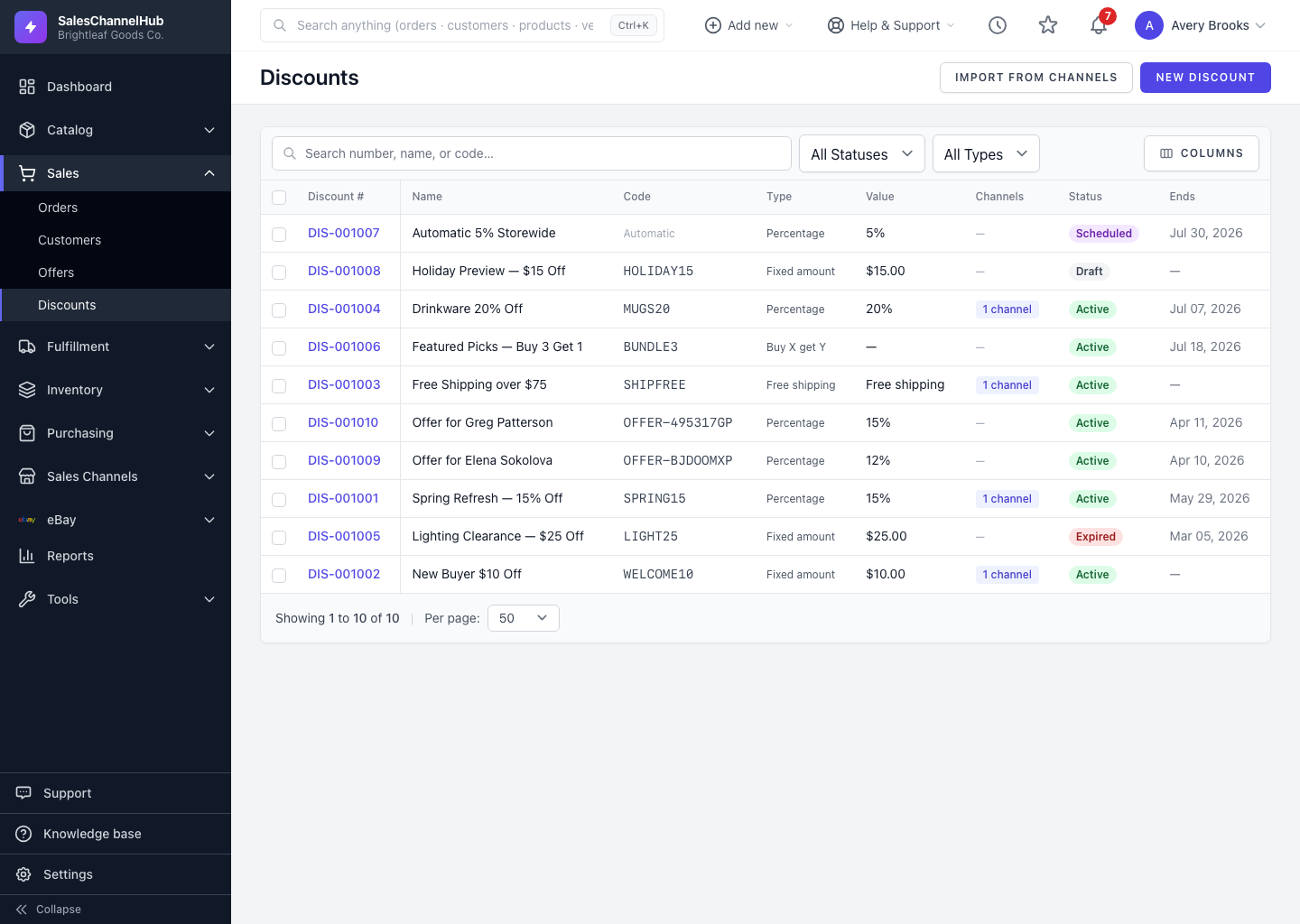
Discounts is where you build a coupon once and push it out to the online stores you've connected: Shopify, BigCommerce and WooCommerce. Instead of recreating the same promotion in each store's admin, you create it here and SalesChannelHub keeps every store's copy in sync.
What does a discount hold?
- A value — a percentage, a fixed dollar amount, free shipping, or buy X get Y.
- A scope — the whole order, specific products, or specific categories.
- Conditions — minimum spend, usage limits and a schedule.
- The channels it's pushed to, each with its own sync status.
How do I find one?
The list shows the discount number, name, code, type, value, how many channels it's on, its status and end date. Open Discounts from the Sales menu, then use the search box and the All Statuses and All Types filters to narrow it.
Tip. Open any discount and check the Channels tab to confirm each store actually accepted it.
Was this article helpful?