What automation rules do
Automation rules watch your data on a schedule and act for you, so routine checks happen without anyone clicking.
Automation rules watch your store on a schedule and either alert you or take an action when something matches. They handle the repetitive checks you'd otherwise run by hand: spotting low stock, cancelling stale unpaid orders, emailing a daily inventory summary.
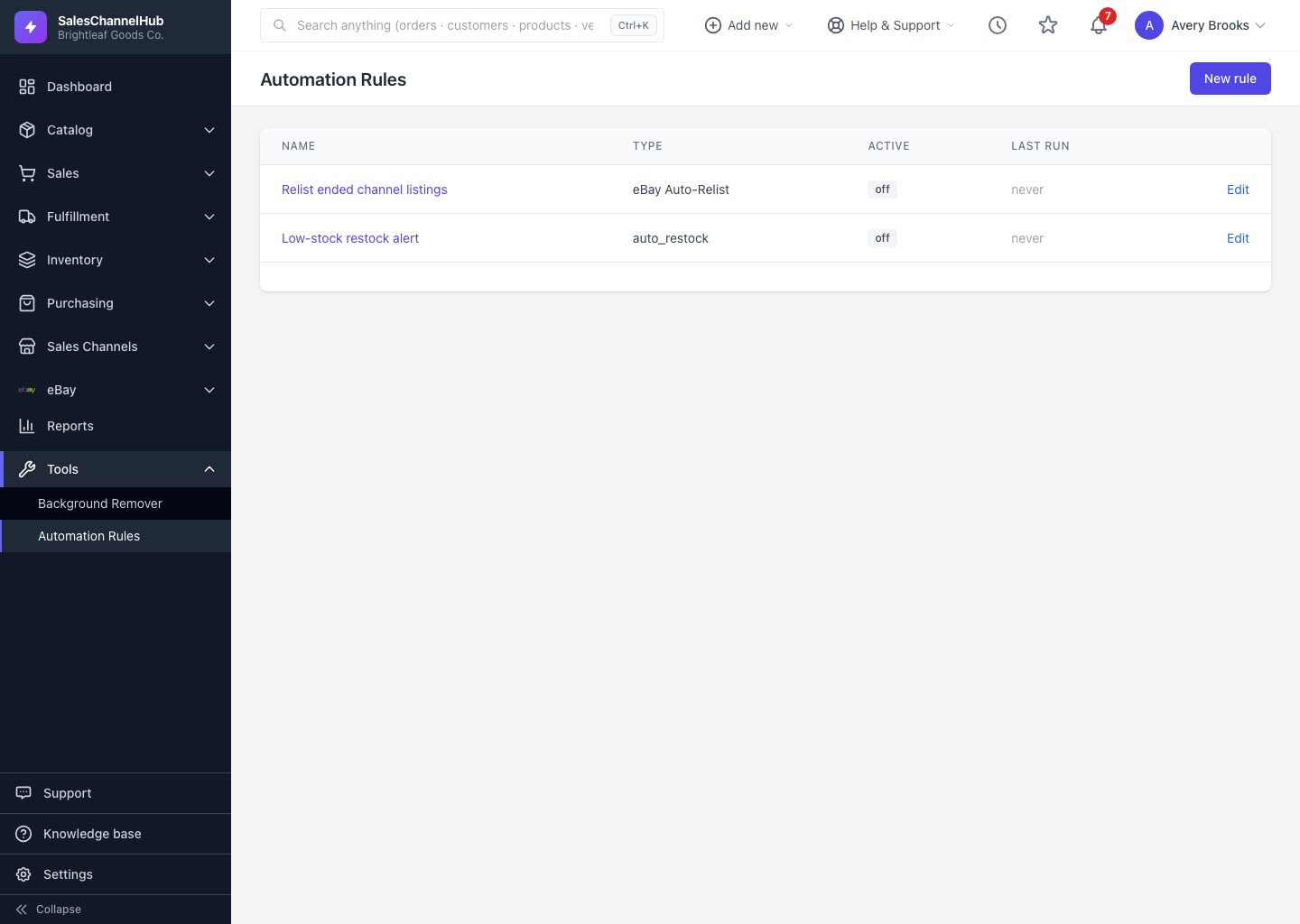
Where do I find them?
Open Tools → Automation Rules in the sidebar. The list shows every rule you've set up, whether each is on or off, and when it last ran.
What is a rule made of?
- Rule type — decides what the rule looks at and what it can do, such as Low Stock Alert or Auto-Cancel Stale Unpaid Orders.
- Schedule — sets how often it runs, like every morning at 8am or once an hour.
- Conditions — narrow which records it acts on, like a quantity threshold or specific locations.
- Active switch — pauses a rule without deleting it.
What's the difference between alert and action rules?
Alert rules only notify you. Action rules change data for you, such as cancelling an order or holding an oversold one. Either way, each rule keeps a full run history so you can see exactly what it did and when.
Tip. Start with an alert-only rule. Once you trust what it catches, switch to a rule that takes the action automatically.