Connect your eBay account
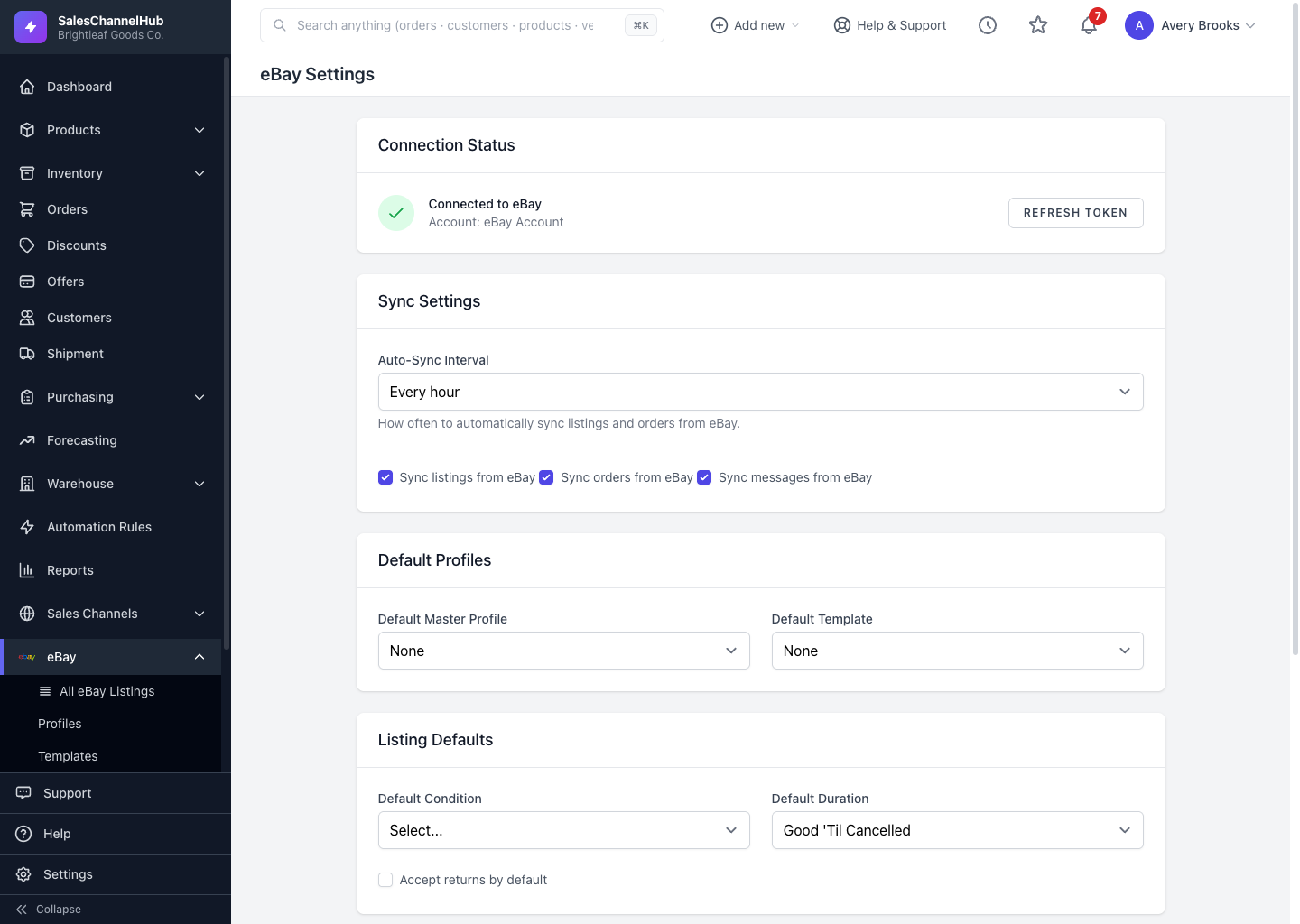
Open eBay → Settings, click Connect eBay in the Connection Status panel, sign in on eBay and accept the permissions.
To start selling, connect your eBay seller account from eBay → Settings. It's a one-time sign-in that lets SalesChannelHub create listings, pull orders and read messages for you.
How do I connect?
- Open eBay → Settings.
- In the Connection Status panel, click Connect eBay.
- Sign in on eBay and accept the permissions it asks for.
- You return to Settings showing Connected to eBay with your account name and when the token expires.
What if I'm already connected?
The same panel shows a Refresh Token button. Click it to re-run the sign-in if your connection ever drops.
Tip. If an eBay page bounces you to the Integrations screen with "Please connect your eBay account first", your connection has expired. Reconnect from Settings or the Integrations page.
Common questions
Why did my eBay connection stop working?
eBay revokes its access token after a password or sign-in change on the seller account. The connection then shows as disconnected. Open eBay → Settings and click Connect eBay or Refresh Token to grant access again.
Can I connect more than one eBay account?
Yes. Connect each account through the Integrations flow. Listings and orders are kept separate per account, and you choose which account a new listing belongs to.
Where does the eBay sign-in happen?
On eBay's own site. The Connect eBay button starts the handshake and sends you to eBay to log in; you're returned to SalesChannelHub once you approve.