Browse your attributes
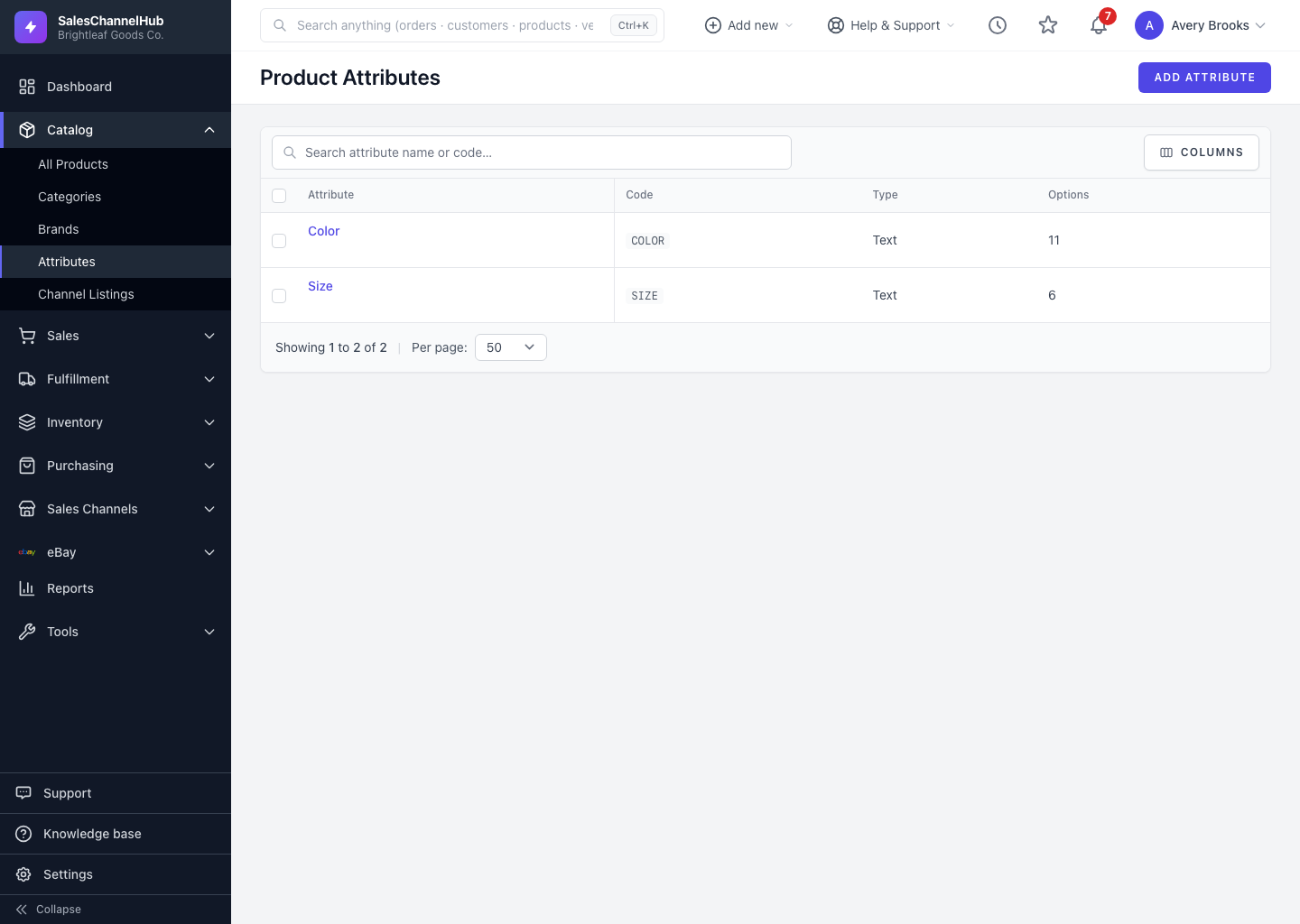
Open Catalog → Attributes to see every attribute with its code, type and option count. Search by name or code.
Open Catalog > Attributes to see every attribute you've defined. The Product Attributes list shows each one's code, type and option count.
How do I find an attribute?
- In the sidebar, open Catalog and click Attributes.
- Use Search attribute name or code… to filter the list.
- Read each row's Code and the number of options it has.
- Click an attribute name to open it, or hover for Edit and Delete.
- Sort by any sortable column, and use Columns to choose which columns show.
Tip. Search by code (such as SIZE) when you're unsure how an attribute was named. Codes stay constant even if the display name changes.
Was this article helpful?