Inventory overview
Inventory is your single source of truth for how much of each SKU you hold, where it sits, and what it's worth.
Inventory is your single source of truth for how much of each SKU you hold, where it sits, and what it's worth. Every count traces back to a recorded movement, so the numbers always have a reason behind them.
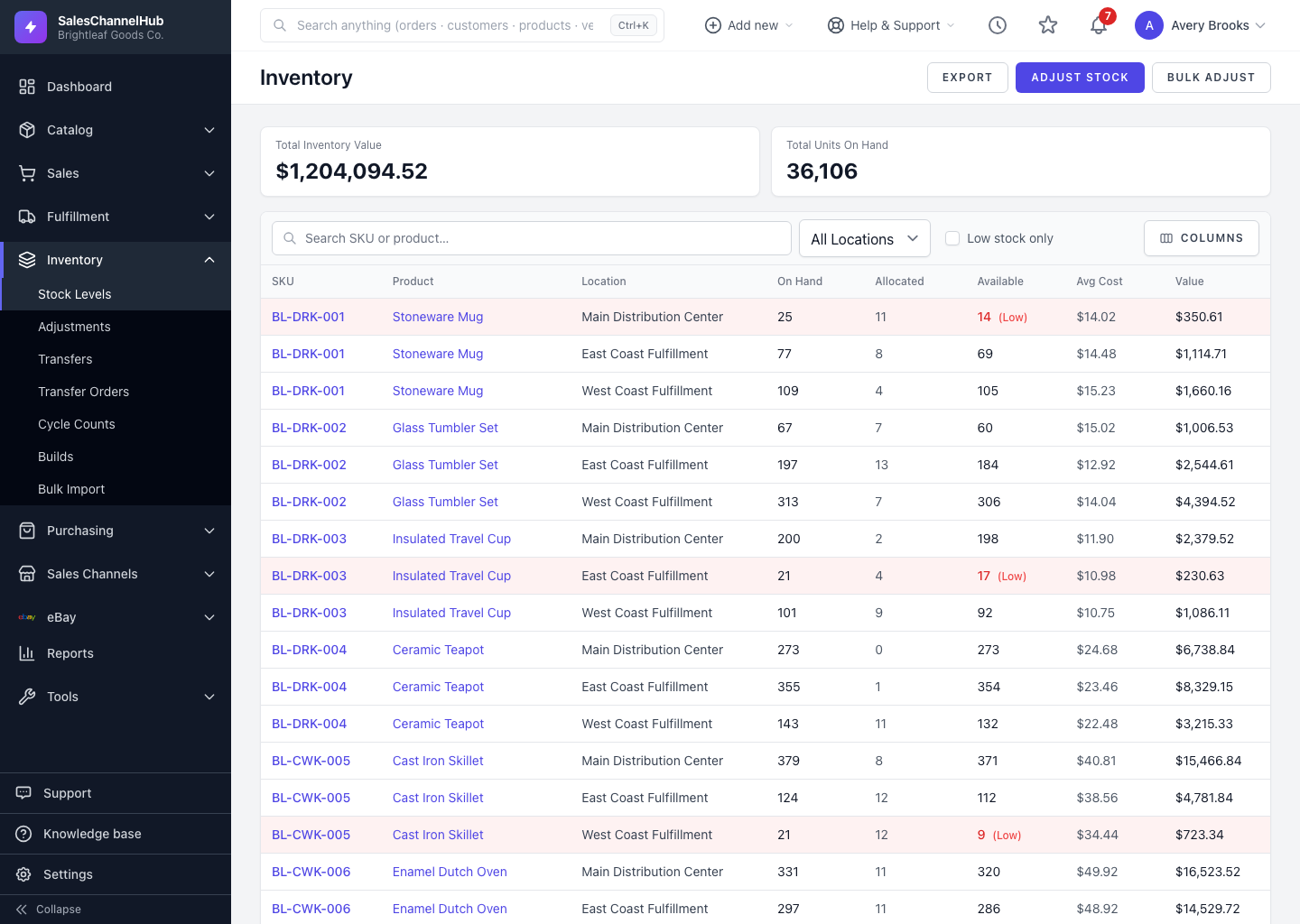
What's on the Stock Levels screen?
- Two summary cards at the top: Total Inventory Value and Total Units On Hand.
- A row per SKU and location showing On Hand, Allocated, Available, Avg Cost and Value.
- Filters to search by SKU or product, narrow by location, or show only low-stock rows.
What can I do from here?
- Adjust Stock — correct the count for one SKU.
- Bulk Adjust — apply many changes from a CSV.
- Export — download the current list as a CSV.
Where do the other tools live?
In the sidebar, the Inventory group holds Stock Levels, Adjustments, Transfers, Transfer Orders, Cycle Counts, Builds and Bulk Import. Adjustments fix a count; transfers move stock between sites; the rest handle larger warehouse jobs.
Tip. Rows highlighted in red are at or below their reorder point. Tick the Low stock only filter to see just those.
Was this article helpful?