Transfer orders overview
A transfer order moves stock between locations with a tracked ship-and-receive workflow, so units show as in-transit between sites.
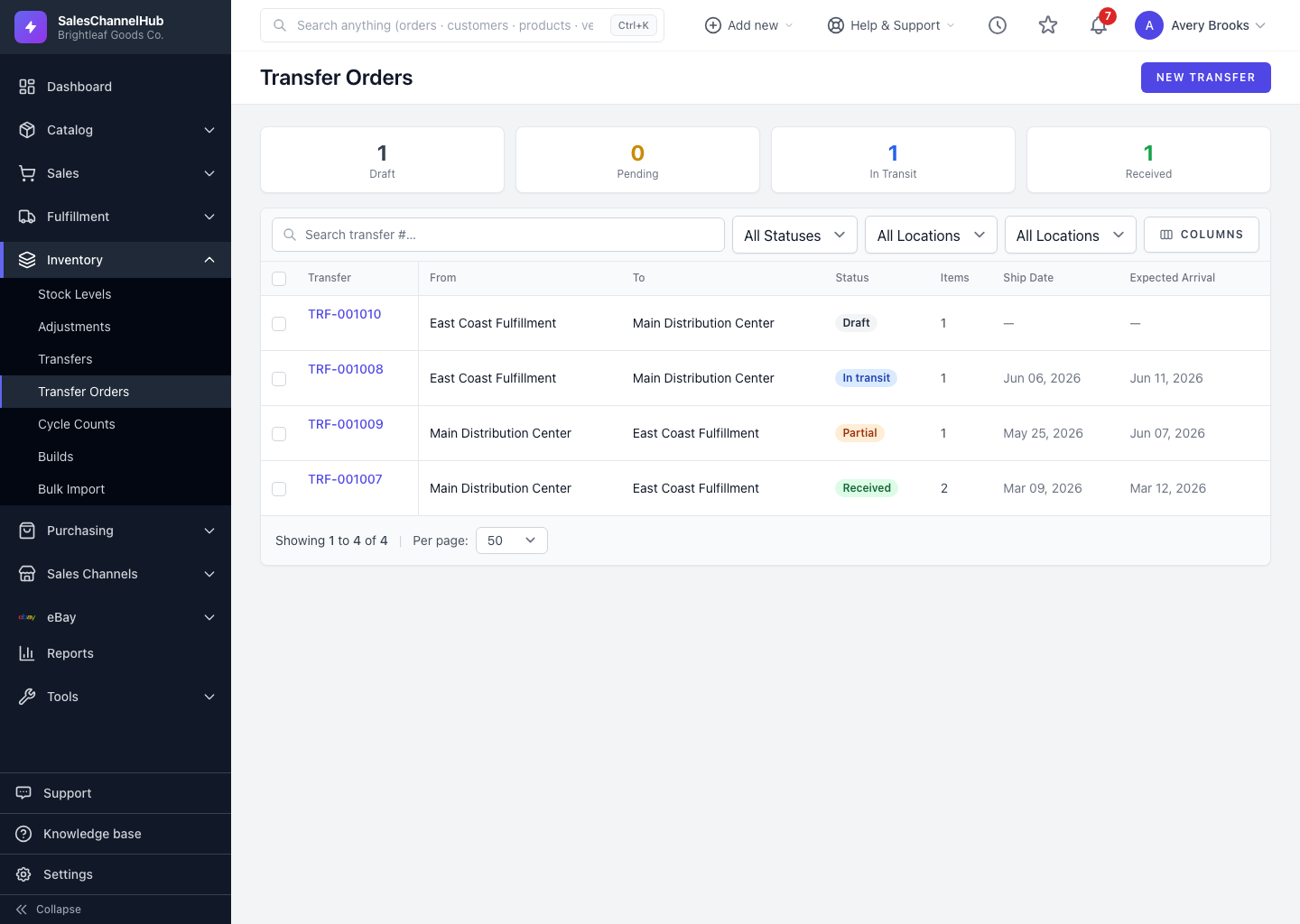
A transfer order moves inventory from one location to another in a controlled way. Unlike a quick adjustment, it tracks the stock as in-transit between shipping and receiving, so you always know where units are. Find it under Inventory → Transfer Orders.
How does it work?
- Create a draft with a source, a destination and the SKUs to move.
- Submit it for approval, then ship it. Stock leaves the source and becomes in-transit.
- The receiving site records what arrived, and that stock lands as on-hand at the destination.
What are the statuses?
Draft, Pending, In Transit, Partially Received, Received and Cancelled.
Tip. The cards at the top of the list show live counts for Draft, Pending, In Transit and Received transfers, so you can read the whole pipeline at a glance.
Was this article helpful?