Understand fulfillment status
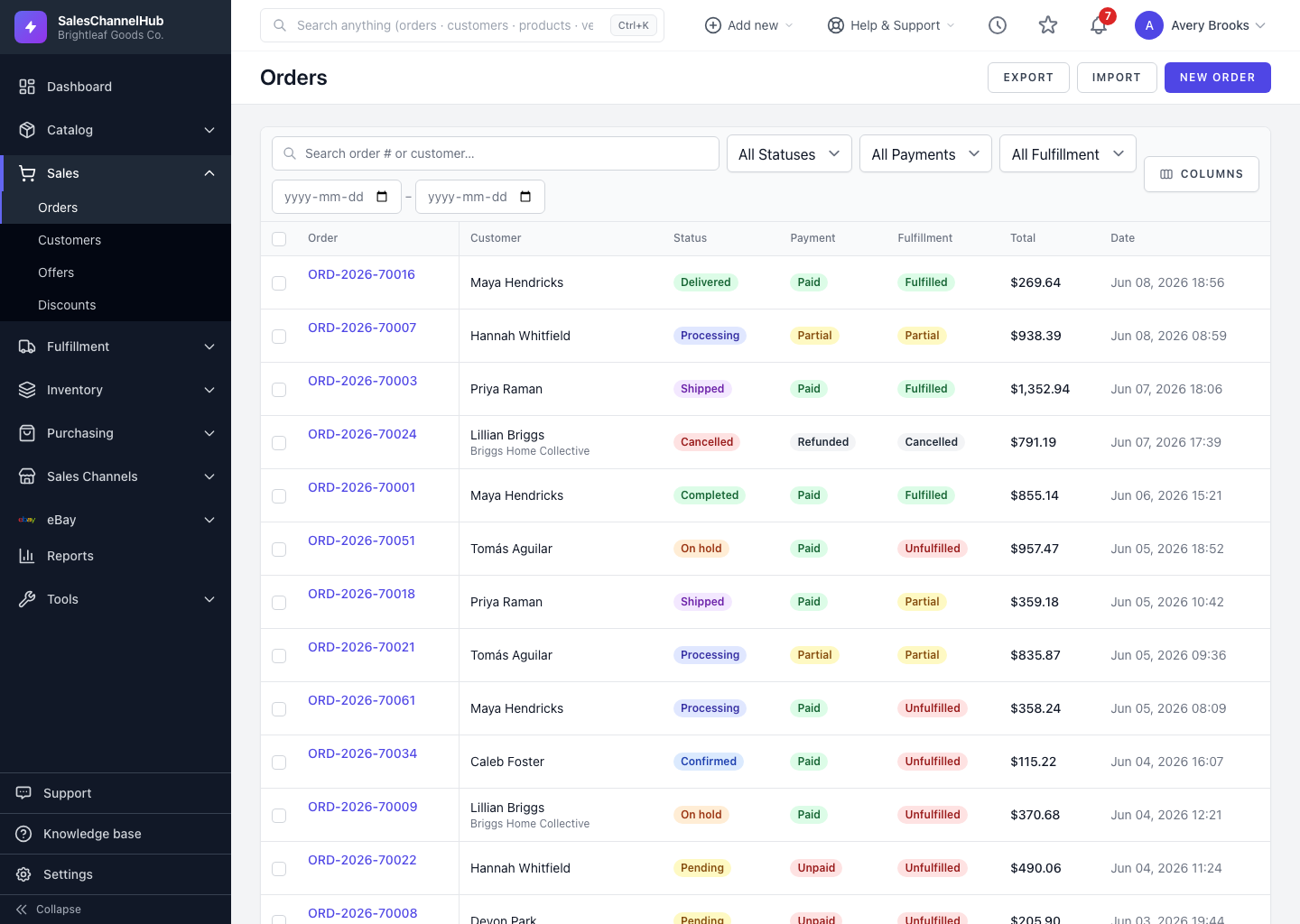
Fulfillment tracks how much of an order has shipped: Unfulfilled, Partial, Fulfilled or Cancelled. It's its own badge.
Alongside its overall status, each order has a Fulfillment badge that tracks how much of it has actually shipped. It's separate from status for a reason.
What does each fulfillment state mean?
- Unfulfilled: nothing has shipped yet.
- Partial: some lines or quantities have shipped, but not all. Common on large or split orders.
- Fulfilled: everything on the order has shipped.
- Cancelled: fulfilment was called off.
How is fulfillment different from status?
Fulfillment reflects shipping reality; status reflects the order's stage in your workflow. An order can read Shipped overall but only Partial on fulfillment if a second shipment is still outstanding.
Tip. Filter the list by Fulfillment: Partial to find orders with goods still owed to the customer. Those are the ones that need a follow-up shipment.
Was this article helpful?