AI features: common questions
Quick answers to the AI questions people ask most: missing buttons, credit limits, failed keys and off-target drafts.
Most AI hiccups come down to permissions, credits, or a provider key. These are the things people ask most. For setup steps, see the articles above.
Tip. Use the AI Playground to isolate a problem. If a plain prompt works there, the issue is with the specific record, not your AI setup.
Common questions
I don't see any Write with AI buttons. Why?
The buttons appear only for users whose role has AI access. Ask an owner or admin to grant the AI view permission to your role under Settings → Roles & Permissions.
A generation says credits are exhausted. What do I do?
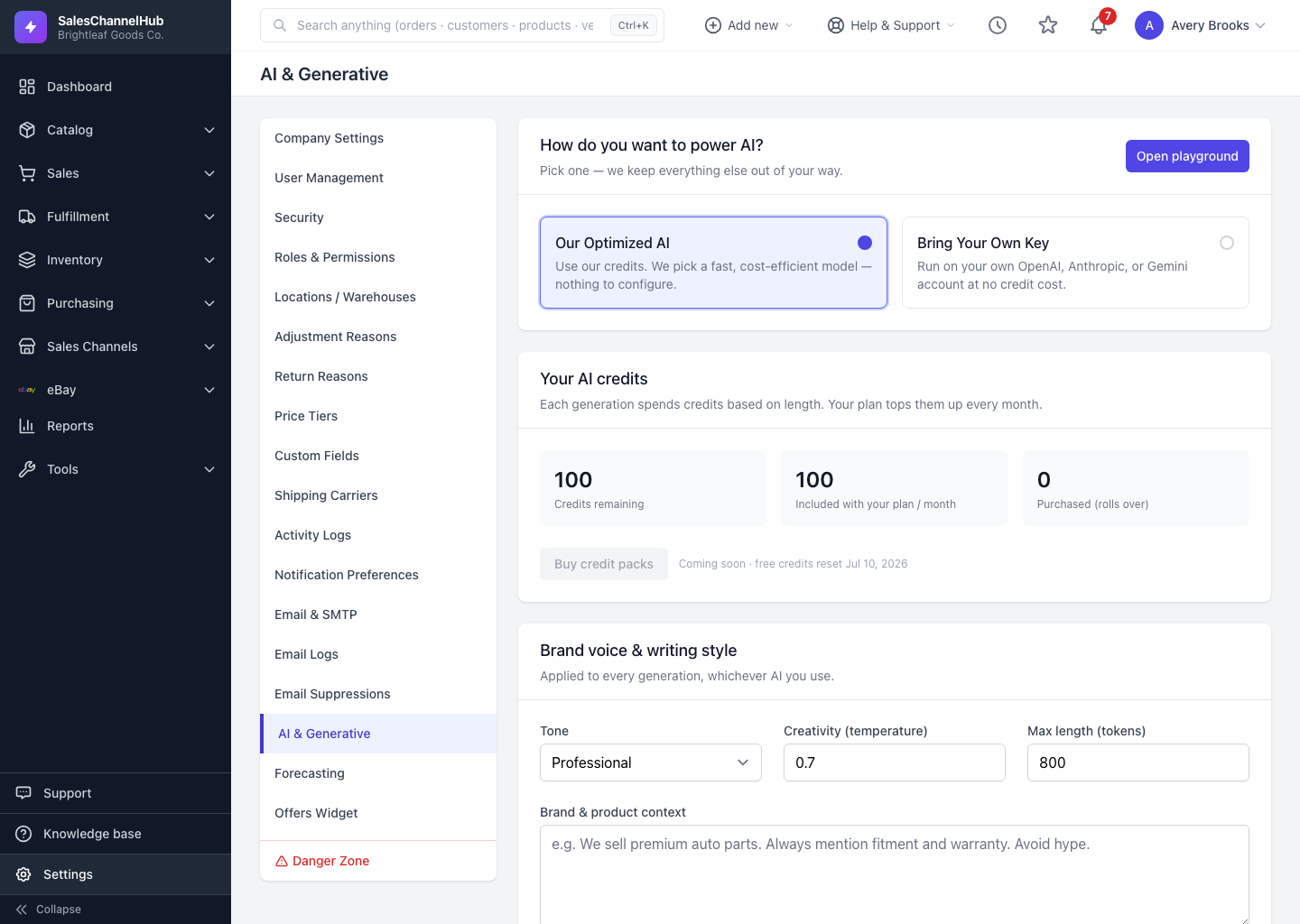
Your free monthly credits have run out. Wait for the reset date shown on the AI & Generative page, or connect your own provider key so generations cost no credits.
My connected key shows "Needs attention". How do I fix it?
The last check failed, usually a wrong or revoked key. Use Update to re-enter it, then Test. Meanwhile AI falls back to managed credits, so you're not blocked.
An eBay or item-specifics draft asks me to pick a product or category first. Why?
Those features read from a product and the chosen eBay category. Select both before generating and the draft will run.
Summarize says there's nothing to summarize. What's wrong?
The record has no notes or activity yet, or all its notes are private. Add a note or activity entry and try again.
The draft isn't quite right. Can I improve it?
Sharpen the Brand & product context on the AI & Generative page, adjust the Tone, or edit the text directly. Every draft is meant to be reviewed before you save it.