Understand offers
Offers is your inbox for Make-an-Offer and Price-Match requests from your storefront, where you approve, counter or reject each one.
Offers is your inbox for negotiation requests from your storefront. Once you add the offers widget to your product pages, shoppers can send a Make an Offer proposal or a Price Match request, and each one lands here for you to approve, counter or reject.
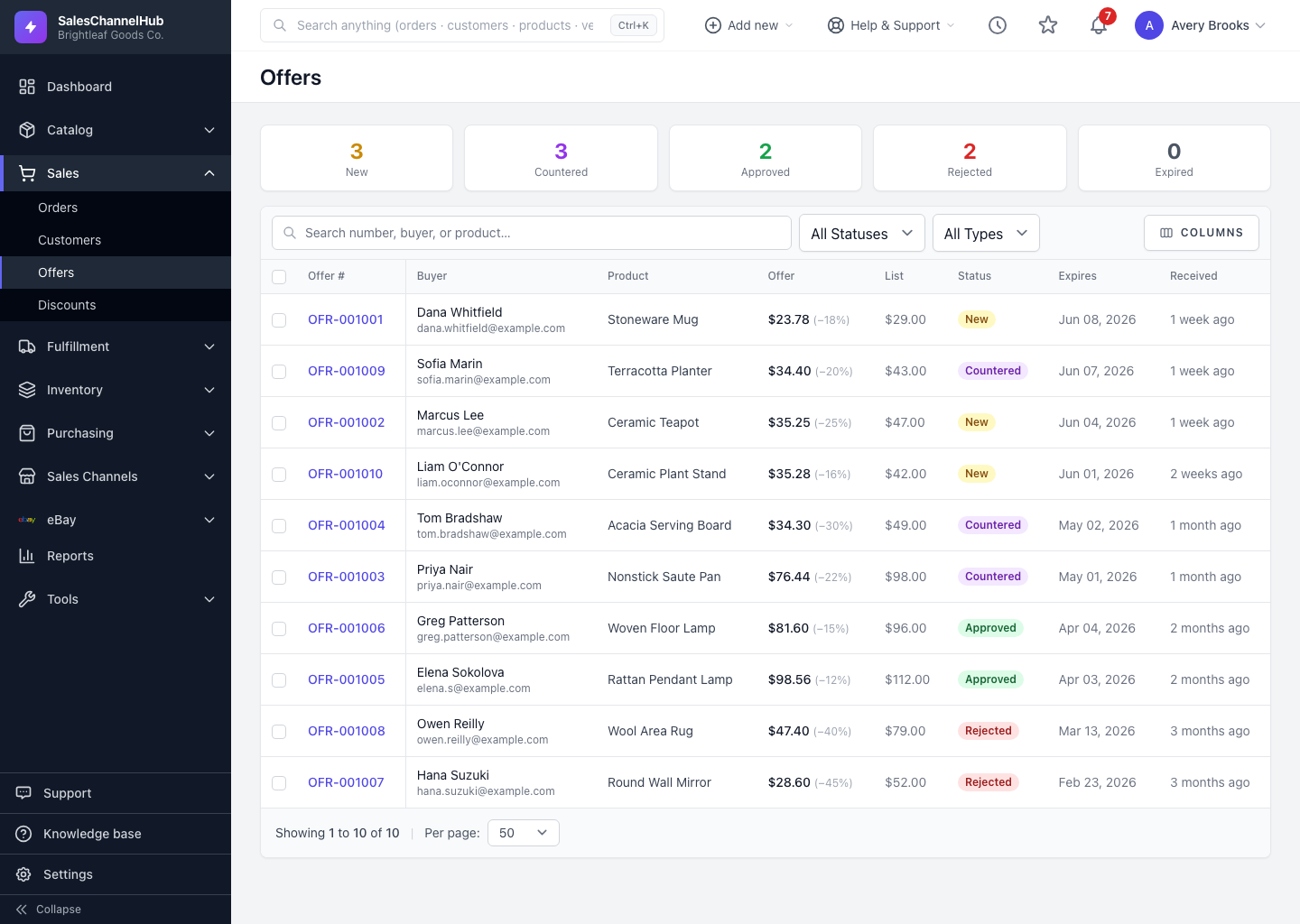
What's on the Offers page?
- Tiles across the top counting offers by status: New, Countered, Approved, Rejected and Expired. Click a tile to filter.
- A table showing the buyer, product, the price they offered, your list price, and the type.
- A search box and Status and Type filters to find one request.
What happens when I approve one?
Approving an offer mints a single-use discount code and emails it to the buyer, so they get exactly the price you agreed and nobody else can reuse it.
Tip. Watch the New tile. Those are unanswered, and each one has an expiry date ticking down.
Was this article helpful?