Understand the listing views
Live, Sold, Unsold, Scheduled and Orphans each filter your eBay listings to one stage so you can focus on what needs work.
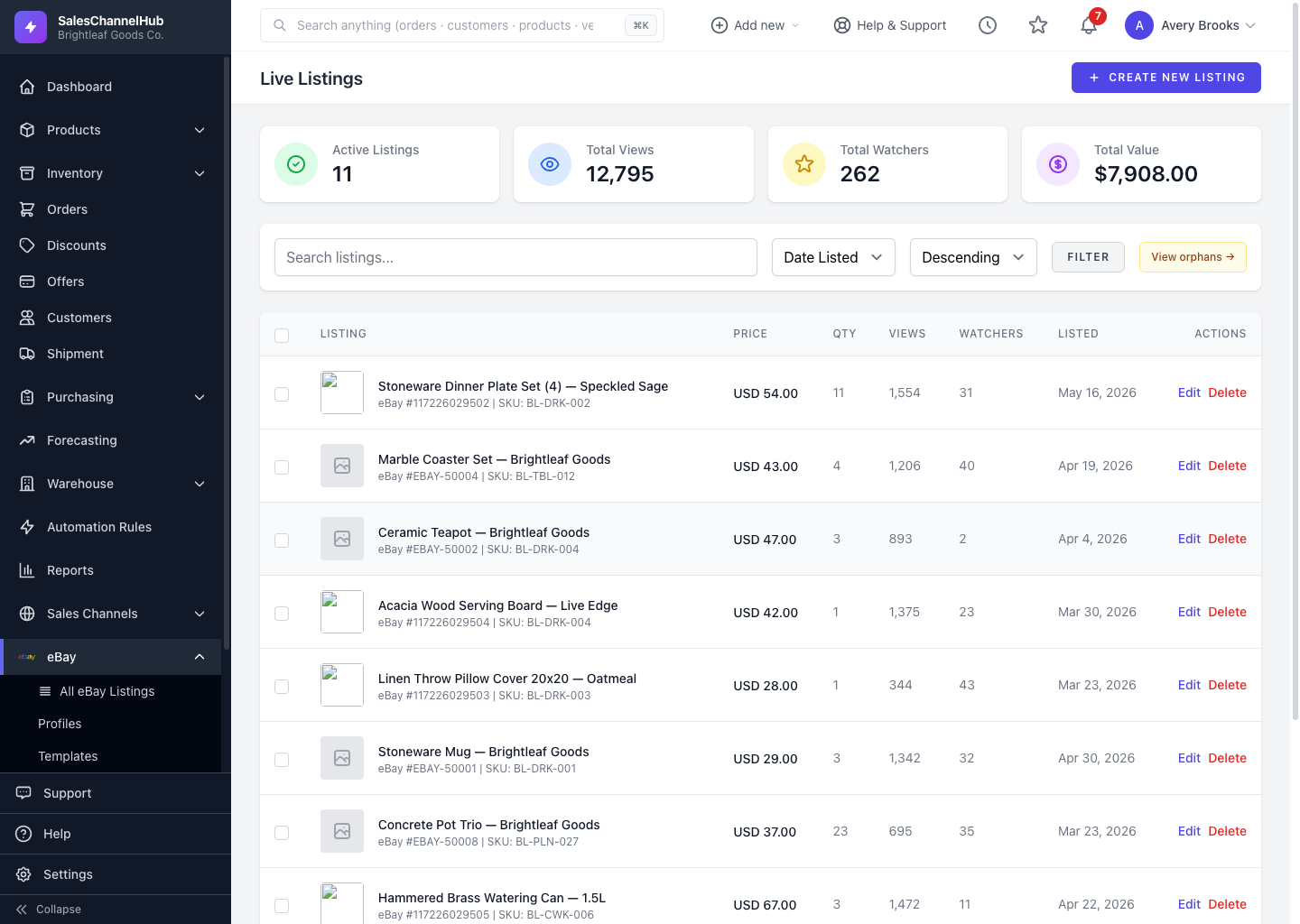
Your eBay listings are split across several views, each filtered to one stage of a listing's life, so you can focus on the items that need work.
What does each view show?
- Live Listings — items currently active on eBay, with Active Listings, Total Views, Total Watchers and Total Value summarised across the top.
- Sold Listings — items that have sold, newest first.
- Unsold Listings — items that ended without selling, ready to relist.
- Scheduled Listings — drafts queued to go live automatically at a future time.
- Orphans — eBay listings that have lost their link to a local product.
Tip. On the Live view, click View orphans → on the right of the filter bar to jump straight to listings that need re-linking.
Was this article helpful?