Assign shipments to a team member
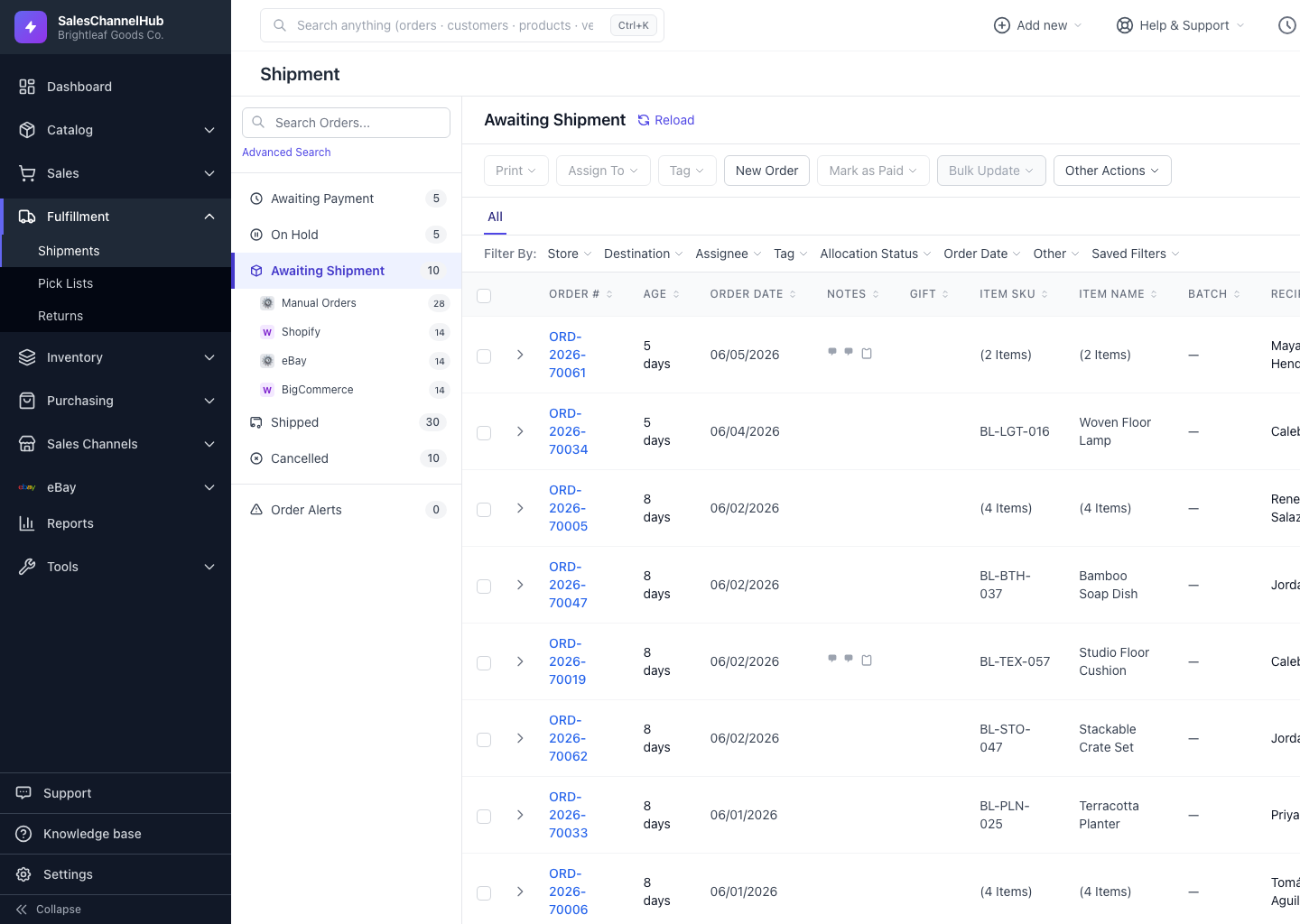
Tick orders, click Assign To, pick a person, then filter Filter By: Assignee so each packer works their own queue.
On a busy floor, assigning orders to people stops work being done twice. Assign selected orders to a team member and they can filter to just their own queue.
How do I assign orders?
- Tick one or more orders in the table.
- Click Assign To in the toolbar.
- In Assign to team member, pick a person, or choose Unassign.
- Click Apply.
How does someone see their own orders?
Open Filter By: Assignee and choose a person, or pick Unassigned to find orders nobody owns yet.
Tip. Pair assignments with the Assignee filter so each packer opens the workspace straight into their own list.
Was this article helpful?