The at-risk SKU email digest
Each morning the system counts at-risk SKUs and, if the count meets your shortfall alert threshold, emails everyone who can view forecasting.
You don't have to remember to open the suggestions screen. Each morning the system counts the SKUs at risk of stocking out and, if there are enough of them, emails the people who can act.
What's in the email?
- A headline with how many SKUs are out of supply or at risk.
- A breakdown: out of supply versus below reorder point.
- The top few SKU codes most at risk.
- A Review replenishment suggestions button that opens the list filtered to out-of-supply items.
How do I control when it fires?
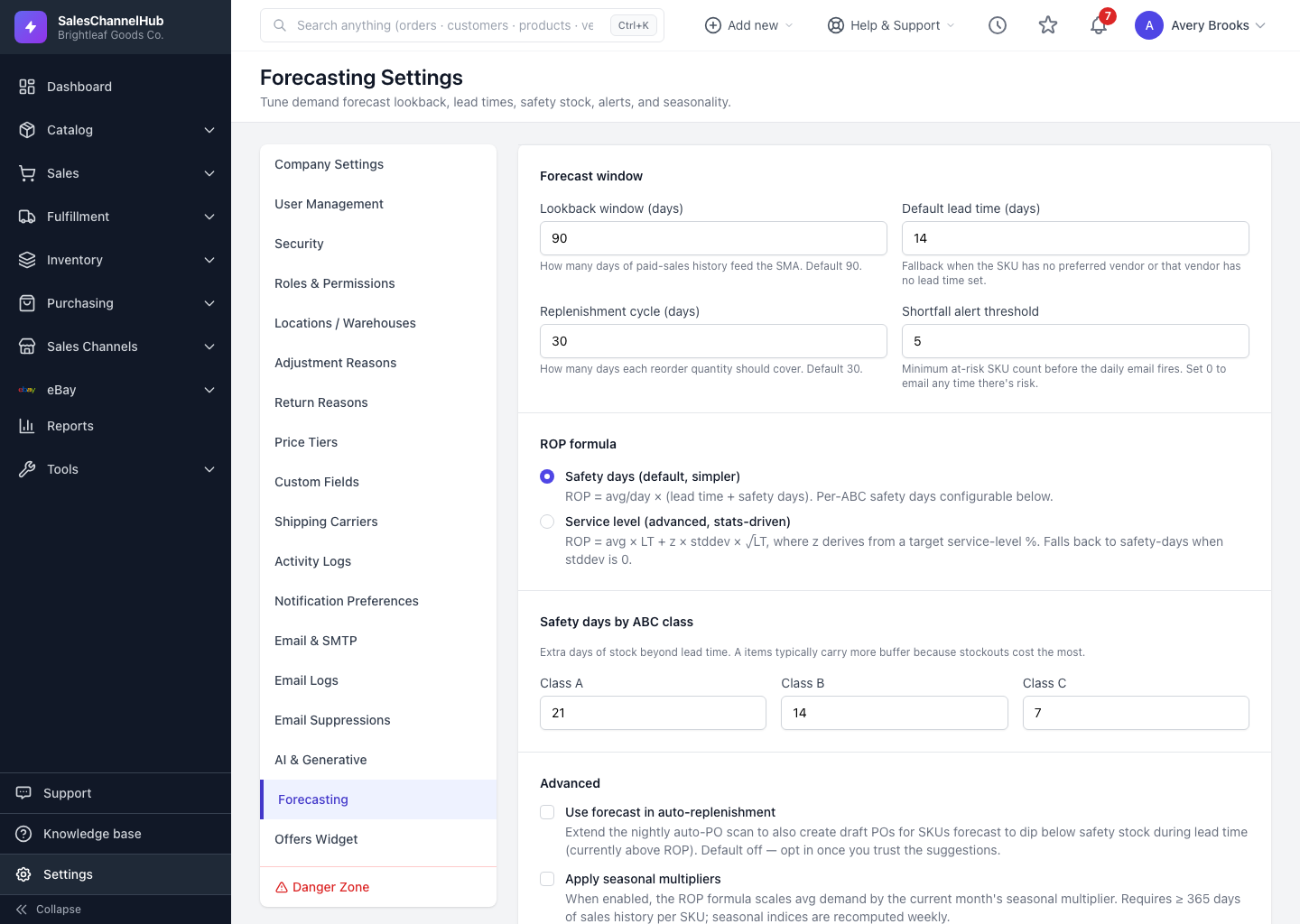
- Go to Settings → Forecasting.
- Set the Shortfall alert threshold, the minimum at-risk count before the email sends.
- Use a higher number to only hear about it when several SKUs are affected. Set it to 0 to be emailed whenever there's any risk.
- Save with Save forecasting settings.
Who receives it?
Everyone with permission to view forecasting gets the digest.
Tip. A threshold of 5 is a good default: high enough to skip a single C-class SKU dipping briefly, low enough to catch a real supply problem early.
Common questions
How do I stop the daily email when only one SKU dips?
Raise the Shortfall alert threshold under Settings → Forecasting. The digest only sends when the at-risk count reaches that number.
Can everyone on the team get the digest?
Anyone with permission to view forecasting receives it. Grant the forecasting view permission to the people who should act on it.