Read the pick list detail page
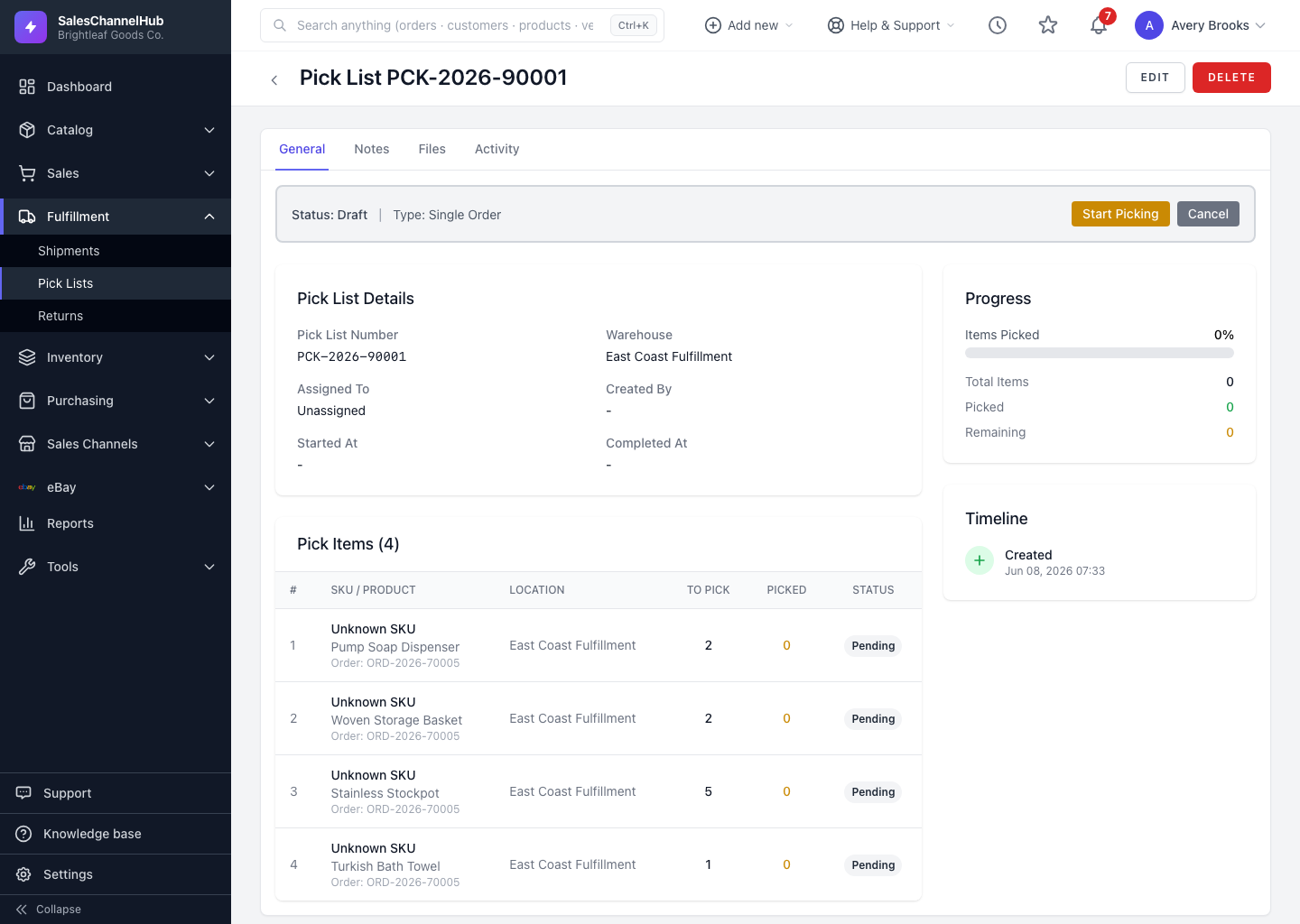
The detail page shows a status banner, the pick items table, a progress panel and a timeline of created, started and completed times.
The pick list detail page is the picker's working view. A coloured banner at the top shows the current status and the buttons available right now, with the item list below.
What's on the page?
- Status banner — the current Status and Type, plus Start Picking, Complete or Cancel buttons depending on the stage.
- Pick List Details — number, warehouse, assignee, who created it, and started/completed times.
- Pick Items — each line's SKU and product, source location, quantity to pick, quantity picked and a per-line status.
- Progress — a bar plus totals for picked and remaining items.
- Timeline — created, started and completed timestamps.
Tip. Picked lines turn green and short lines turn yellow, so you spot shortages without reading every row.
Was this article helpful?