Manage return reasons
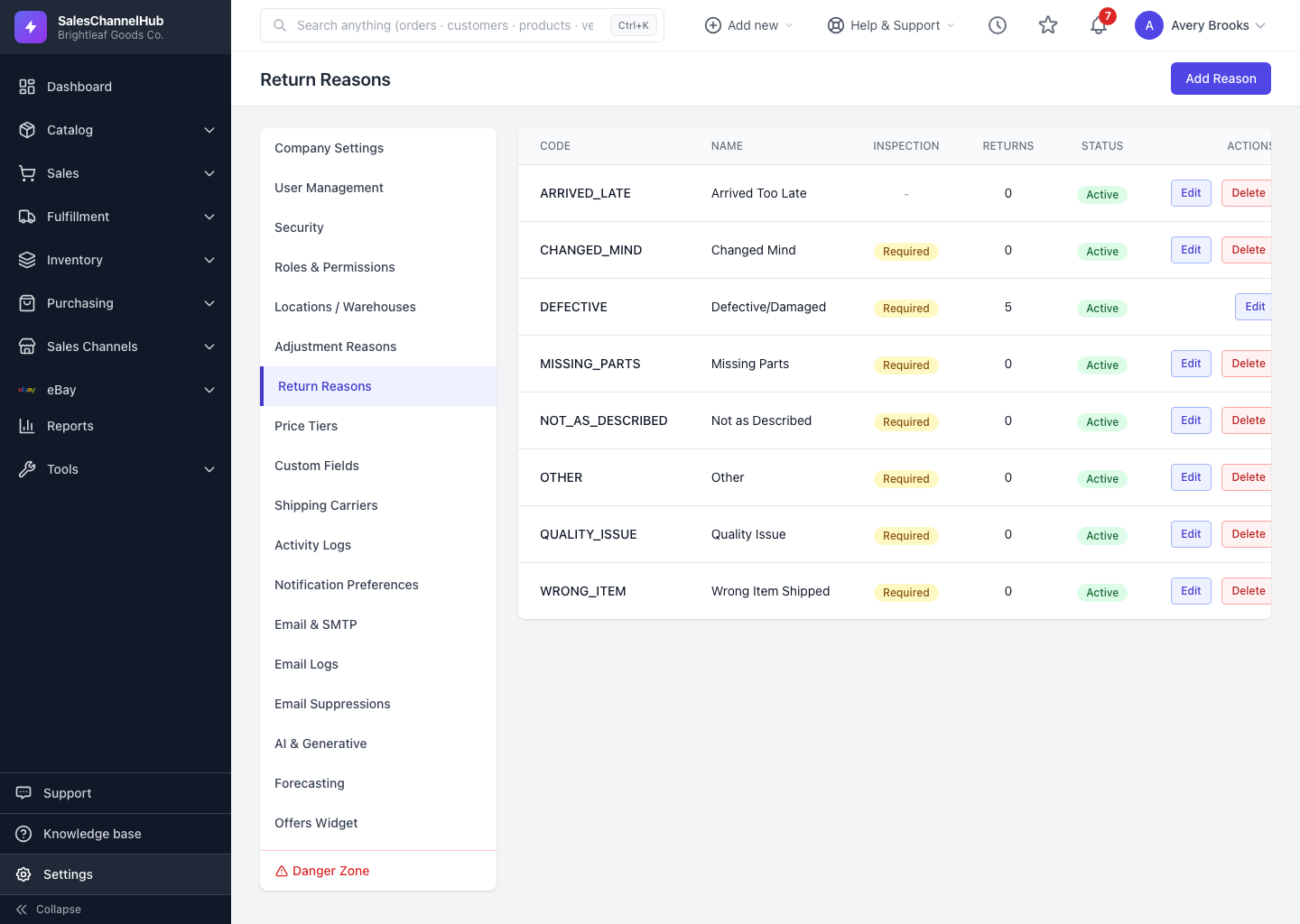
Set the reasons customers and staff pick when starting a return, and flag which ones need inspection before restocking or refunding.
Return reasons standardise why items come back, such as damaged, wrong item, or no longer needed, so your returns reporting stays clean.
How do I add a return reason?
- Go to Settings → Return Reasons and click Add Reason.
- Enter a Code and a Name.
- Tick Requires Inspection if returns with this reason should be checked before restocking or refunding.
- Keep Active ticked and click Create Reason.
Can I delete a reason that's been used?
No. A reason already recorded on returns can't be deleted; the list shows how many returns used each one. Deactivate it instead to take it out of the dropdown.
Tip. Turn on Requires Inspection for damage and defect reasons so faulty stock never lands back in your sellable count by mistake.
Common questions
What does Requires Inspection do?
Returns with that reason are held for a check before they're restocked or refunded, so defective items don't go straight back into sellable stock.
Why can't I delete a return reason?
It's been used on at least one return. To keep that history intact, the reason can't be removed. Untick Active to stop it appearing in the dropdown.