Export vendors to a CSV
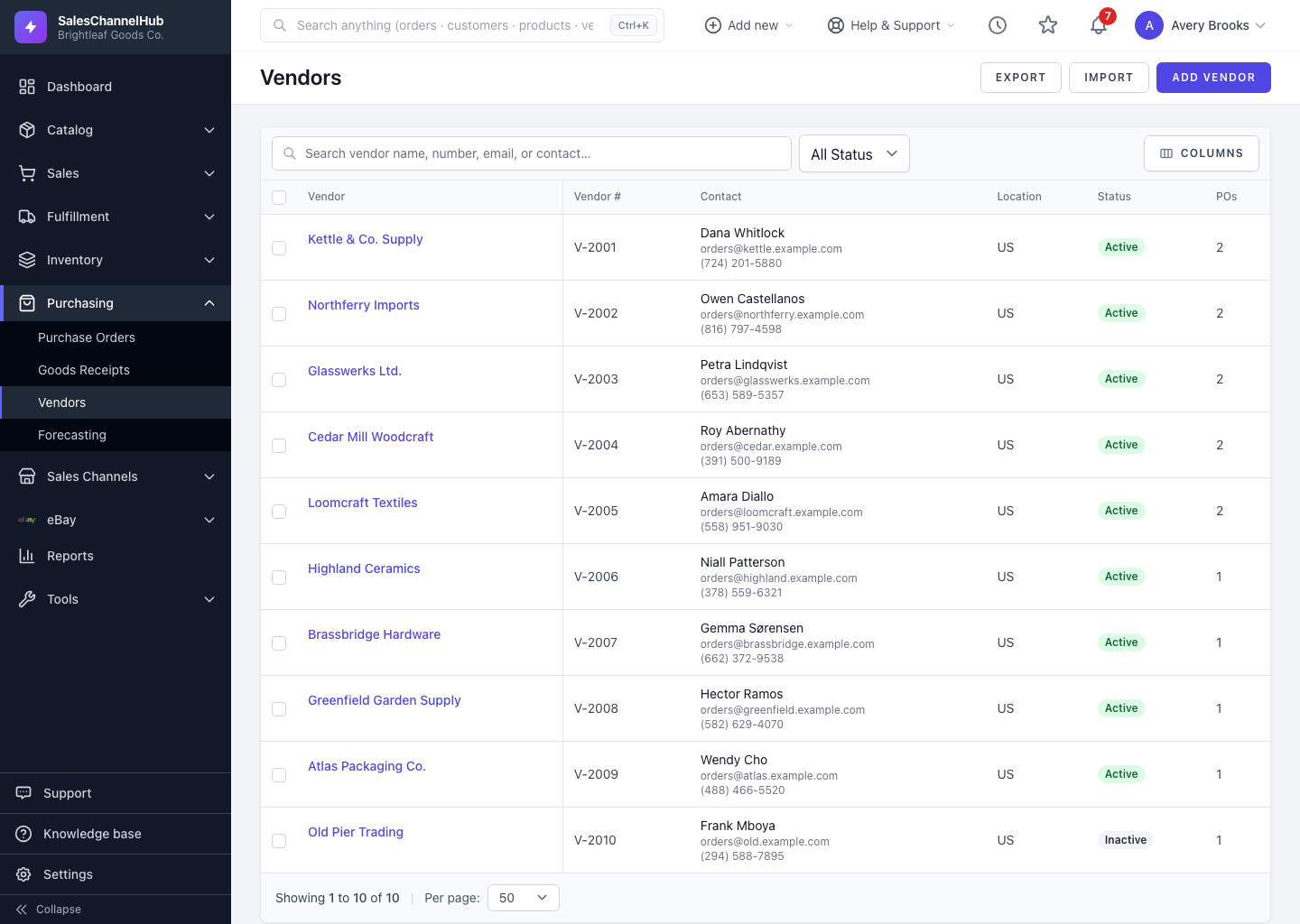
Click Export on the Vendors list to download your suppliers as a CSV. The download respects whatever search or status filter is applied.
To download your suppliers as a spreadsheet, click Export on the Vendors list. The CSV honours the filters you have applied, so you get exactly the vendors you're looking at.
How do I export vendors?
- Go to Purchasing → Vendors.
- Narrow the list first with the search box or the Status filter if you want a subset.
- Click Export at the top right.
- Your browser downloads a CSV of the matching vendors.
What's it good for?
- A starting point for the importer, since the columns line up.
- A periodic backup of supplier details.
- Bulk edits to terms or lead times, then re-import with Update existing vendors ticked.
Tip. Filter to Active vendors before exporting if you only want the suppliers you currently buy from.
Was this article helpful?