Reset data in the Danger Zone
Settings → Danger Zone permanently deletes products, orders or customers. It's irreversible and requires typing RESET ALL DATA plus your password.
The Danger Zone permanently wipes selected operational data. It's useful for clearing out test data before going live, but there is no undo, so treat it carefully.
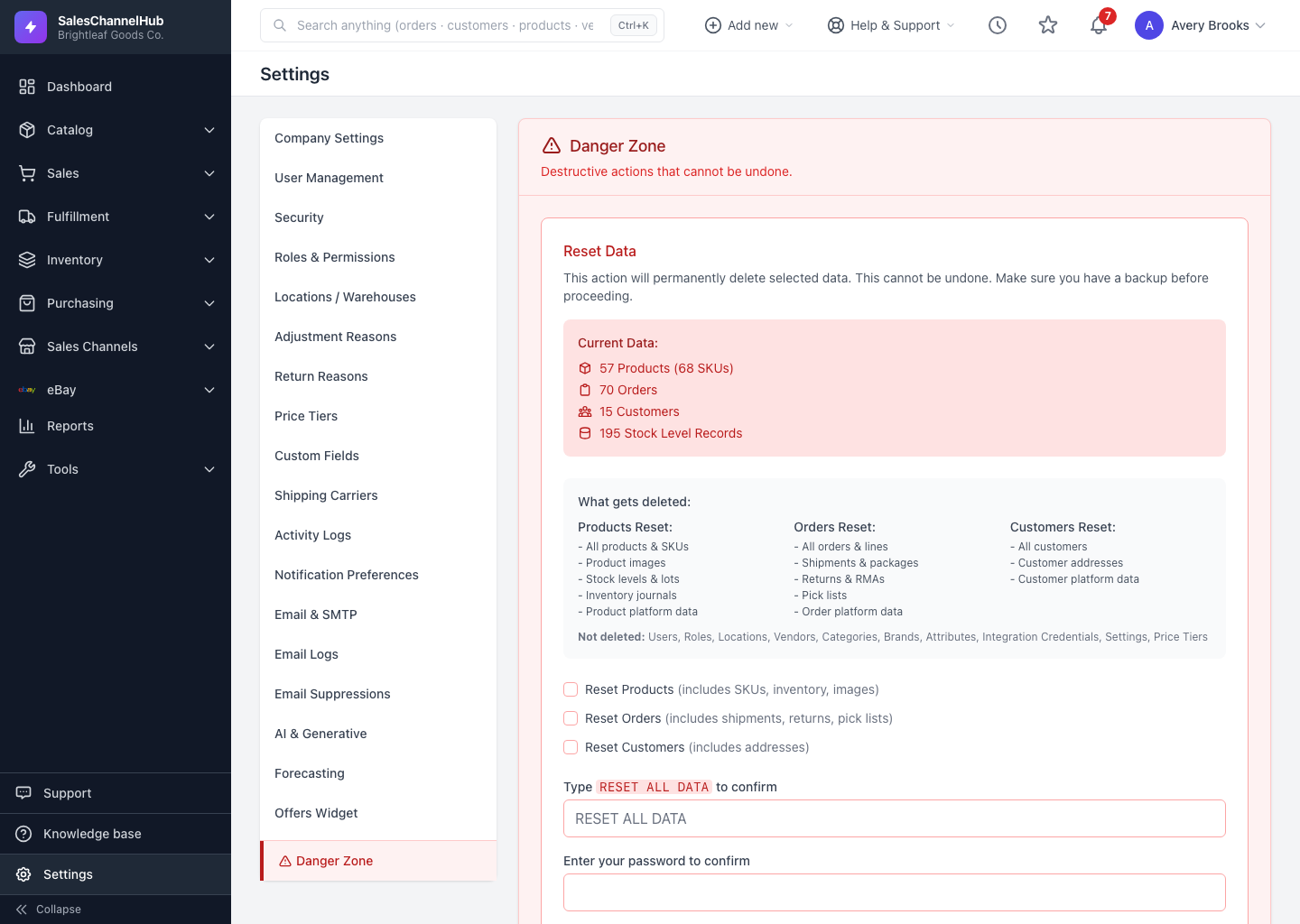
How do I reset data?
- Go to Settings → Danger Zone (the red item at the bottom of the menu).
- Review the Current Data counts and the list of what each option deletes.
- Tick one or more of Reset Products, Reset Orders, or Reset Customers.
- Type
RESET ALL DATAin the confirmation box and enter your password. - Click Reset Selected Data and confirm the final prompt.
What is not deleted?
Users, roles, locations, vendors, categories, brands, attributes, integration credentials, settings and price tiers are kept. The reset only clears the operational records you tick.
Tip. Export anything you might want later before resetting. This clears stock levels, shipments, returns and platform links along with the records, and none of it can be recovered.
Common questions
Can I undo a reset?
No. The Danger Zone permanently deletes the selected data, including stock levels, shipments, returns and platform links. Export anything you might need before you run it.
Will resetting delete my users, locations or settings?
No. It only clears products, orders and customers. Users, roles, locations, vendors, categories, brands, attributes, integration credentials, settings and price tiers all stay.
Why is the reset button greyed out?
You must tick at least one data type and type RESET ALL DATA exactly in the confirmation box. The button stays disabled until both are done.