


There's no separate price-book screen per vendor. The cost a vendor charges is captured directly on each purchase order line, and the order remembers what you actually paid.
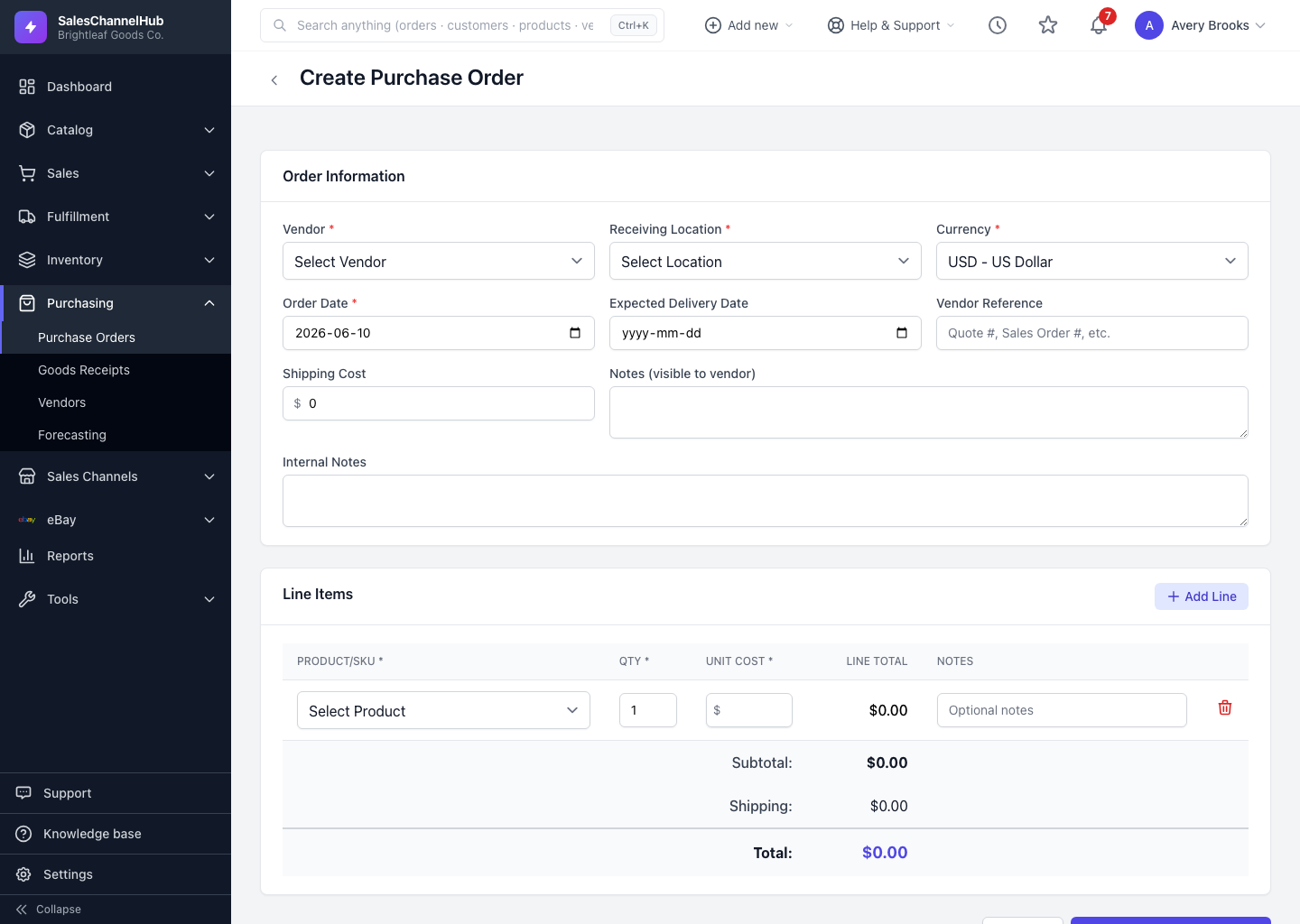
How does a cost reach a PO line?
- On a purchase order, click Add Line and pick the Product/SKU.
- The Unit Cost pre-fills from that SKU's stored cost price, a sensible starting point.
- Override the Unit Cost to match what this vendor is quoting for this order.
- The line total and order total recalculate as you type.
What if two vendors charge different prices?
That's fine. Because the cost lives on the line, two vendors can supply the same SKU at different prices with no conflict. Costs are entered in the PO's Currency, which is inherited from the vendor's default, and the recorded cost feeds your inventory valuation when you receive the goods.
Tip. If a vendor changes their quote between orders, enter the new figure on the next PO. There's nothing else to maintain.
Was this article helpful?