Days of supply, reorder point and reorder quantity explained
DOS is how long stock lasts at current demand; suggested ROP is when to reorder; suggested quantity is how much to order each time.
Three numbers do most of the work on the suggestions screen. Understanding them makes it easy to trust, or sanity-check, what the system recommends.
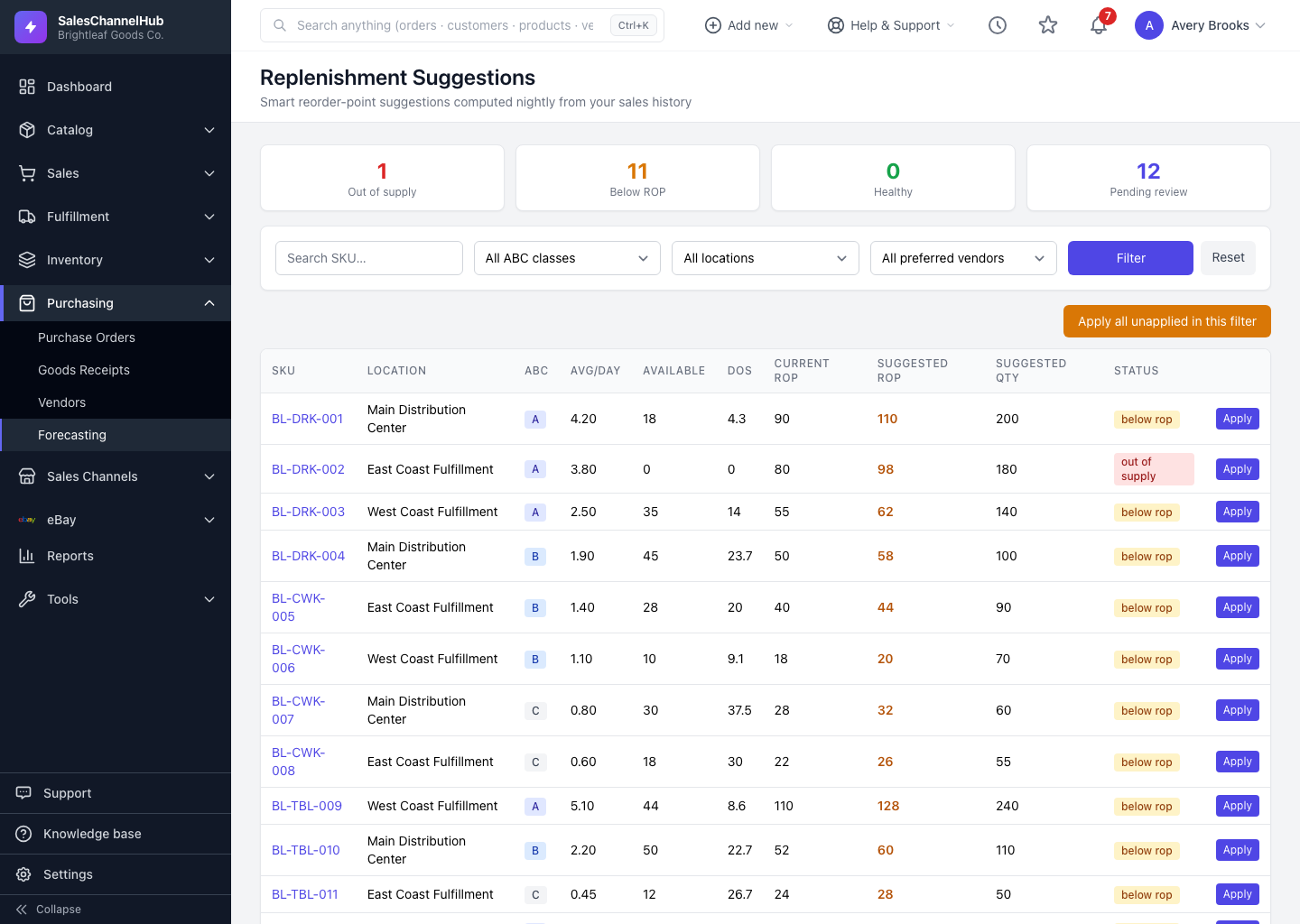
What does each number tell me?
- Days of supply (DOS). How many days your current available stock will last at the forecast demand rate. Stock of 60 selling 3 a day shows roughly 20 days. It's blank when demand is zero.
- Suggested reorder point (ROP). The stock level at which you reorder. In the default mode it's your average daily demand multiplied by lead time plus the safety days for that ABC class. So 3 a day, a 14-day lead time and 21 safety days suggests an ROP near 105.
- Suggested quantity. How much to order each time: enough demand to cover your replenishment cycle (30 days by default), never less than the vendor's minimum order quantity.
How do I read them together?
- When available stock drops to or below the suggested ROP, it's time to order the suggested quantity.
- Lead time comes from the SKU's preferred vendor where it's set, otherwise from the default in settings.
Tip. A suggested ROP far higher than your current one usually means demand has grown or lead times lengthened, which is exactly the drift this tool catches.
Common questions
Why is days of supply blank on a row?
Forecast demand is zero, so there's no rate to divide by. A SKU with no sales in the lookback window shows blank DOS.
Where does the lead time in the calculation come from?
The SKU's preferred vendor first. If that vendor has no lead time set, the Default lead time (days) from Settings → Forecasting is used.
Why is the suggested quantity larger than my reorder point?
They answer different questions. The reorder point is when to order; the quantity is how much, sized to cover your replenishment cycle and clamped up to the vendor's minimum order quantity.