Browse and filter orders
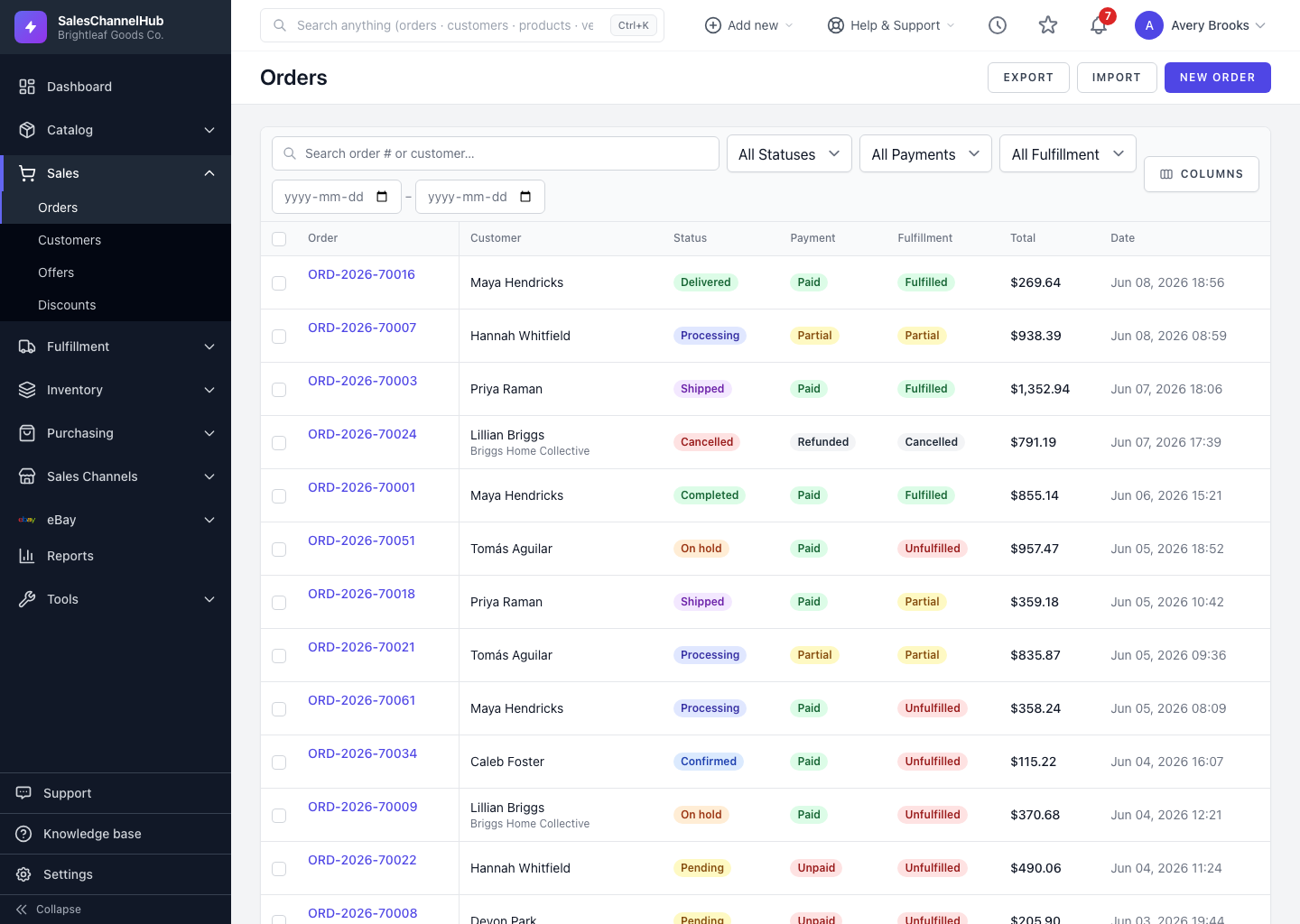
Use the search box, the Status, Payment and Fulfillment dropdowns, and a date range to narrow the orders list.
To narrow a long orders list, use the filter bar above the table. Search by order number or customer, filter by status, payment or fulfillment, and limit by date.
How do I filter the list?
- Type into the Search order # or customer… box to match an order number or a customer name.
- Use the Status dropdown for Draft, Pending, Confirmed, Processing, On Hold, Shipped, Delivered, Completed or Cancelled.
- Use the Payment dropdown for Unpaid, Partial, Paid or Refunded.
- Use the Fulfillment dropdown for Unfulfilled, Partial, Fulfilled or Cancelled.
- Set a From and To date to limit by order date.
Click a sortable column heading, such as Total or Date, to re-order the rows.
Tip. Filters live in the page address, so you can bookmark a view like "unpaid, shipped this month" and return to it in one click.
Common questions
Can I combine filters?
Yes. Status, Payment, Fulfillment, search and the date range all apply together, so you can narrow to something like "Paid + Unfulfilled this week" in one pass.
Why are my filters still applied after I leave the page?
Filters are stored in the page URL. They stay until you change or clear them, which is what lets you bookmark a filtered view.