Create an automation rule
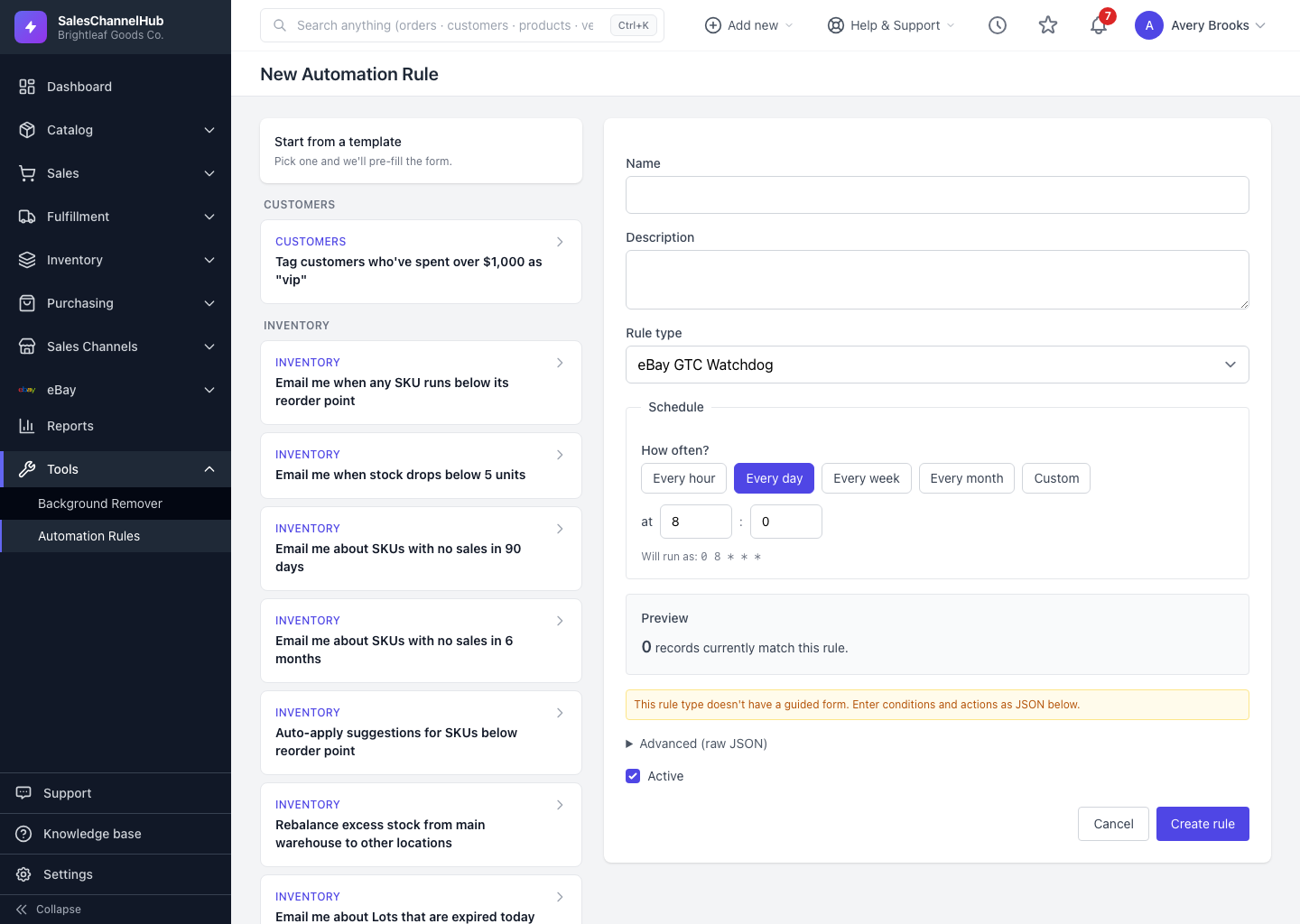
Click New rule, give it a name, choose a rule type, set the schedule, add any conditions, then click Create rule.
To build a rule from the ground up, click New rule and fill in the create form. This gives you control over every field, which helps when no template fits your exact need.
How do I create a rule?
- From Automation Rules, click New rule.
- Give it a clear Name, such as "Low stock under 5 units", and an optional Description.
- Pick a Rule type. The form below updates to show the fields that type supports.
- Set the Schedule: choose a How often? chip, then a time, day of week or day of month as the choice requires.
- Fill in any Conditions, like a quantity threshold or specific locations. Required ones carry a red asterisk; the rest are optional.
- Check the Preview to confirm it matches a sensible number of records.
- Leave Active ticked to turn it on right away, then click Create rule.
What if the rule type has no fields?
Some rule types don't have a guided form. The page says so and opens an Advanced (raw JSON) section where you enter conditions and actions as JSON instead.
Tip. Don't see the rule type you need in the gallery? Open the Rule type dropdown on this form. Every supported type is listed there, including the advanced ones.
Common questions
Which fields are required to save a rule?
Name and Rule type are always required, plus any condition marked with a red asterisk for the type you chose. Everything else is optional.
Can I leave conditions blank?
Yes, unless a condition is marked required. A blank optional condition falls back to the rule type's default, such as using each SKU's own reorder point.
Does the rule run as soon as I create it?
Only on its schedule. Creating an active rule doesn't fire it immediately. To run it straight away, open the rule and click Run now.
Can I edit the schedule and conditions later?
The Edit page changes a rule's name, description and active state. To adjust the schedule, type or conditions, recreate the rule from the create form, which has those fields.