View cycle-count history
A cycle count verifies accuracy on a slice of stock at a time. Counts live under Cycle Counts in the Inventory group and feed corrections back.
A cycle count verifies inventory accuracy by checking a slice of your stock on a schedule, instead of shutting down for a full physical count. Cycle counts open from the Cycle Counts link in the Inventory group, and they feed corrections straight back into your stock levels.
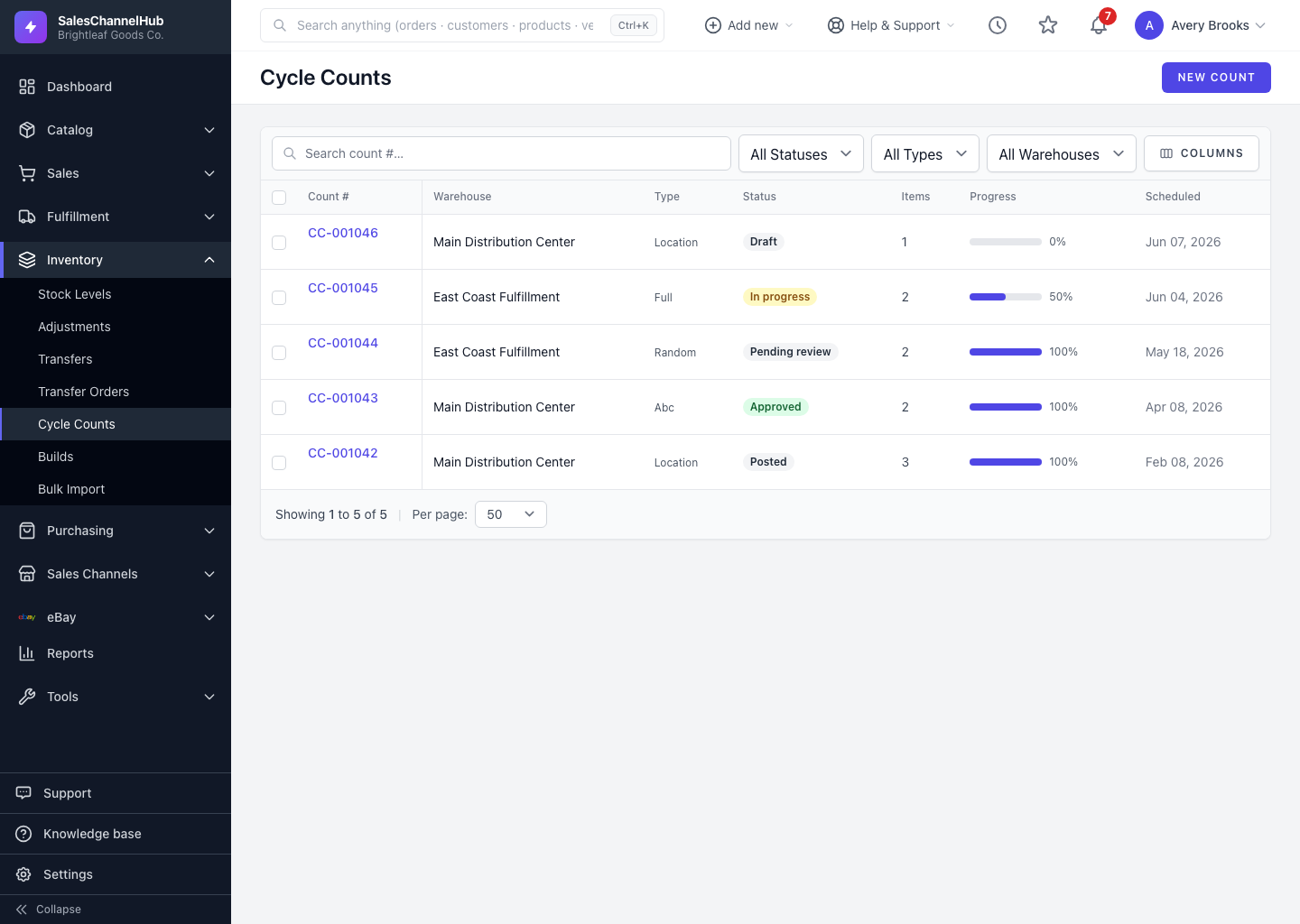
What does a cycle count do?
- You count a defined set of SKUs and locations and enter the actuals.
- Differences against the system count become recorded adjustments, so your on-hand numbers self-correct.
- Each count keeps a history you can review later.
How do I find past counts?
- Open Cycle Counts from the Inventory group.
- Click any count to see its items, the counted quantities, and the variances.
- Return to Stock Levels to confirm the corrected on-hand figures.
Tip. Cycle-counting your fastest-moving SKUs more often keeps the numbers you sell against trustworthy, without ever pausing operations.
Common questions
Do I have to count everything at once?
No. A cycle count covers a defined slice of SKUs and locations, so you can verify the catalogue in rotation rather than freezing operations for a full count.
How do counted differences reach my stock levels?
Each variance against the system count becomes a recorded adjustment, so your on-hand figures self-correct once the count is applied.