Transfer order statuses explained
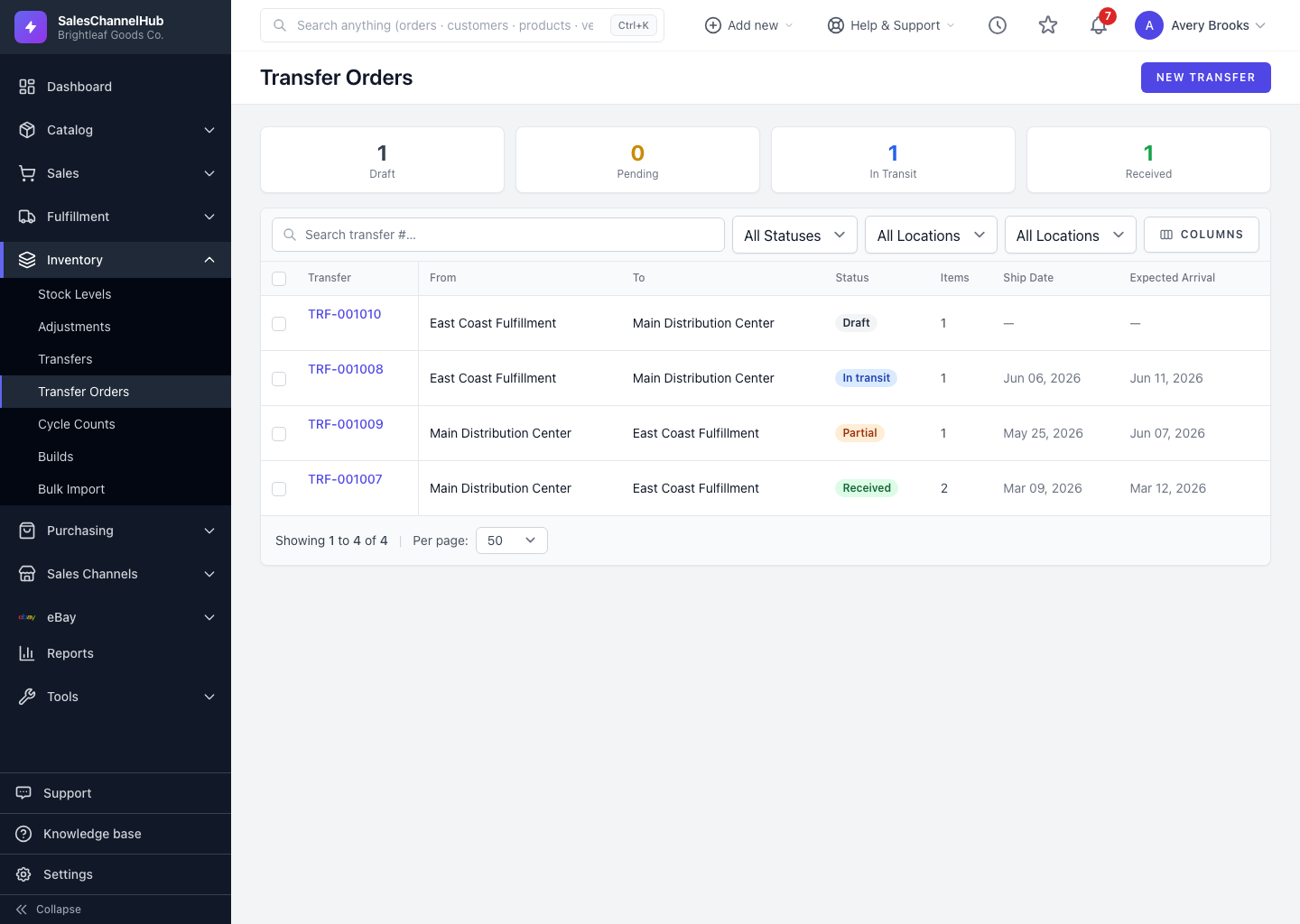
Draft, Pending, In Transit, Partially Received, Received and Cancelled each tell you where the stock physically is.
A transfer order's status tells you where the stock physically is and what you can do next. Knowing the path helps you spot a transfer that's stuck.
What does each status mean?
- Draft — editable, and stock hasn't moved. You can change or delete it.
- Pending — submitted for approval, ready to ship.
- In Transit — shipped, so stock has left the source and is on its way.
- Partially Received — some lines received, others still outstanding. The list shows this as a Partial pill.
- Received — fully received, with stock on-hand at the destination.
- Cancelled — stopped before shipping.
Tip. Once a transfer is In Transit it can't be cancelled. Only an administrator can reverse it, with a required reason, to return the stock to the source.
Was this article helpful?