Find and fix listings with errors
Set the Status filter to Error to round up rejected listings, then open each one to read the cause and publish again.
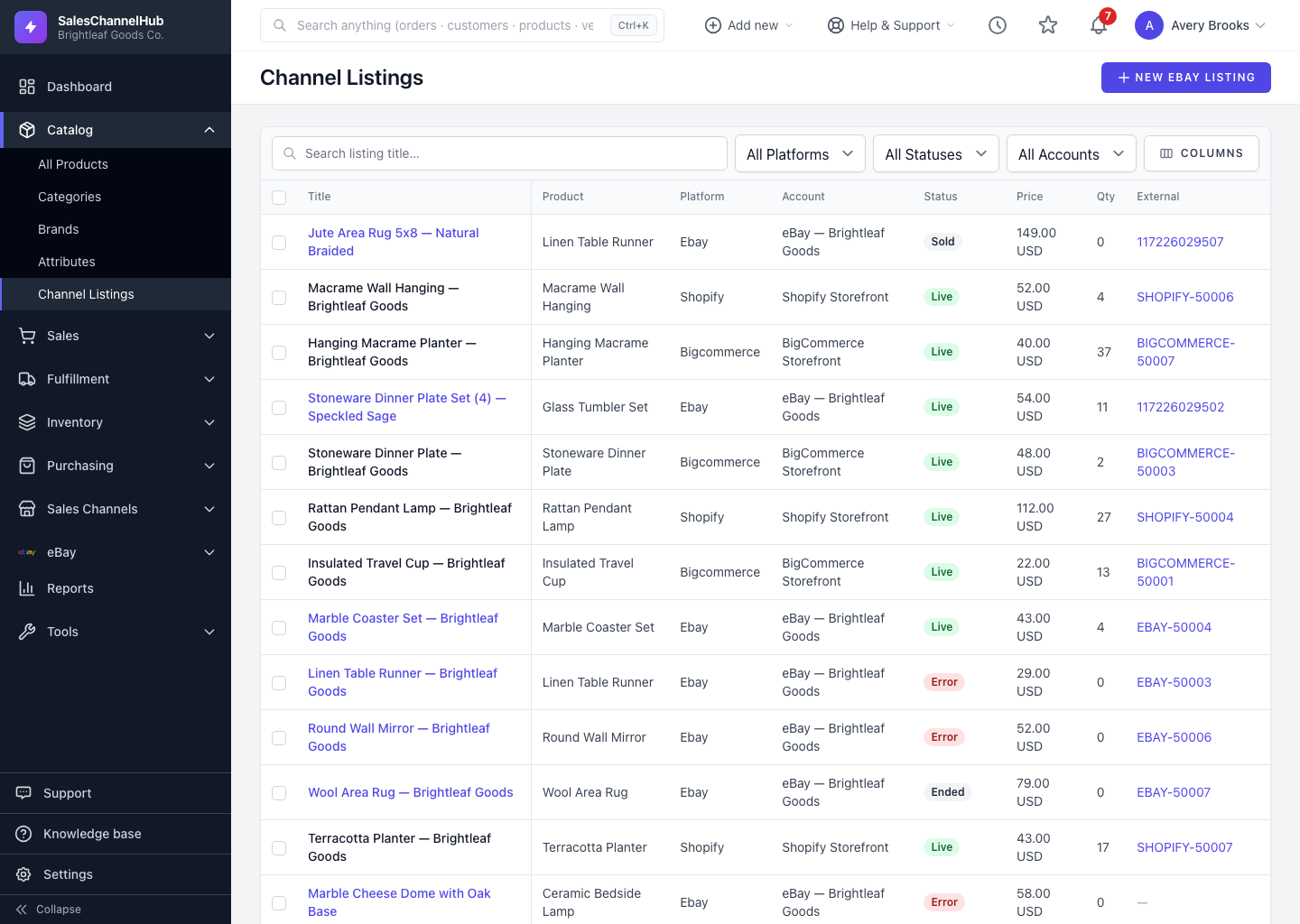
When a platform rejects a publish or update, the listing gets the Error status and turns red. The Status filter rounds these up so you can clear them before they cost you sales.
How do I find and fix errors?
- Set the Status filter to Error to show only failed listings.
- Add the Platform or Account filter to focus on one channel or connection.
- Click an affected listing's Title to open it. eBay listings open a full record where the reason for the failure is shown.
- Fix what's flagged: a missing field, a price or quantity problem, a category or shipping issue. Then publish or update again.
- Once it succeeds, the status returns to Live, or Draft if you only saved it.
Tip. Sort by Updated to surface the most recent errors first. Those are usually tied to a change you just made.
Common questions
Where do I see why a listing errored?
Open the eBay listing's full record; the rejection reason is shown there. For other platforms, check that integration's sync logs under Integrations.
How do I clear the Error status?
Fix what the platform flagged, then publish or update the listing again. A successful run moves it back to Live (or Draft if you only saved).
Was this article helpful?