Notifications & logs: common questions
Quick answers to why an alert or email didn't arrive, and how the activity and email logs help you find out.
When an alert or email didn't arrive as expected, the logs almost always hold the answer. These are the questions people ask most, and where to look. For step-by-step guides, see the articles above.
Tip. A page or button you read about here that you can't see is almost always your role hiding it. Activity Logs and Email Logs are permission-gated; ask an owner or admin to adjust your role under Settings > Roles & Permissions.
Common questions
I didn't get an in-app notification. Why?
Check Settings > Notification Preferences. The In-app box for that event type may be unticked, or you may have set it to email-only.
I didn't get an email. Where do I start?
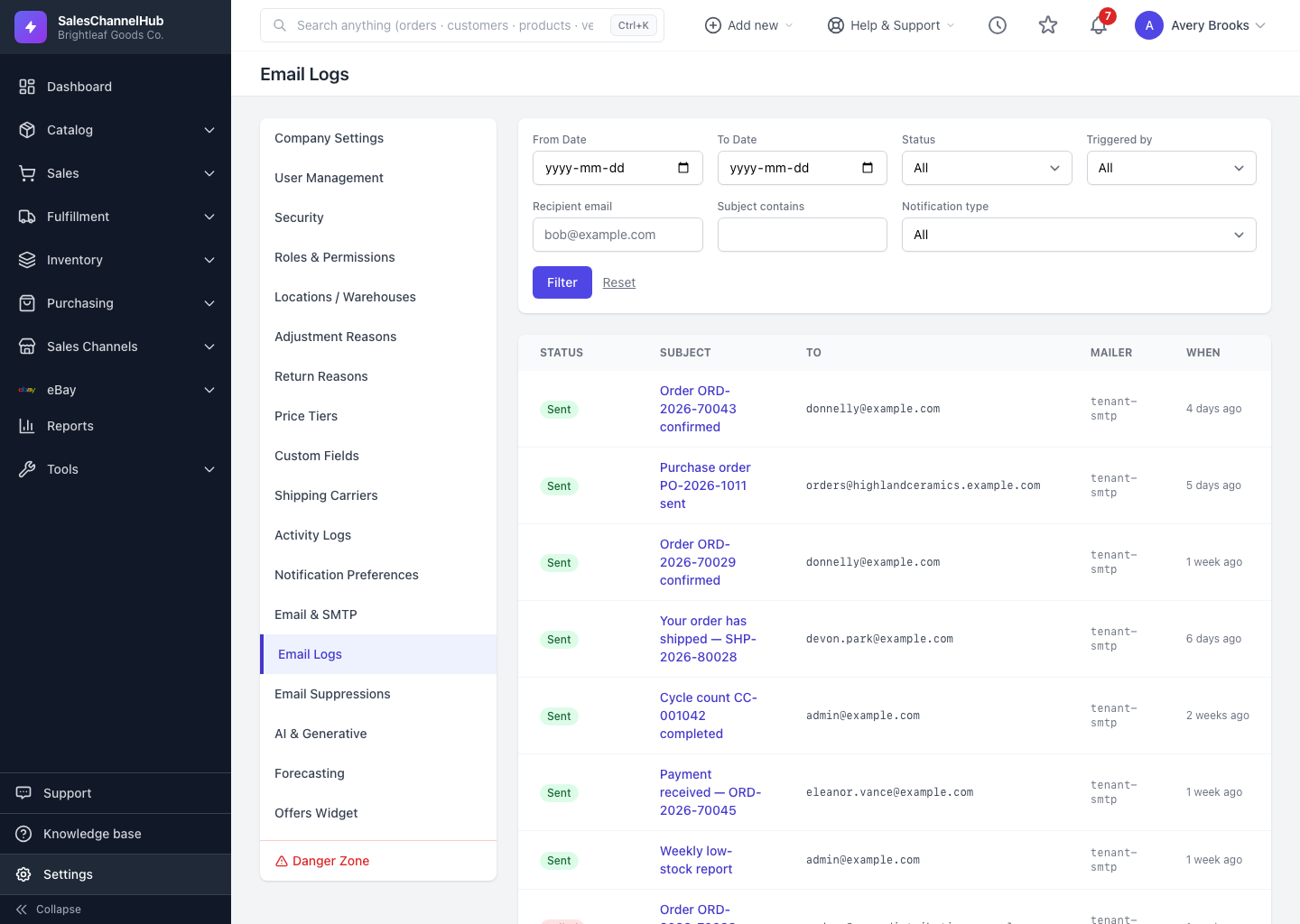
Open Settings > Email Logs and filter by the recipient address. No row at all usually means Email is switched off for that event in your preferences. A Failed row has an error to read; a Suppressed row means the address is on your suppression list.
The email shows Sent but never arrived. What now?
Sent means the mail server accepted it. It most likely landed in the recipient's spam or junk folder. Ask them to check there and add your sender address to their contacts.
My bell badge won't clear. How do I fix it?
New notifications may have arrived since you last looked. Click Mark all read. The badge also refreshes roughly every thirty seconds on its own.
I can't see Activity Logs or Email Logs. Why?
Both are permission-gated. If they're missing from the Settings menu, your role doesn't grant access. Ask an administrator to adjust your role.
An expected change isn't in the activity log. Where is it?
Widen your date range and clear any category, user or event filter. A narrow filter is the usual reason a row goes missing.
How do I stop emailing an address that's bouncing?
It's handled automatically: a hard bounce, unsubscribe or spam complaint adds the address to Settings > Email Suppressions. You can also add one by hand there, and Release an address to start sending again.