Reply to a ticket
Add a reply from the ticket page under Add a reply, or answer the notification email straight from your inbox.
To continue a ticket, reply from the ticket page or straight from your email. Every message, yours and ours, appears in order on the thread, with our team's replies marked Support Team.
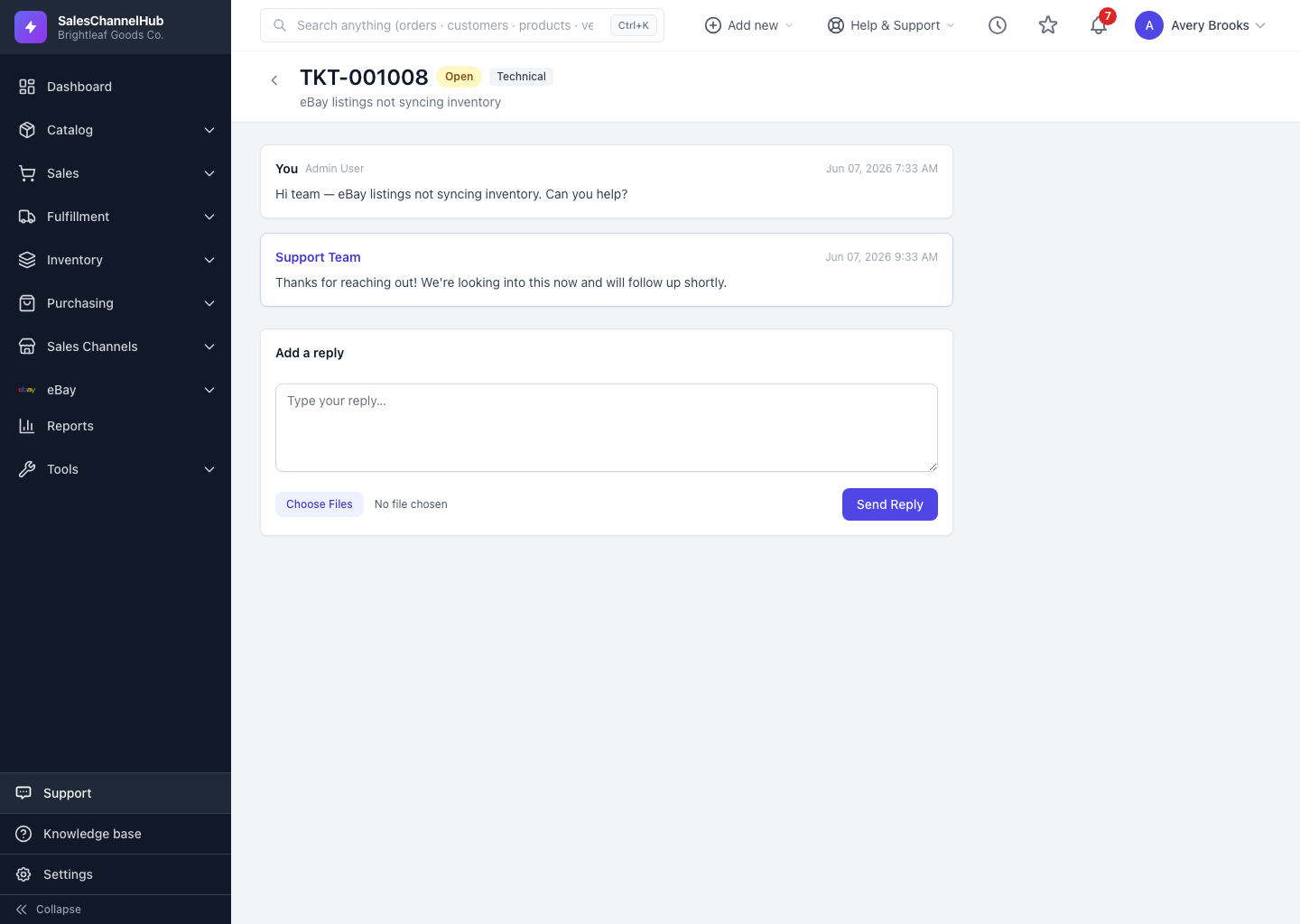
How do I reply from the ticket page?
- Open the ticket from the Support list.
- Scroll to Add a reply, type your message, and optionally attach files.
- Click Send Reply. Your message joins the thread and the ticket returns to Open, putting it back in our queue.
Can I reply by email instead?
Yes. Every notification we send can be answered straight from your inbox, and your reply attaches back to the same ticket. Messages that arrived by email are tagged via email in the conversation. Keep the ticket reference in the subject line intact so your reply threads correctly.
Tip. On a Resolved or Closed ticket the reply box reads Reply to reopen this ticket. Sending a message brings it back to our team.
Common questions
Does replying change the ticket status?
Yes. Your reply returns the ticket to Open so it's back in our queue. If the ticket was Resolved or Closed, the reply reopens it.
Can I attach files to a reply?
Yes. The reply box has its own file picker. Choose your files, then click Send Reply, just like on a new ticket.
Will my emailed reply land on the right ticket?
Yes, as long as you leave the ticket reference in the subject line intact. Your message attaches back to the same thread and shows a via email tag.