Work the offers inbox
Use the status tiles, search and Type filter on the Offers page to focus on requests waiting for your reply.
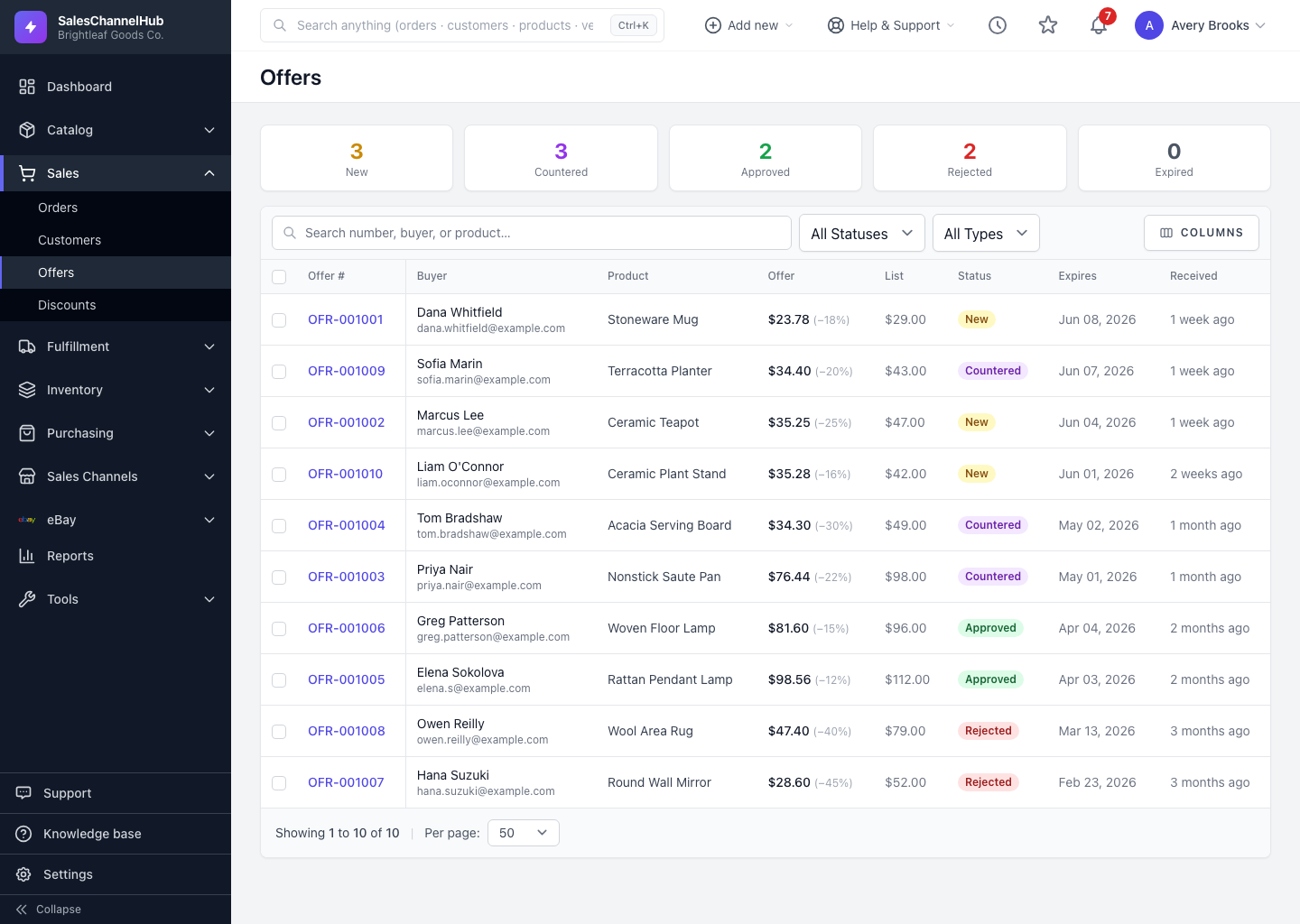
The offers inbox is where every Make-an-Offer and Price-Match request collects. The status tiles and filters help you focus on what needs a reply.
How do I work the inbox?
- Click a status tile (New, Countered, Approved, Rejected, Expired) to filter the table to that status.
- Use the search box to find by number, buyer or product.
- Filter by Type to separate Make-an-Offer requests from Price Match requests.
- Read the Offered column. It shows the buyer's price and, when known, how far below list it is.
- Click an offer's number to open it and respond.
Tip. Clear the New tile first each day. Those are unanswered, and an offer that expires while you weren't looking is a lost sale.
Was this article helpful?