Read and reply to buyer messages
Open eBay → Messages, click a conversation, type your reply (plain text, up to 2000 characters) and click Send Reply.
The Messages inbox brings buyer questions into one three-pane workspace: folders on the left, the conversation list in the middle, the open thread on the right. Your replies go straight back to the buyer on eBay.
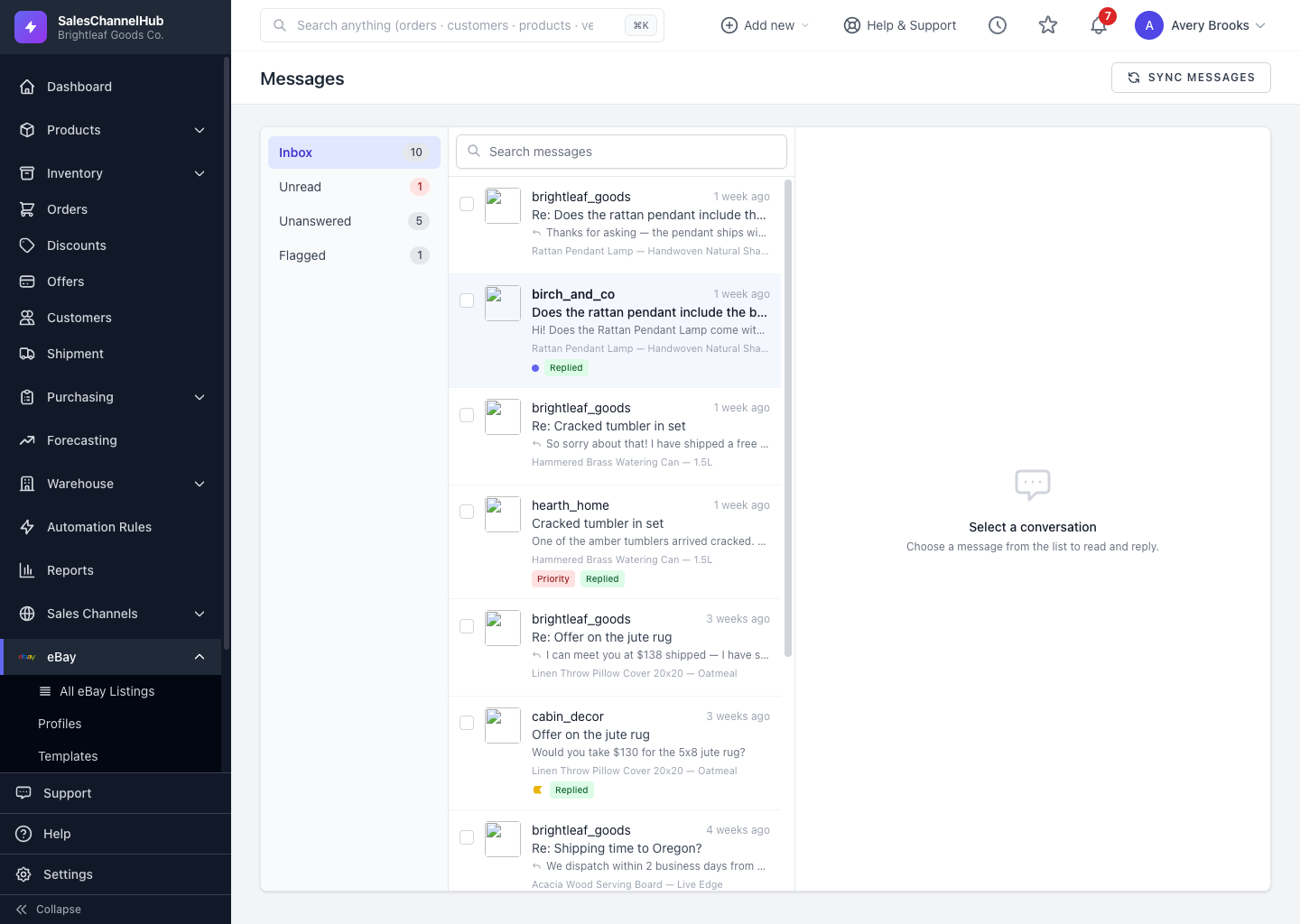
How do I reply to a buyer?
- Go to eBay → Messages.
- Click a conversation in the list. It opens on the right and is marked read.
- Type your reply in the composer (plain text, up to 2000 characters) and click Send Reply.
What else can the thread do?
It shows the linked item with its price and a Send offer shortcut that opens the item on eBay. Use Draft reply to have AI suggest a response you can edit before sending.
Tip. A reply shows a Sending… badge that turns to Sent once eBay accepts it, or Failed with the reason on hover if something went wrong.
Common questions
Can I send formatted text or attachments in a reply?
No. eBay replies are plain text, up to 2000 characters. Links work, but formatting and attachments aren't supported in the composer.
What is Draft reply?
It uses AI to draft a suggested response based on the buyer's message. You can edit the draft before clicking Send Reply; nothing is sent until you do.
My reply shows Failed. What now?
Hover the Failed badge for the reason, fix the cause (often a dropped connection) and send again. Event History filtered to Error has the full detail.