Orders overview
The Orders area is where every sale lands, whether you typed it in, imported it, or pulled it from a connected channel.
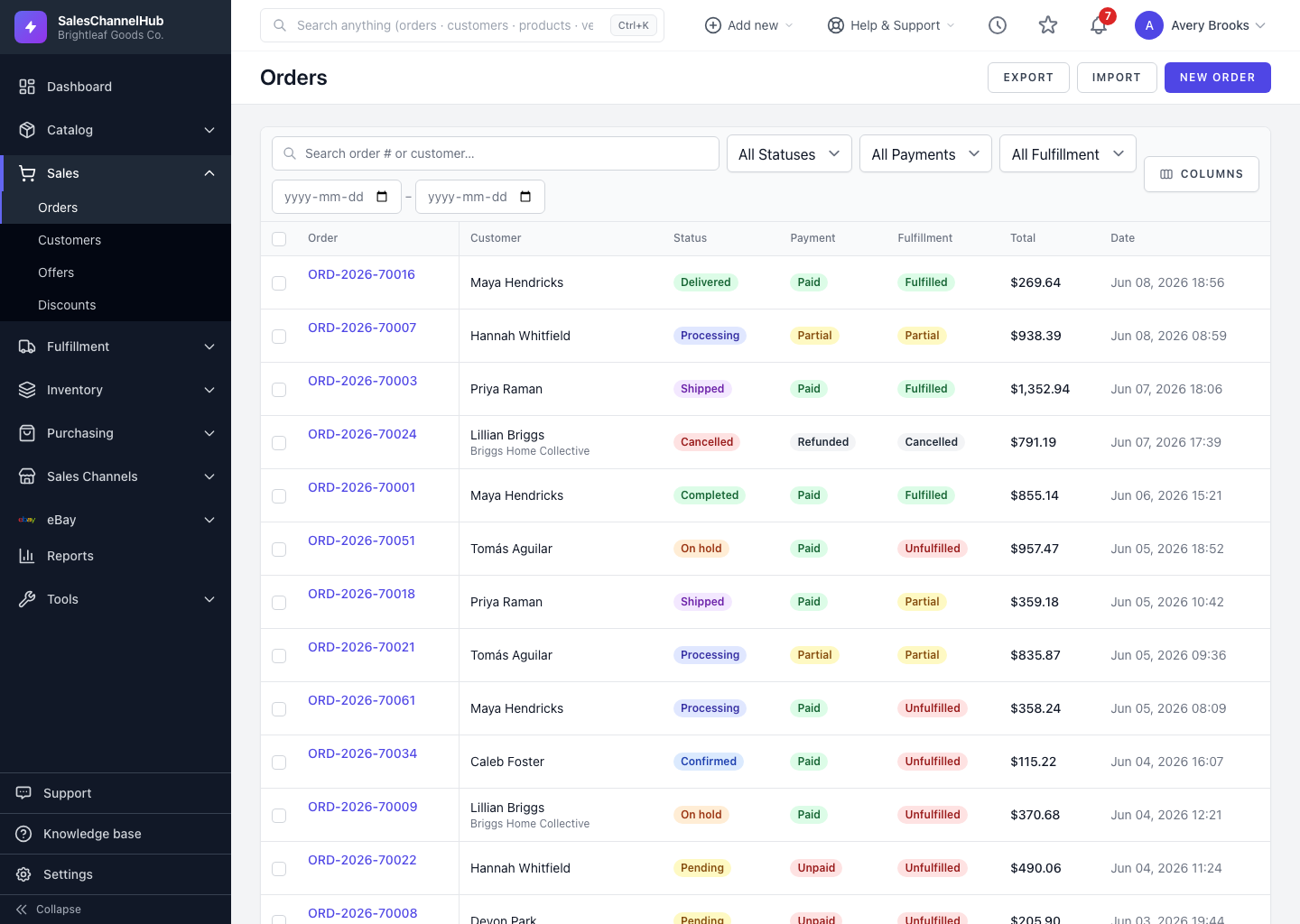
The Orders area is where every sale lands, whether you typed it in by hand, imported it from a spreadsheet, or pulled it from a connected sales channel. From here you track each order's progress, take payment, raise shipments, message customers and keep a record of what happened.
What can I do here?
- See every order with its Status, Payment, Fulfillment, total and date.
- Search and filter to find the orders you care about right now.
- Open any order to view its full detail, history and shipments.
- Create orders manually with New Order, or bring them in with Import.
- Run bulk actions like Mark Paid, On Hold and Cancel.
Why does an order have three badges?
An order keeps three separate states: its overall Status, its Payment state and its Fulfillment state. A confirmed order can still be unpaid and unfulfilled, so read each badge on its own.
Tip. Bookmark this page from the star menu in the top bar so the orders list is one click away.
Was this article helpful?