Read the product detail page
The detail page is the read-only view of a product across overview, inventory, pricing, channels and more.
The product detail page is the at-a-glance, read-only view of everything about a product, useful for checking facts without risking an accidental edit.
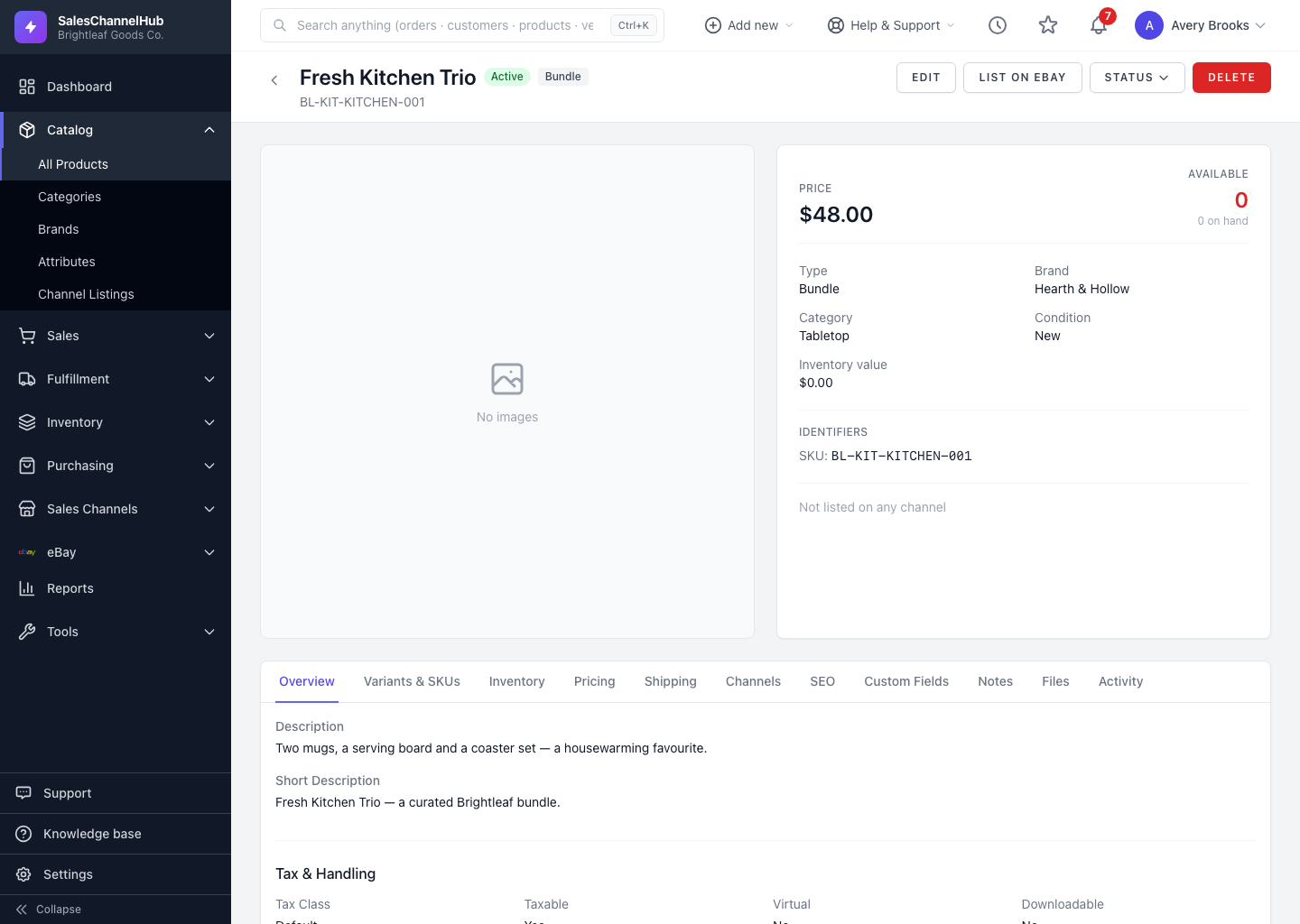
What's on the detail page?
- A header with the name, default SKU, status and type badges, plus chips for any live sales channels.
- A hero panel showing the price, available stock and key identifiers.
- Tabs: Overview, Variants & SKUs, Inventory, Pricing, Shipping, Channels, SEO, Custom Fields, plus Notes, Files and Activity.
What can I do from here?
- Click Edit to open the full editor.
- Use the Status dropdown to quickly set the product active, inactive or discontinued.
- Click List on eBay to start a listing if you have an integration connected.
Tip. Open a product by clicking its name in the list, or the View action that appears when you hover a row.
Was this article helpful?