Release, start and complete a build
Move a build Draft → Released → In Progress → Completed with the Actions panel. Completing consumes components and produces the parent stock.
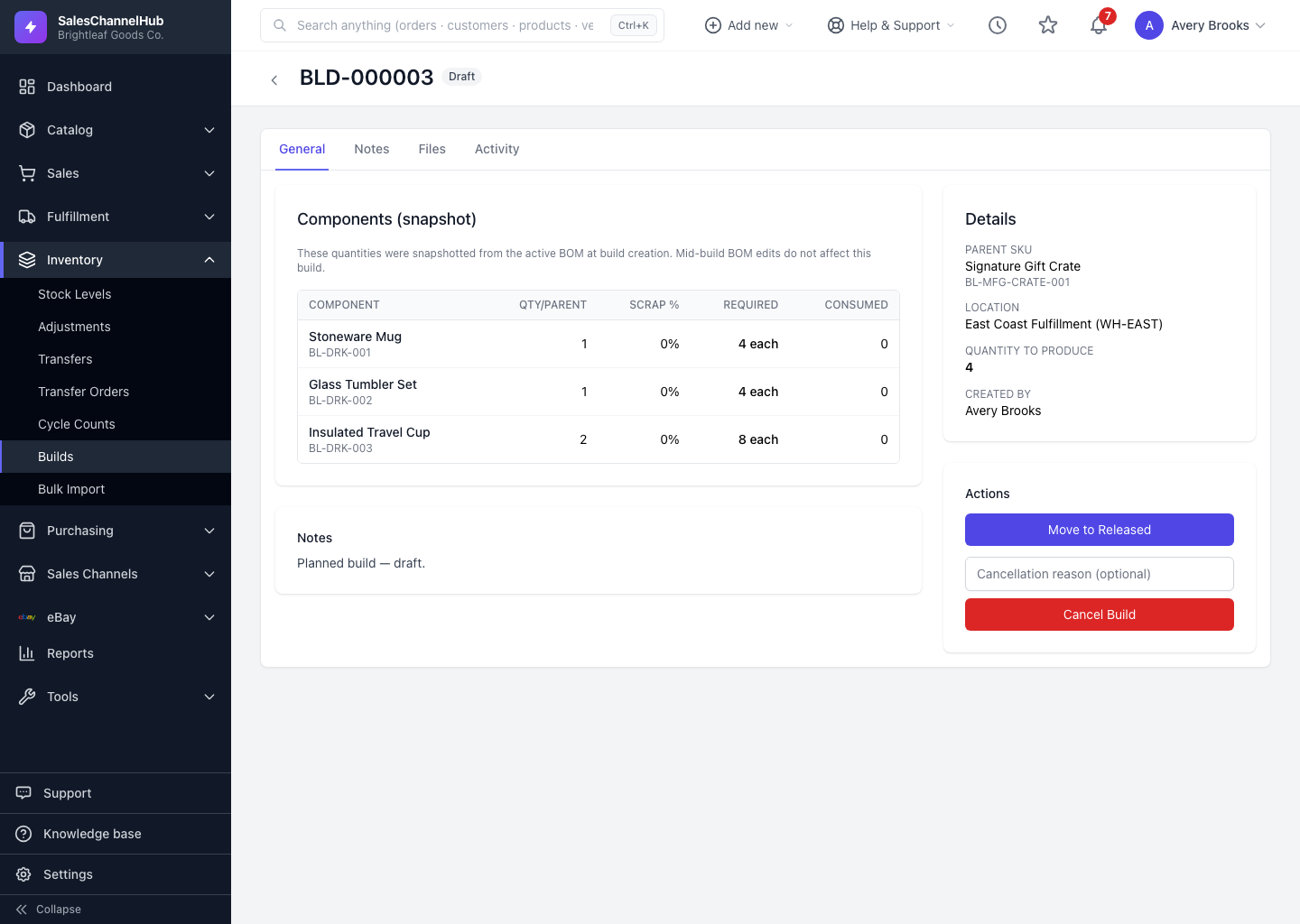
A build moves forward one step at a time using the buttons in the Actions panel. Each step is a one-way move along the lifecycle.
How do I move a build forward?
- Open a Draft build and click Move to Released to freeze its components and queue it for production.
- Click Move to In Progress to start the build.
- Click Move to Completed when the assembly is finished.
What happens to stock on completion?
Completing consumes the component quantities and adds the finished parent item to stock at the build location.
Tip. Once a build is released it's frozen. You can't change the quantity, location or components, so get those right while it's still a draft.
Common questions
Can I change the quantity after releasing a build?
No. Releasing freezes the build's quantity, location and components. Cancel it and create a new build if you need different numbers.
When is stock actually moved?
On completion. Components are consumed and the parent stock is added at the build location, both written to the inventory journal at once.