Available vs on-hand vs allocated, explained
Available is On Hand minus Allocated, and it's the number you sell against. Mixing the three up is the usual reason a count looks wrong.
Available is On Hand minus Allocated, and it's the figure you promise to a new buyer. Inventory shows all three numbers for every SKU, and mixing them up is the most common reason a count looks wrong.
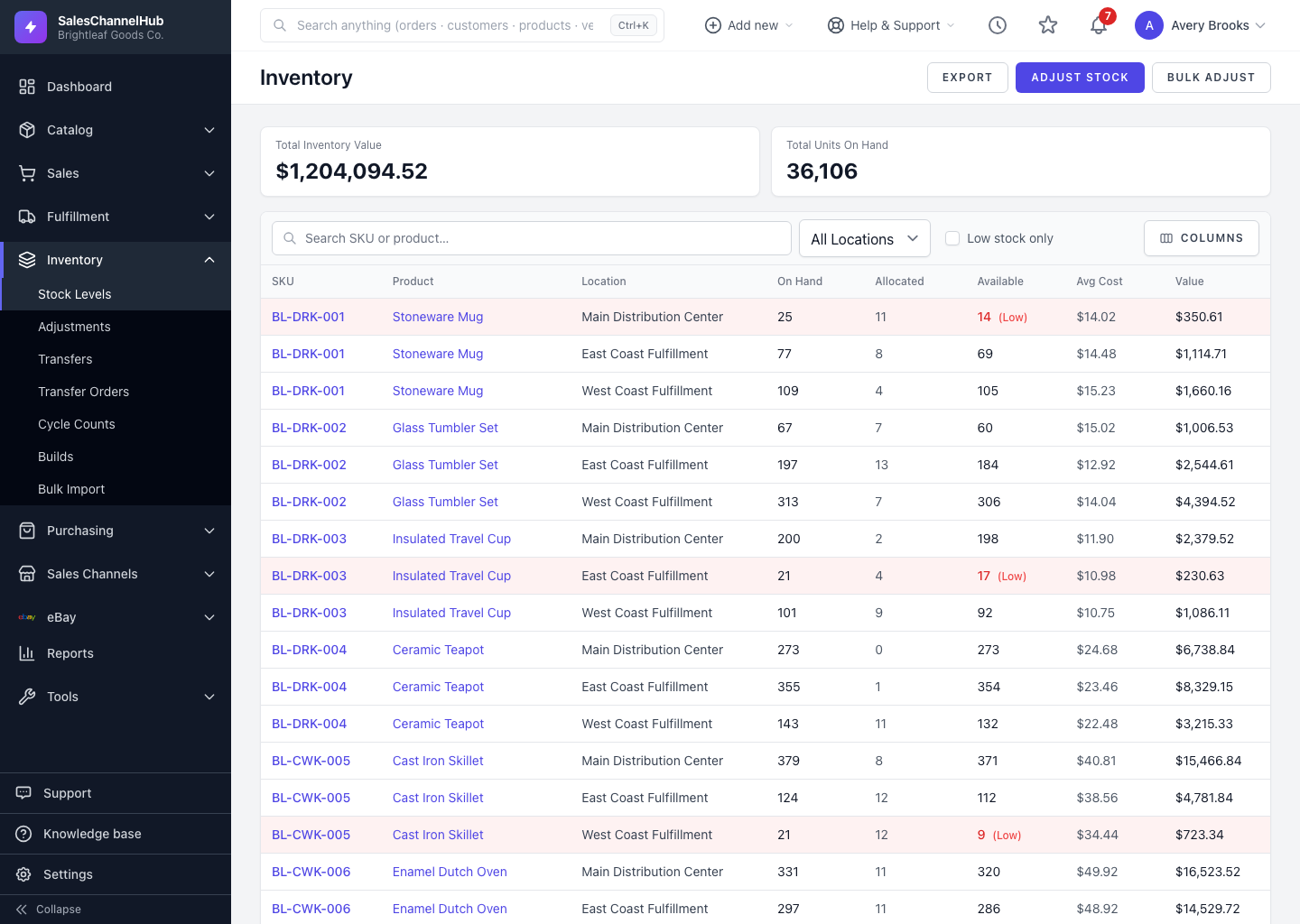
What does each number mean?
- On Hand — units physically in the warehouse right now. A shelf count should match this.
- Allocated — units reserved for open orders that haven't shipped. They're still on the shelf, but spoken for.
- Available — what you can still sell. It's On Hand minus Allocated.
What does this look like in practice?
- Brightleaf holds 40 ceramic planters on hand.
- An open wholesale order reserves 12, so Allocated is 12.
- Available is 28, and that's the figure to quote a new customer.
Tip. Available never drops below zero on screen. If allocations exceed your physical count, fix the on-hand number with an adjustment rather than reading Available as the problem.
Common questions
Why is Available lower than On Hand?
Some stock is allocated to open orders. Available is On Hand minus Allocated, so the gap is the quantity already promised to buyers.
Which number should I sell against?
Available. It's the only one that accounts for stock already committed to open orders.
Was this article helpful?