Create a listing profile
On eBay → Profiles click Create Profile, name it, choose the type, set the defaults, then Create Profile.
Creating a profile saves a set of listing defaults you can reuse across many items. A master profile can also bundle a shipping, return and payment profile together.
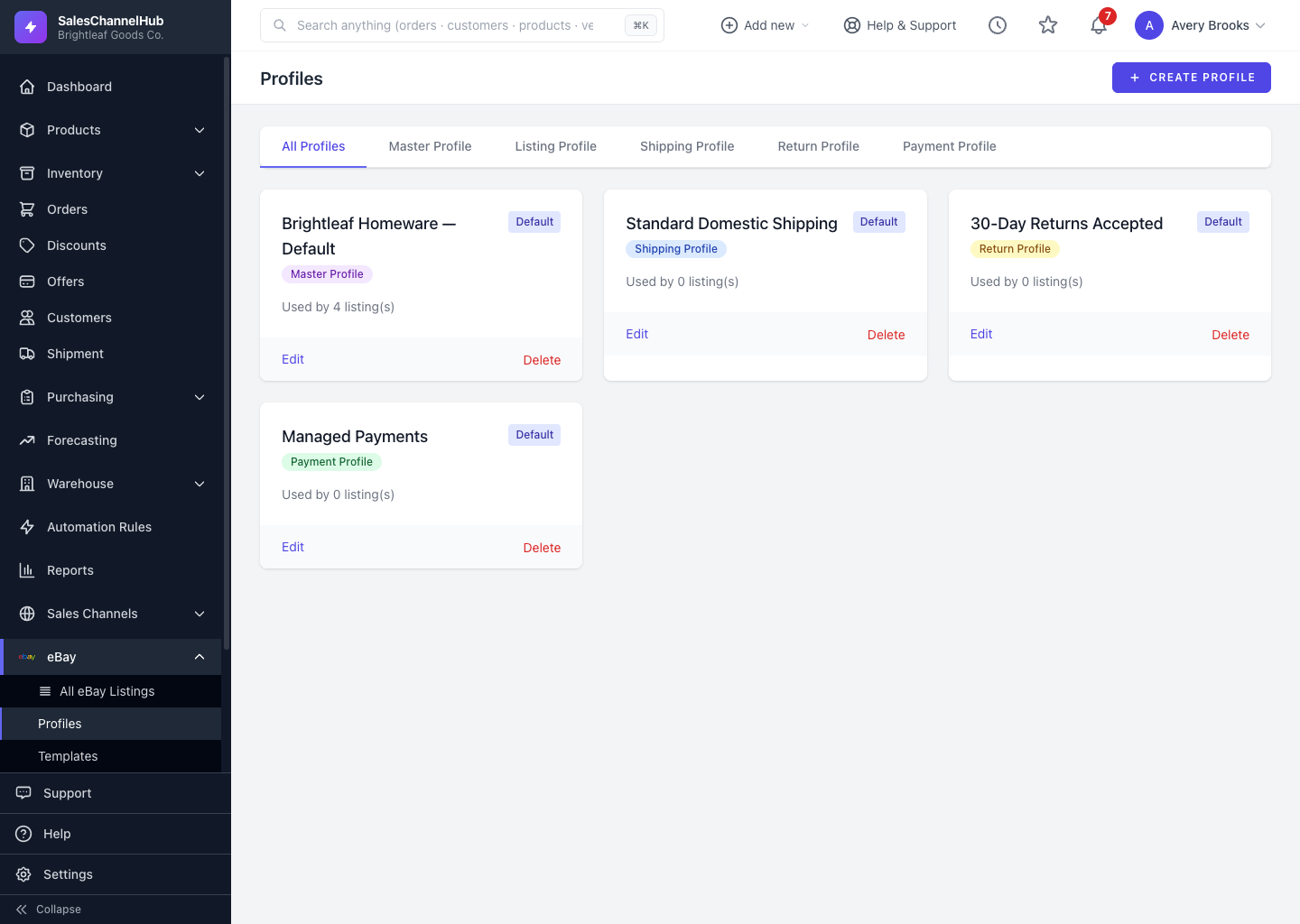
How do I create a profile?
- Go to eBay → Profiles and click Create Profile.
- Enter a Profile Name and choose the Profile Type (Master, Shipping, Return or Payment).
- Set the Default Settings — default category, condition and duration.
- For a Master Profile, link a Shipping, Return and Payment profile under Sub-Profiles.
- Tick Set as default profile for this type to apply it automatically, then click Create Profile.
Tip. Create your shipping, return and payment profiles first, then build the master profile that pulls them together.
Common questions
Can I edit a profile after creating it?
Yes. On eBay → Profiles, click Edit on the profile card. Changes apply to new listings that use the profile; listings already published keep what they were sent.
What happens if I delete a profile in use?
Listings already published to eBay are unaffected, since their settings were sent at publish time. New listings simply won't have it to choose, so set a different default if you relied on it.
Was this article helpful?