Purchase order statuses explained
A PO travels from Draft to Fully Received through a fixed set of statuses. Each one decides what you can do next.
Every purchase order moves through a defined set of statuses. Knowing what each means makes it clear what to do next, and why some actions aren't available.
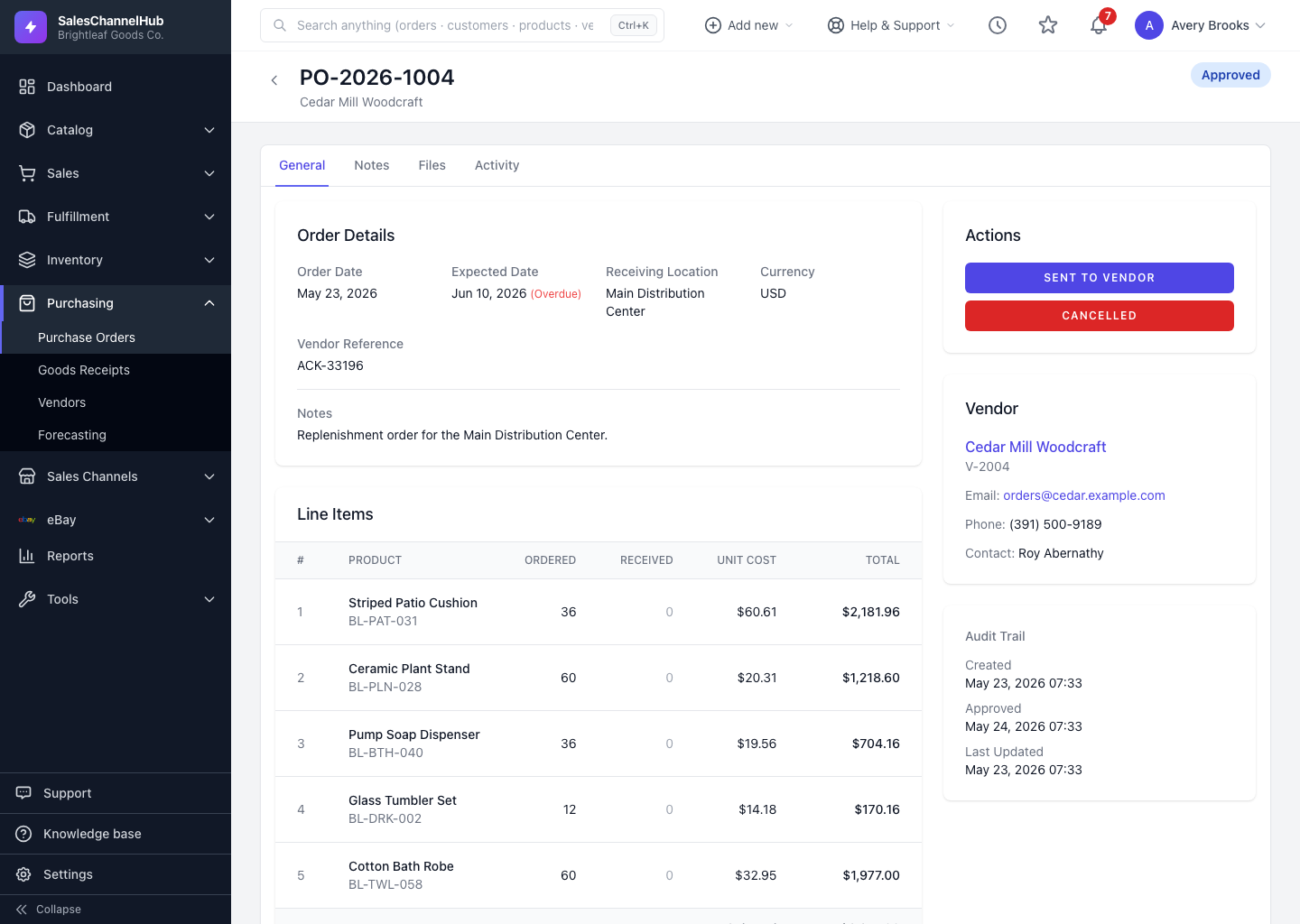
What does each status mean?
- Draft — being built; fully editable.
- Pending Approval — submitted and waiting for sign-off.
- Approved — signed off and ready to send.
- Sent to Vendor — issued to the supplier; receiving can begin.
- Acknowledged — the vendor has confirmed the order.
- Partially Received — some but not all items have arrived.
- Fully Received — everything has arrived.
- Closed — finished and archived.
- Cancelled — called off; this is the end of the line.
How does a PO move between them?
- A draft goes to Pending Approval, straight to Approved, or is cancelled. A pending PO can also be withdrawn back to Draft.
- An approved PO is sent, then progresses through Acknowledged, Partially Received and Fully Received as goods arrive.
- Partially or Fully Received orders can be closed, and a closed order can be reopened back to Fully Received if needed.
Tip. The buttons in the Actions sidebar only ever show the moves that are valid right now, so you can't accidentally skip a step.
Was this article helpful?