Find your way around the sidebar
The left sidebar is your map: direct links open one page, groups expand to related pages, and you can collapse it.
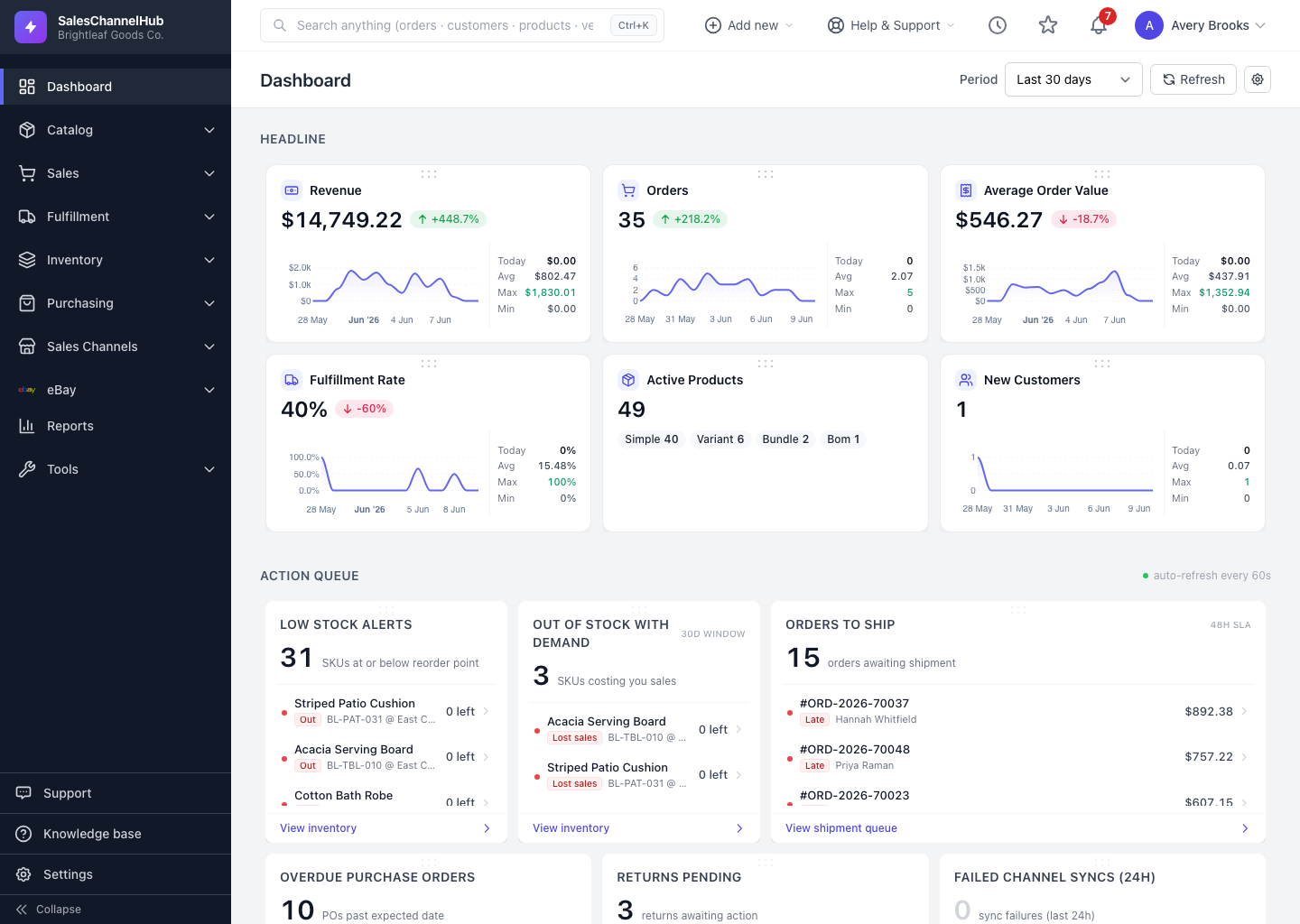
The dark sidebar on the left is your map of the app. Direct links open a single page; related pages are tucked into expandable groups.
How is the sidebar organized?
- Direct links open one page. Only Dashboard and Reports sit at the top level on their own.
- Groups expand to related pages: Catalog, Sales, Fulfillment, Inventory, Purchasing, Sales Channels, eBay and Tools. So you reach Orders under Sales, Shipments under Fulfillment, and so on.
- One group opens at a time, and the group matching your current page opens on its own.
- Support, Knowledge base and Settings sit at the bottom.
- Collapse the sidebar to a slim icon rail for more room, then expand it to see labels again.
Tip. The sidebar only lists what your role can open, so your groups may be shorter than a colleague's. On a narrow screen, tap the menu button at the top left to slide it in and out.
Was this article helpful?