Manage stock adjustment reasons
Define the codes staff pick when adjusting inventory, set whether each applies to increases or decreases, and require approval on sensitive ones.
Adjustment reasons are the dropdown your team picks from whenever they change a stock count outside of normal sales and receiving: damage, found stock, a recount, and so on.
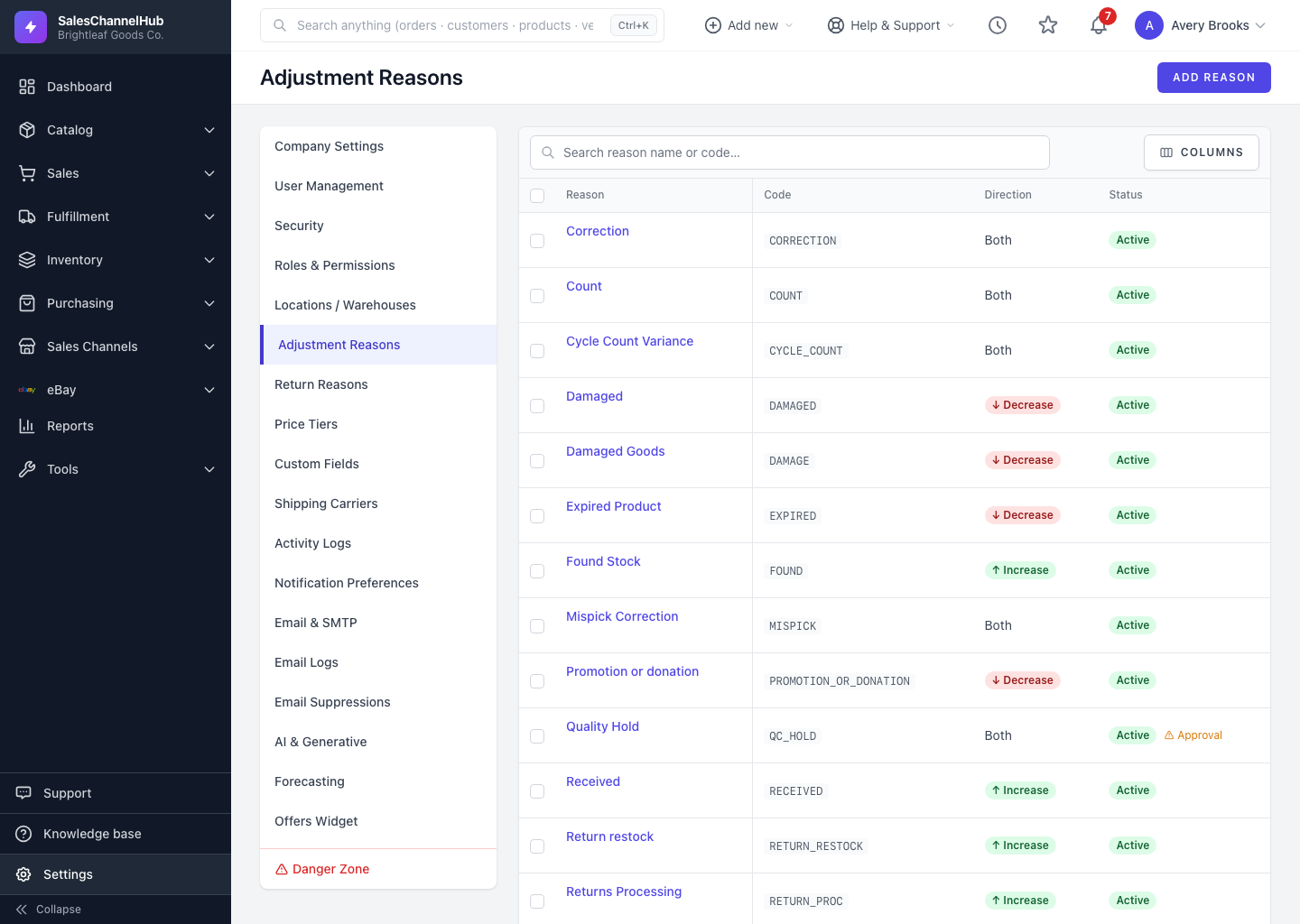
How do I add an adjustment reason?
- Go to Settings → Adjustment Reasons and click Add Reason.
- Enter a Code and a Name (for example DAMAGE / Damaged in storage).
- Choose the Adjustment Type: Both, Increase Only, or Decrease Only. This controls which direction the reason applies to.
- Tick Requires Approval if a manager must sign off, and keep Active ticked.
- Click Create Reason.
Tip. Mark write-off reasons as Decrease Only and require approval. That stops accidental stock increases and gives you an audit trail for losses.
Common questions
What does Requires Approval do?
An adjustment using that reason needs a manager to sign off before it changes the stock count, giving you a control on sensitive movements like write-offs.
Can I delete a reason my team has used?
A reason already recorded against adjustments can't be deleted, so its history stays intact. Untick Active to retire it instead.
Was this article helpful?