Find your way around the Reports gallery
The Reports page splits into four tabs: Templates, My Reports, Shared and Favorites. Saved reports sit in a table you run, edit or delete from.
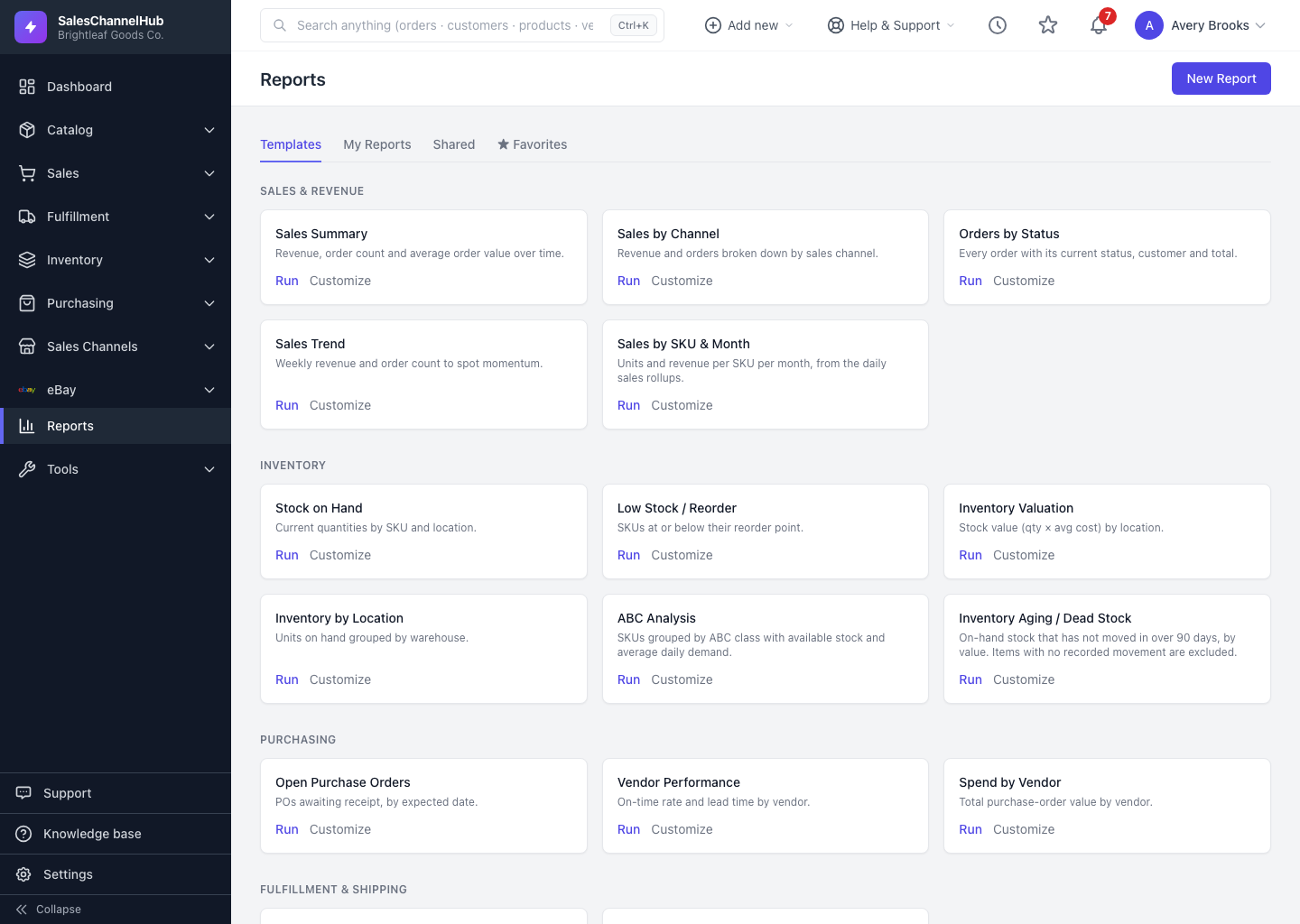
The Reports landing page splits into four tabs so you reach the report you need fast. Templates open first; your saved reports live under the other three.
What are the four tabs?
- Templates — built-in reports grouped by category (Sales & Revenue, Inventory, Purchasing and more). Each card has a Run link, plus a Customize link if you can build reports.
- My Reports — reports you created.
- Shared — reports other people shared with you or your role.
- ★ Favorites — the reports you've starred for quick access.
What's in the saved-report table?
Each row shows the report Name, its Record type, a Visibility badge and when it was Last run. The star on the left toggles a favourite. The Actions column on the right offers Run, and Edit, Duplicate and Delete where you're allowed.
Tip. Click a report's name or its Run link to open the latest results. The Last run column updates every time you open it.
Was this article helpful?