Edit a purchase order
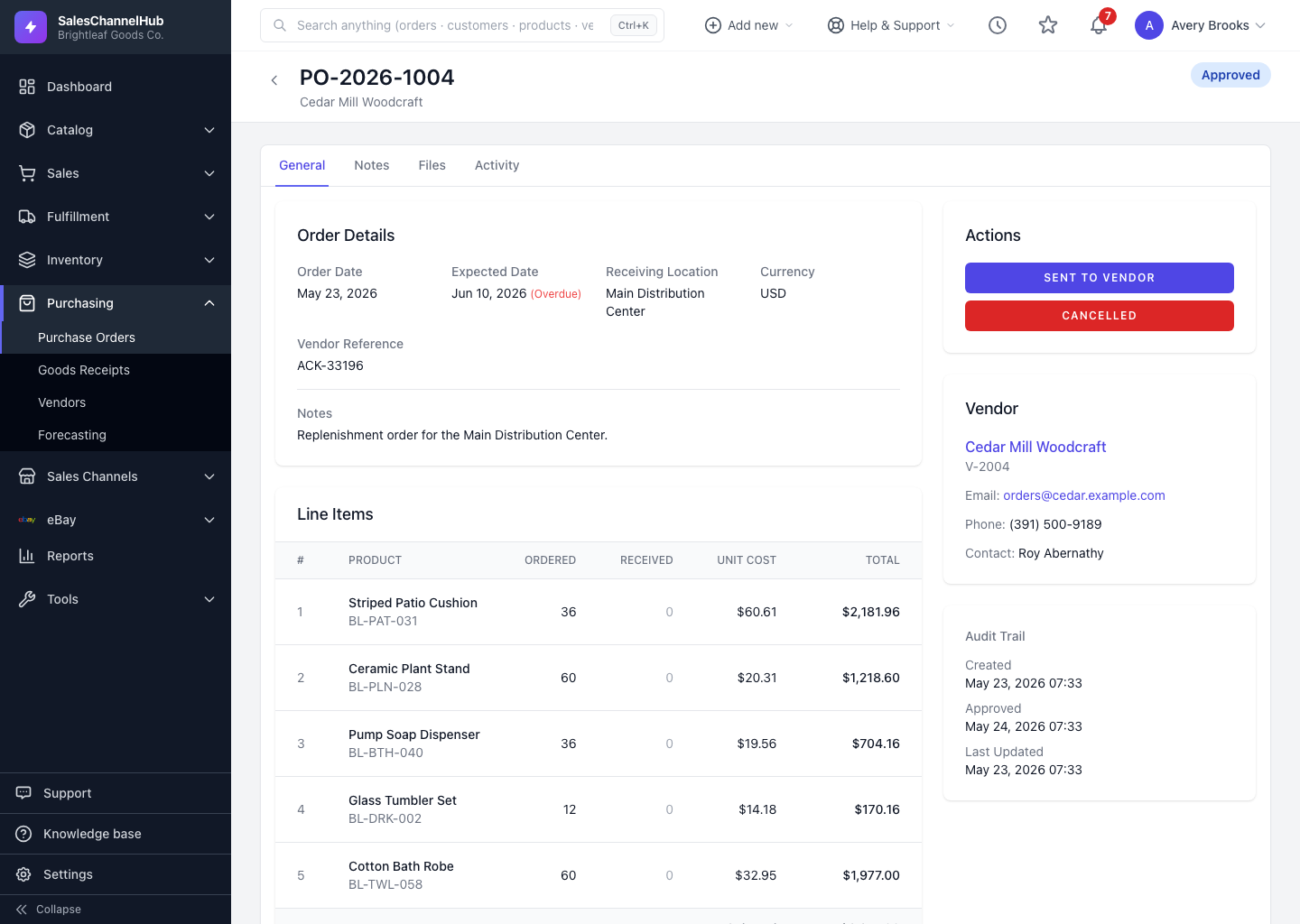
You can edit a PO's details and lines while it's still Draft or Pending Approval. Once approved or sent, the Edit button disappears.
You can revise a purchase order while it's early in its life. Once it's approved or sent, it locks down so the record matches what the vendor received.
How do I edit a PO?
- Open the purchase order. If it can still be edited, an Edit button shows at the top.
- Click Edit to open the form.
- Adjust the order information or line items.
- Click Update Purchase Order to save.
When can I edit, and when can't I?
- A PO is editable while its status is Draft or Pending Approval.
- Once it's Approved, Sent to Vendor or beyond, the Edit button disappears.
- A draft or cancelled PO can also be deleted from its detail page using the Delete Purchase Order button.
Tip. To change an order that's already approved, cancel it and raise a fresh PO. That keeps a clean record of what was actually committed to the vendor.
Was this article helpful?