Create a percentage discount
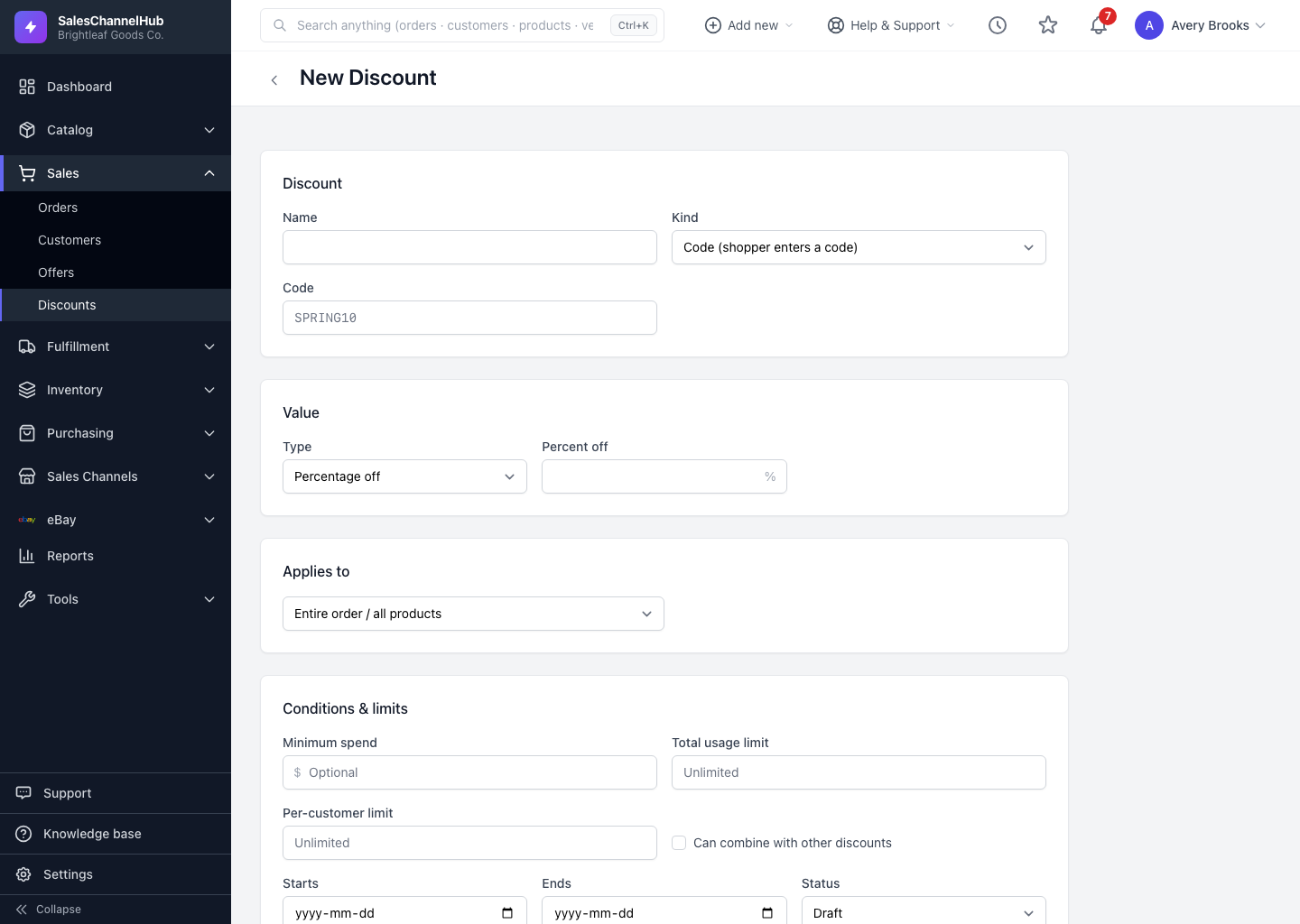
Set the value Type to Percentage off and enter a number from 0 to 100. It's the default type and the most common coupon.
A percentage discount takes a share off the price, for example 10% off a homeware range. It's the default type on a new discount.
How do I set up a percentage discount?
- Start a new discount and, under Value, leave Type on Percentage off.
- Enter the Percent off, a number from 0 to 100. The field accepts decimals, so 12.5 works.
- Under Applies to, narrow the scope to certain products or categories if you want.
- Add a Minimum spend under conditions if the offer should only kick in above a threshold.
- Pick the channels and save.
Tip. Pair a percentage with a minimum spend, say 15% off orders over $200, to lift average order value rather than discounting small baskets.
Was this article helpful?