Browse cycle counts
Open Inventory → Cycle Counts and filter by status, type or warehouse, then open a count to record items or review variances.
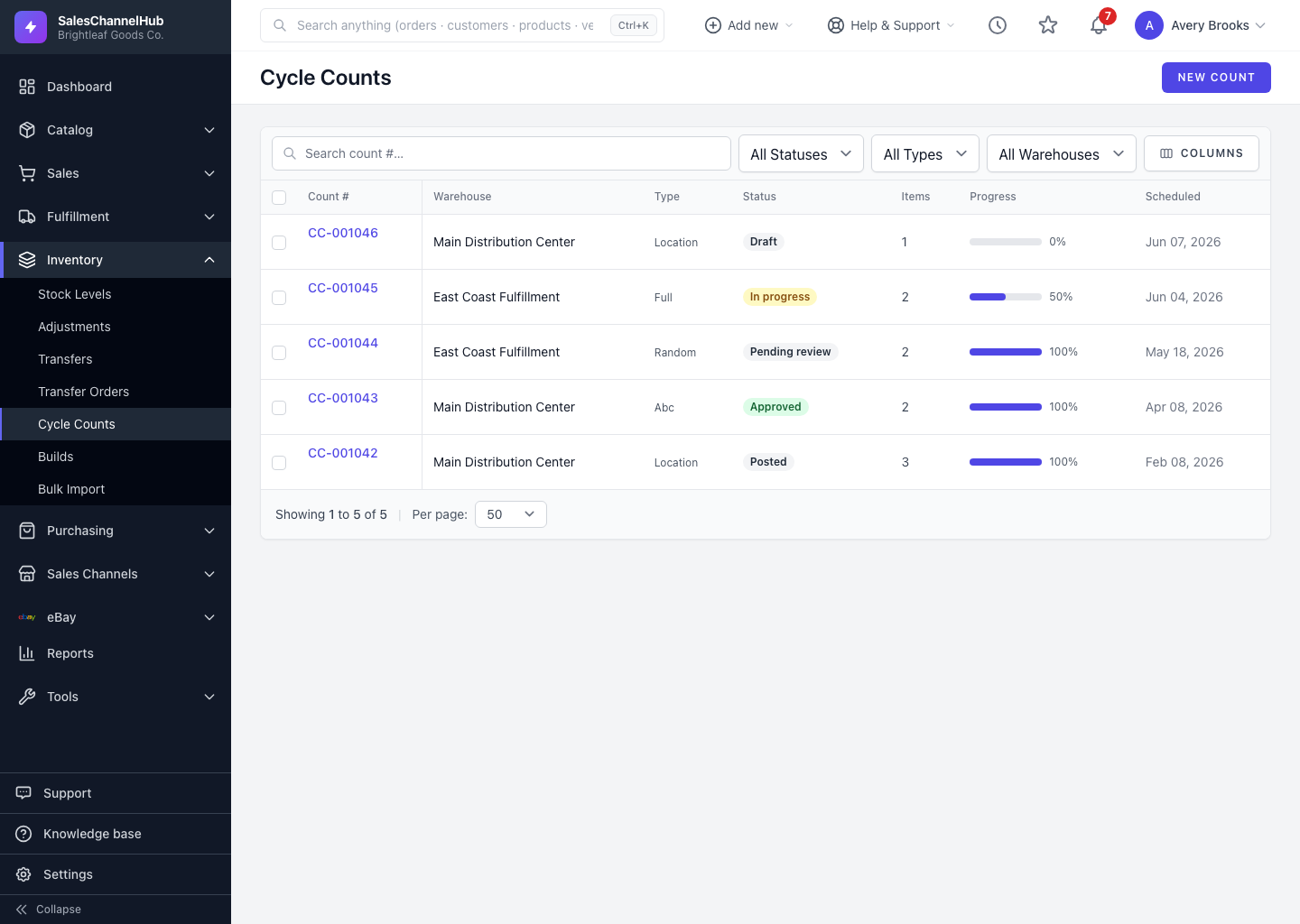
To see what's scheduled, in progress or waiting on review, open Inventory → Cycle Counts. The list shows each count's number, warehouse, type, status, item count, progress and scheduled date.
How do I find a count?
- Go to Inventory → Cycle Counts.
- Filter by status, count type or warehouse.
- Search by count number, sort a column, and set the rows per page.
- Click a count to open it and work the items or review variances.
Tip. Counts in Pending review are the ones waiting on a supervisor. Filter to that status to clear your review queue.
Was this article helpful?