Email statuses explained
What Sent, Sending, Queued, Failed and Suppressed each mean in the email log, and what to do next.
Every row in the email log carries a status badge. Knowing what each one means saves you guessing whether a message reached its recipient.
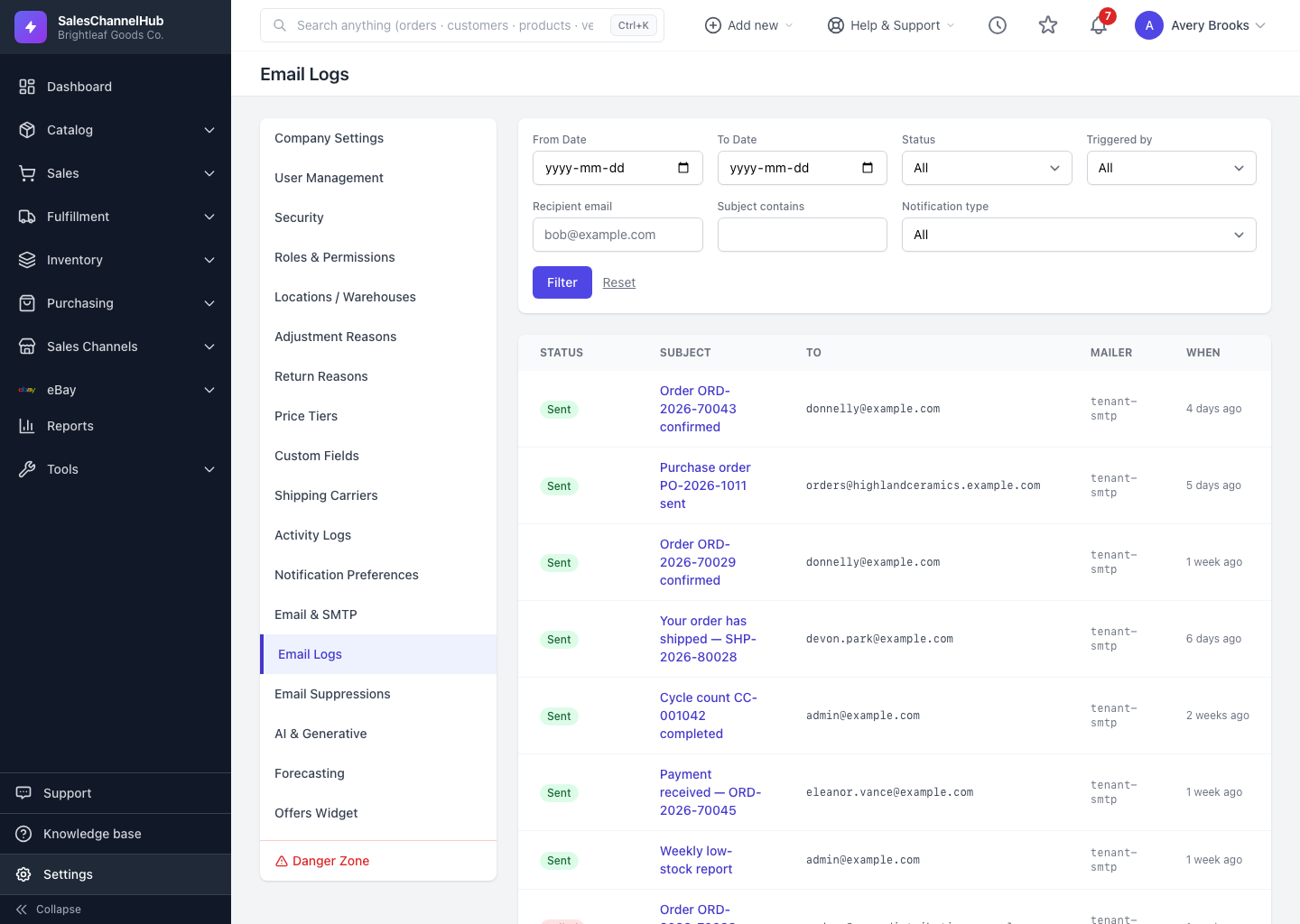
What does each status mean?
- Sent means the message was handed off to the mail server successfully. This is the normal, healthy outcome.
- Queued means it's waiting to be sent. This usually clears within moments; if it lingers, sending may be backed up.
- Sending means the send is in progress right now.
- Failed means the send didn't go through. Open the email to read the error, which explains why, often a bad address or a mail-server rejection.
- Suppressed means the system deliberately didn't send, because the address is on your suppression list (for instance after a hard bounce or an unsubscribe). That protects your sending reputation.
What can I do about each one?
A Failed message can often be retried with Resend once you've fixed the cause. A Suppressed one won't go anywhere until the address is released from the suppression list under Settings > Email Suppressions.
Tip. Addresses land on the suppression list automatically after an unsubscribe, hard bounce or spam complaint. You can also add or release them by hand on the Email Suppressions page.
Common questions
An email is Suppressed. How do I let it through?
Open Settings > Email Suppressions, find the address, and click Release. Until then, any send to that address is suppressed to protect your sending reputation.
An email shows Sent but the recipient never got it. Why?
Sent means the mail server accepted it, not that it reached the inbox. It most often landed in spam or junk. Ask the recipient to check there and add your sender address to their contacts.
A message has been Queued for a while. Is that a problem?
Usually it clears within moments. If it stays queued, sending may be backed up; check back shortly, and confirm your mailer is configured under Settings > Email & SMTP.