Browse goods receipts
The Goods Receipts list records every receipt you've made. Filter by status, vendor or date, or use the status cards as one-click filters.
The Goods Receipts list is the record of everything you've received. Each receipt is created automatically when you receive against a purchase order.
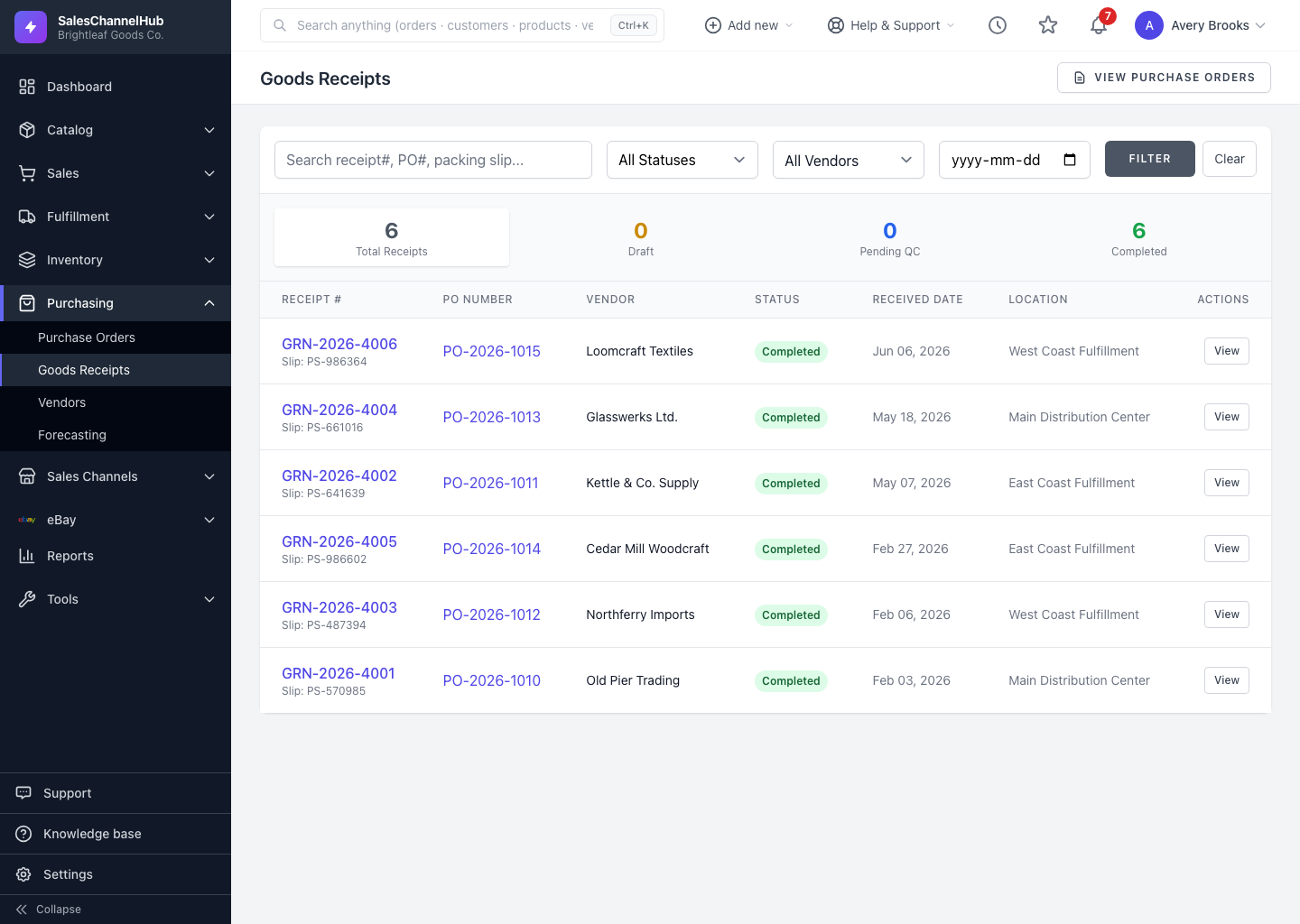
How do I use the list?
- Go to Purchasing → Goods Receipts.
- Search by receipt #, PO # or packing slip.
- Filter by Status (Draft, Pending QC, Completed), by Vendor, or from a given date, then click Filter.
- Use the four cards at the top, Total Receipts, Draft, Pending QC and Completed, as one-click filters.
- Click a receipt number or View to open it.
Can I create a receipt here?
No. Receipts only come from receiving on a PO. The PO Number and Vendor columns link back to the source order.
Tip. The Pending QC card is the fastest way to find receipts that still need a quality check before they can be completed.
Was this article helpful?