Set your notification preferences
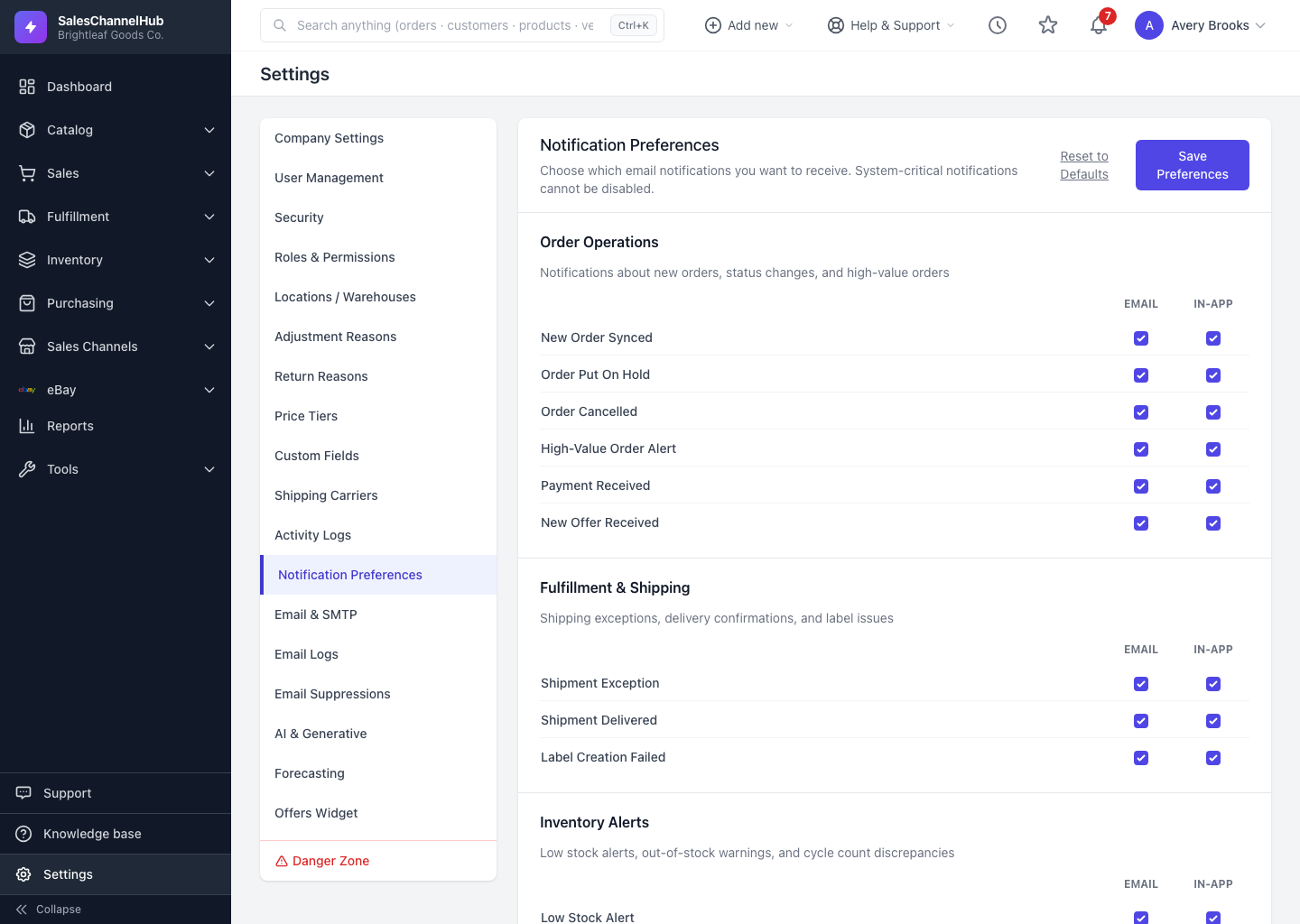
On Settings → Notification Preferences, choose which alerts reach you by email and in-app, per type. The choices are personal to you.
Notification preferences are personal to you. They control which alerts you receive and on which channels, without affecting your teammates.
How do I set my notifications?
- Go to Settings → Notification Preferences.
- Notifications are grouped by topic. For each type, tick or untick Email and In-app.
- Click Save Preferences.
- To start over, click Reset to Defaults.
Why can't I switch some off?
A few notifications are marked Always On. These are system-critical and can't be disabled.
Tip. Keep In-app on for everything and trim Email to what truly needs your inbox. That cuts noise while keeping a record inside the app.
Common questions
Do my preferences change what my teammates receive?
No. Notification preferences are per-user. Each person sets their own Email and In-app choices.
Why can't I turn a notification off?
It's marked Always On. Some alerts are system-critical, so they can't be disabled on either channel.
Was this article helpful?