Listing statuses explained
What Draft, Scheduled, Live, Sold, Unsold, Ended, Sold Out and Error mean for a listing in the Status column.
Every listing carries a status showing where it is in its life on the platform. The badge in the Status column lets you read the list at a glance, and the Status filter lets you focus on one state.
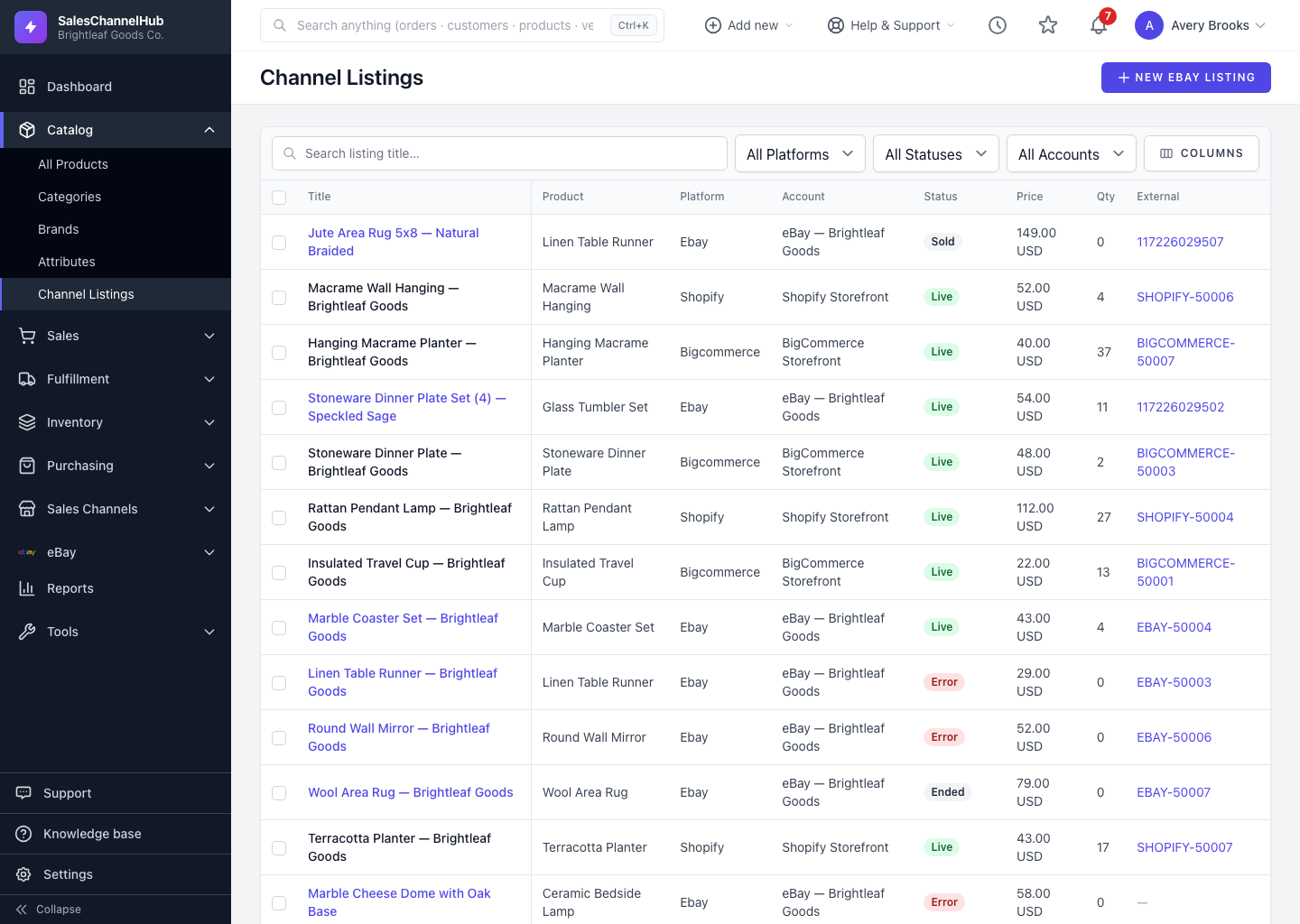
What does each status mean?
- Draft. Started but not yet published. Buyers can't see it.
- Scheduled. Set to go live automatically at a future date and time.
- Live. Published and visible to buyers now.
- Sold. The listing sold and has closed.
- Unsold. The listing ran its course without selling. You can usually relist it.
- Ended. Ended by you or by the platform, and no longer active.
- Sold Out. Live but with no quantity left to buy until you restock.
- Error. The platform rejected the last publish or update. Open the listing to see why and fix it.
A listing usually moves Draft, then Scheduled, then Live, then Ended, and on to Sold or Unsold. Any state can flip to Error if a platform request fails.
Tip. Filter by Error first thing each day. Catching failed publishes early stops them costing you sales.
Was this article helpful?