Cancel a build
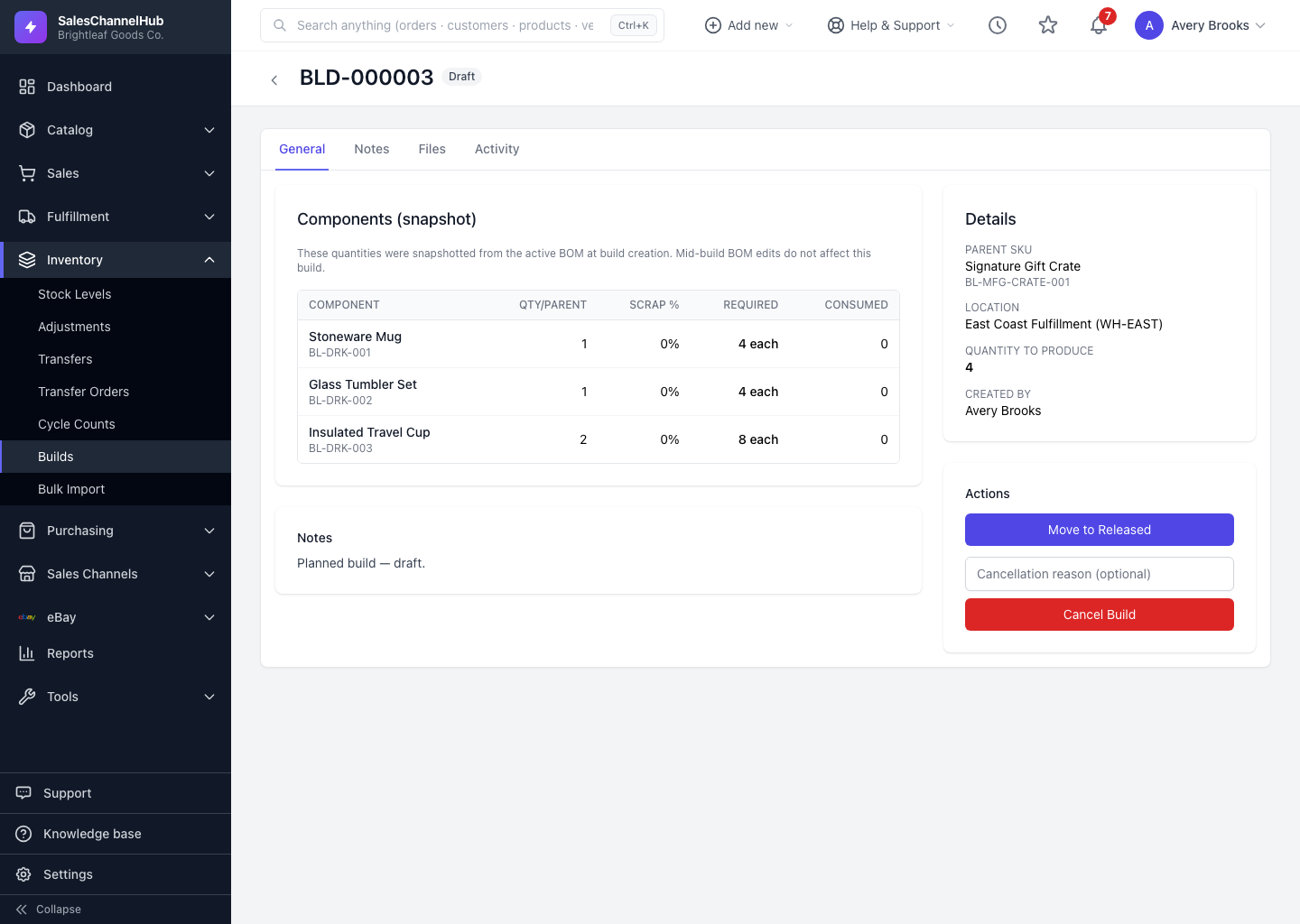
Open the build, add an optional cancellation reason, and click Cancel Build. Any component consumption already made is reversed.
If a build was started by mistake or is no longer needed, you can cancel it. Cancelling records a reason and, if the build had already consumed components, reverses that consumption.
How do I cancel a build?
- Open the build you want to stop.
- In the Actions panel, type a Cancellation reason (optional).
- Click Cancel Build and confirm.
What happens to consumed stock?
- If the build was In Progress and had consumed components, that consumption is reversed so the parts return to stock.
- A completed build can't be cancelled, since it's already finished.
Tip. The cancellation reason shows on the build's detail page, so a note like “wrong location” or “order pulled” saves questions later.
Common questions
Can I cancel a completed build?
No. Cancelling is allowed up through In Progress. A completed build is final, so to reverse it you'd run a new build or stock adjustment.
Do components return to stock when I cancel?
Yes, if the build had consumed any. Cancelling an In Progress build reverses the consumption so those parts go back on hand.
Was this article helpful?